A successful HubSpot-Salesforce integration does more than just sync data; it creates a unified operational backbone for your marketing and sales teams. This connection establishes a single source of truth, where marketing insights from HubSpot flow directly into Salesforce to inform sales conversations, and sales outcomes cycle back to HubSpot to refine future campaigns.
This seamless data exchange is fundamental to building a cohesive revenue engine, effectively dismantling the data silos that commonly hinder B2B growth.
Why a Unified HubSpot-Salesforce Integration Drives Growth
For B2B companies focused on scaling, aligning marketing and sales operations is not optional—it’s a strategic imperative. The integration between HubSpot and Salesforce is the core of a modern revenue operations (RevOps) framework. This isn’t about basic data transfer; it’s about creating a powerful, bidirectional flow of information that makes every customer touchpoint more intelligent and impactful.
When HubSpot and Salesforce are correctly integrated, the classic friction between marketing and sales diminishes. The result is a cohesive go-to-market engine where data drives every decision, and automation eliminates the manual tasks that impede operational efficiency.

Breaking Down Departmental Silos
The most immediate benefit of integration is the elimination of information silos. Without a connection, marketers operate within HubSpot, analyzing behavioral data, while the sales team works from opportunity data in Salesforce. The problem is clear: neither team possesses a complete view of the customer journey.
A unified system ensures both teams operate from the same strategic playbook. For example, when a prospect engages with a high-value webinar in HubSpot, that activity can instantly appear on their record in Salesforce. This provides the sales representative with crucial, timely context for their outreach, transforming a generic call into a relevant, value-driven conversation.
Enhancing Lead Intelligence and Prioritization
A well-architected integration transforms marketing activity into actionable sales intelligence. Consider a HubSpot lead scoring model that tracks website visits, content downloads, and email engagement. When connected to Salesforce, its value is amplified.
- Automated Prioritization: Once a lead’s score reaches a predefined threshold—for example, 50 points—the record is automatically synced to Salesforce and assigned to a sales rep, eliminating manual handoffs.
- Contextual Handoff: The representative receives more than just a name. They see the specific activities that contributed to the score directly within the Salesforce record, such as a recent pricing guide download.
- Increased Efficiency: Sales teams can cease wasting time on low-intent leads and focus exclusively on prospects demonstrating active interest, significantly improving conversion rates.
A seamless HubSpot-Salesforce integration provides your sales team with a 360-degree view of every marketing touchpoint, enabling them to prioritize high-intent leads with precision. This is not just about efficiency; it’s about intelligent selling.
Achieving True Closed-Loop Reporting
How do you accurately measure the ROI of your latest marketing campaign? With a disconnected tech stack, this process is often an exercise in manual data consolidation and estimation. This integration makes closed-loop reporting not just possible, but straightforward.
When a sales representative closes an opportunity in Salesforce, that revenue data syncs back to HubSpot and is attributed to the specific campaigns that sourced and nurtured that lead. Marketing leaders can then confidently answer critical business questions, identifying which blog posts, ad campaigns, or email sequences are generating revenue. This allows for data-driven decisions to reinvest in successful strategies and optimize underperforming ones.
Before implementing, it’s wise to understand the full capabilities of modern platforms; you can explore different integration features to see how they can support various business processes. This level of strategic insight is unattainable when your most valuable data resides in disconnected systems.
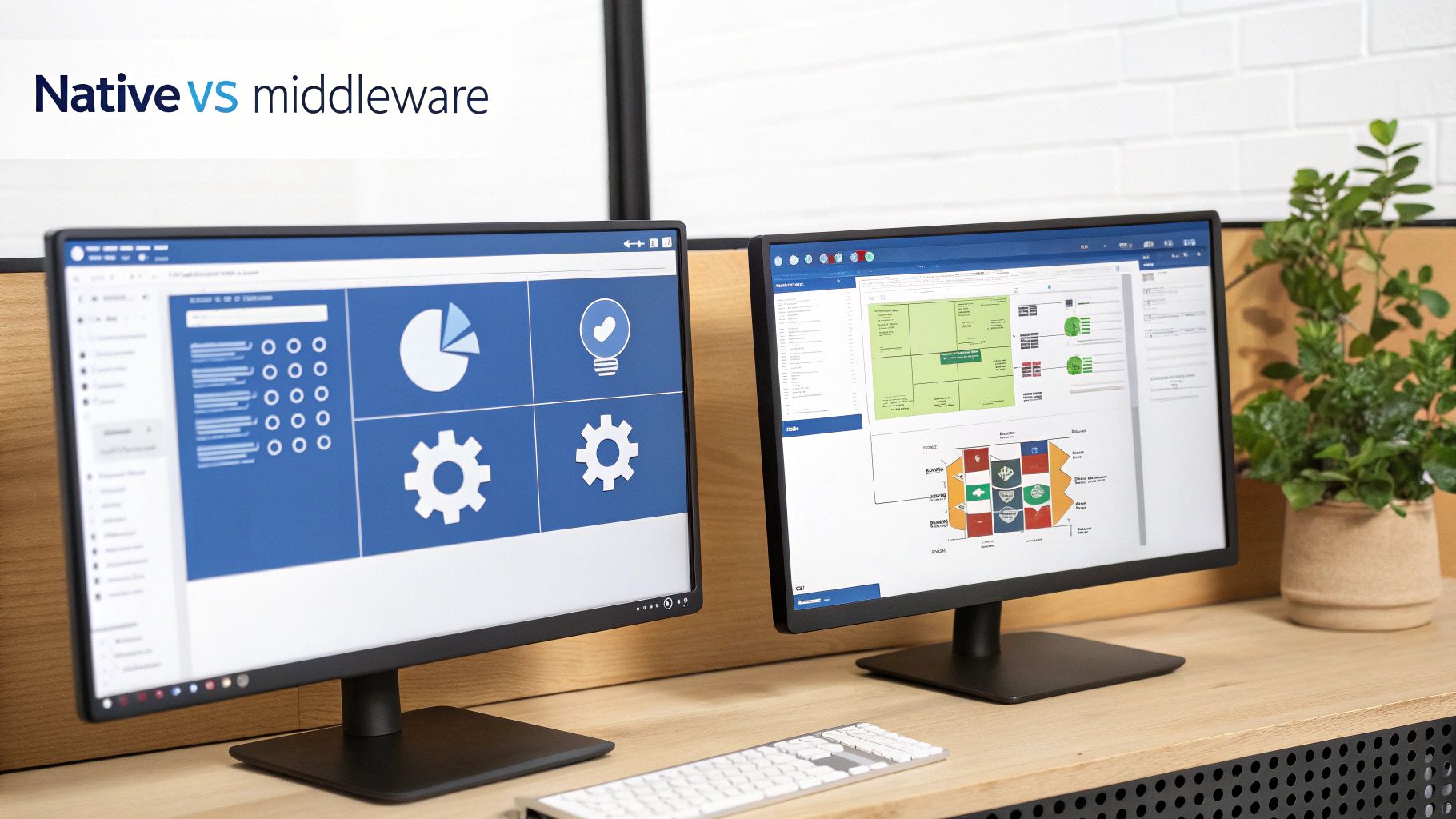
Choosing Your Integration Path: Native vs. Middleware
Deciding how to connect HubSpot and Salesforce is a critical early decision in your RevOps journey. This choice will define your system’s flexibility, maintenance overhead, and data reliability for years to come. It’s a strategic decision that establishes the operational ceiling for your go-to-market teams.
Your primary options are HubSpot’s native connector or a third-party middleware platform. Each has its merits, and the optimal choice depends on your organization’s complexity and growth trajectory. Making the right decision now prevents a costly and disruptive migration later.
The HubSpot Native Salesforce Connector
For many B2B companies, particularly those in the SMB segment or with straightforward data models, HubSpot’s native Salesforce integration is an excellent solution. It is designed as a direct, out-of-the-box connector that handles the fundamentals—syncing Contacts, Companies, Deals, and Activities—with minimal technical overhead.
The native tool is quite powerful, allowing you to configure sync rules, map standard and custom fields, and build a reliable data pipeline. The HubSpot and Salesforce connection is a significant growth driver for businesses in technology and professional services. HubSpot’s native tool has improved dramatically since 2020; I always recommend ensuring you’re on version 2.60 or higher for optimal performance. These advancements are a key reason why over 60% of mid-sized businesses on Salesforce also leverage HubSpot to bridge the marketing-to-sales gap. You can dig into more of these integration trends to see how prevalent this powerful combination has become.
However, the native connector has limitations. It can struggle with highly complex, multi-object relationships and lacks capabilities for advanced, on-the-fly data transformations. For instance, if a record is deleted in Salesforce, the native sync does not delete the corresponding HubSpot record; it only flags it with a ‘Salesforce Deleted’ property, necessitating a manual clean-up process to maintain data hygiene.
When Middleware Becomes Non-Negotiable
As a business scales, its data challenges inevitably grow in complexity. This is when middleware platforms like Workato, Celigo, or Zapier become essential. These tools function as sophisticated intermediaries, providing a level of control and customization that native connectors cannot match.
Middleware acts as an intelligent data translator and traffic controller, sitting between HubSpot and Salesforce to enable intricate workflows, manipulate data in transit, and connect to other applications in your tech stack.
Here are scenarios where middleware is a necessity:
- Complex Data Transformation: You need to merge two fields from HubSpot into a single field in Salesforce or perform a calculation before the data syncs.
- Advanced Logic: Sync rules are conditional on data from multiple objects (e.g., “Sync this Contact only if their Account is an ‘Enterprise’ customer and they have an open Opportunity”).
- Multi-System Orchestration: The HubSpot-Salesforce sync must trigger an action in another system, such as a data warehouse or billing platform.
- Real-Time Syncing Needs: Your business processes cannot accommodate the native connector’s 10-15 minute sync cycle and require instantaneous data transfer.
Middleware is an investment in future-proofing your RevOps architecture. It provides the flexibility to adapt your integration as your business processes and data requirements become more sophisticated.
Comparing HubSpot Salesforce Integration Methods
This head-to-head comparison breaks down key differences to help you align the right tool with your business requirements.
| Feature | Native Connector | Middleware (e.g., Workato, Zapier) |
|---|---|---|
| Cost | Included in HubSpot Professional/Enterprise subscription. | Separate subscription fee; cost varies by platform and usage. |
| Setup & Maintenance | Relatively simple to set up and manage, often handled by a marketing or sales ops person. | Requires more technical expertise to build and maintain workflows; often owned by RevOps or IT. |
| Data Transformation | Basic field-to-field mapping. Limited ability to transform or manipulate data. | Advanced capabilities to combine fields, run formulas, and reformat data mid-sync. |
| Sync Logic | Standard one-way or two-way sync based on inclusion lists and record properties. | Highly customisable, conditional logic based on data from multiple objects and systems. |
| Sync Speed | Typically syncs every 10-15 minutes, with some triggers being faster. | Can be configured for near real-time or instantaneous syncing based on triggers. |
| Error Handling | Provides a dashboard of sync errors that often require manual resolution. | Robust, automated error handling, alerting, and retry logic can be built into workflows. |
| Scalability | Best for straightforward data models and standard object syncing. | Built to handle high-volume, multi-object complexity and orchestrate data across the tech stack. |
Ultimately, the best choice depends on your specific needs. The native connector is a fantastic, cost-effective solution for many, but middleware offers the power and flexibility required for complex, high-growth environments.
Making the Right Decision for Your Team
Choosing your integration path requires an honest assessment of your current needs and future roadmap.
Ask your team these questions:
- Data Complexity: Are your sync requirements primarily for standard objects like Contacts, Accounts, and Deals with simple field mappings? If so, the native connector is likely sufficient.
- Team Skillset: Do you have a RevOps or IT team equipped to manage a more powerful middleware platform, or do you need a solution a marketing ops manager can handle?
- Scalability: What does your go-to-market strategy look like over the next 18-24 months? If you anticipate adding more tools, custom objects, or complex data rules, planning for middleware now can prevent future challenges.
- Budget: The native connector is included in your HubSpot subscription, while middleware platforms introduce an additional cost. Is the advanced functionality worth the investment for your business today?
The goal of your HubSpot Salesforce integration strategy is to create a single source of truth with a seamless flow of information. The native connector offers a direct path for many, while middleware provides the robust, customizable highway needed to fuel long-term growth.
Your Pre-Integration Blueprint For Data And Systems
A successful HubSpot Salesforce integration is built on a foundation of meticulous preparation. Rushing this foundational stage is the single greatest cause of sync failures, data corruption, and frustrated teams.
This pre-flight checklist ensures you avoid the ‘garbage in, garbage out’ scenario. By taking these deliberate actions, you guarantee that when the platforms are connected, you are syncing clean, reliable information that your revenue teams can trust and act upon.

Conduct A Comprehensive Data Audit
Before syncing a single record, you must perform a thorough data audit in both HubSpot and Salesforce. This audit is designed to identify and remediate inconsistencies that can compromise the integration from day one.
Begin by identifying and merging duplicates. Run reports in both systems to find contacts, companies, and leads that require consolidation. A common issue is records sharing an email address but having different names or company associations. While specialized tools are effective, even native deduplication features provide a good starting point. This is not a one-time task but a critical component of ongoing data hygiene. The pre-integration cleanup process aligns with many data migration best practices.
Next, standardize your field values to eliminate inconsistencies that undermine accurate reporting.
- Picklist Alignment: Ensure fields like ‘Industry,’ ‘Region,’ or ‘Lead Source’ use identical picklist values. To the integration, ‘Manufacturing’ in Salesforce and ‘manufacturing’ in HubSpot are treated as two distinct values.
- Formatting Rules: Establish and document clear data entry protocols. Should phone numbers always include a country code? Are state and province names spelled out or abbreviated?
- Data Enrichment Gaps: Determine which system will serve as the “source of truth” for specific properties. For example, your sales team might enrich account data directly in Salesforce, making it the most accurate source for firmographic information.
Your integration is only as reliable as the data it syncs. A thorough audit isn’t just a recommendation—it’s a non-negotiable step to protect data integrity and ensure your teams actually adopt the new process.
Establish Your Dedicated Integration User
A critical best practice that prevents future disruptions is creating a dedicated ‘Integration User’ in Salesforce. This is not a real person’s account but a specific user profile created solely for the HubSpot-Salesforce connection.
Assigning the integration to an employee’s account introduces significant risk. If that employee leaves the company and their account is deactivated, the entire integration will break without warning.
A dedicated integration user provides:
- Security and Control: You can grant this user the precise permissions required for the sync—and nothing more—adhering to the principle of least privilege.
- Clear Troubleshooting: When a change is logged by the “HubSpot Integration User” in Salesforce’s audit trail, its origin is immediately clear, simplifying the debugging of sync errors.
- Uninterrupted Service: The integration remains stable regardless of employee turnover, ensuring continuous data flow between marketing and sales.
This user must be a Salesforce system administrator or be assigned the ‘HubSpot Integration Permissions’ set to provide the necessary API access and object permissions.
Master Your Field Mapping Strategy
Field mapping is where you define the relationship between HubSpot properties and Salesforce fields. A clear plan is essential before you begin configuring the integration. A useful exercise is visualizing data flow, which helps teams align on the overall data architecture.
Create a shared spreadsheet listing every field to be synced for Contacts, Companies, and Deals. For each pair, define its ‘sync rule.’
- Prefer Salesforce: If a value exists in both systems, the Salesforce value is retained. This is a common and safe default.
- Always use Salesforce: The HubSpot value will always be overwritten by the Salesforce value, creating a one-way sync for that specific field.
- Two-way: The most recently updated value in either system syncs to the other. Use this rule cautiously, as it can lead to unintended overwrites without clear data ownership policies.
A Simple Field Mapping Blueprint for a Contact/Lead:
| HubSpot Property | Salesforce Field | Sync Rule | Rationale |
|---|---|---|---|
| Lifecycle Stage | Lead Status | Prefer Salesforce | Sales owns the lead qualification process in Salesforce. |
| Lead Score | HubSpot_Score__c |
Two-way | Marketing updates this score, but Sales may need to reference it. |
| Original Source | Lead Source | Prefer Salesforce | Aligns with Salesforce’s standard reporting on lead origination. |
| Job Title | Title | Two-way | Both teams might update this information. |
This blueprinting phase is foundational. By meticulously cleaning your data, setting up a secure integration user, and planning your field mappings, you are building a HubSpot Salesforce integration that is reliable, secure, and ready to drive significant business value.
Configuring Your Integration: Logic, Sync Rules, And The Handoff
You have completed the preparation; your data is clean, and your systems are ready to be connected. Now comes the critical phase: configuring the logic that will govern the data flow between your marketing and sales environments. This is where you translate your strategic plan into the operational rules that define the handoff process.
A well-configured integration builds an intelligent, automated system. Your sales team will receive leads that are truly ready for engagement, and your marketing team will gain clear visibility into the entire customer journey, from first click to closed-won.

Controlling Data Flow With The HubSpot Inclusion List
The HubSpot Inclusion List is a core component of the native integration, acting as a gatekeeper for your Salesforce instance. It gives you precise control over which HubSpot contacts are permitted to sync. Without it, you risk flooding your CRM with unengaged subscribers and low-quality leads, creating unnecessary noise for your sales team.
This inclusion list is an active list in HubSpot that defines your sync criteria. A contact will be created as a new Lead or Contact in Salesforce only if they meet the rules of this list.
A proven strategy is to base inclusion criteria on a combination of lead score and lifecycle stage. For example:
- HubSpot Score is greater than or equal to 50
- AND Lifecycle Stage is Marketing Qualified Lead (MQL)
This rule ensures that only contacts who have demonstrated significant engagement and have been formally qualified by marketing are passed to Salesforce. This selective syncing is the foundation of a clean and efficient integration. To understand the mechanics in more detail, review this guide on what is data synchronization.
Aligning Lifecycle Stages And Lead Statuses
For a seamless handoff, HubSpot and Salesforce must use a common language. This requires mapping HubSpot’s Lifecycle Stages to your Salesforce Lead Statuses and Opportunity Stages. This alignment is essential for accurate funnel reporting and ensuring both teams have a shared understanding of a prospect’s journey.
Without this alignment, you invite reporting discrepancies and inter-team friction. When marketing designates a contact as an MQL in HubSpot, this must translate into a clear, actionable status in Salesforce, such as ‘New’ or ‘Open’.
Your sync rules are the guardrails of your revenue funnel. A well-configured sync ensures marketing hands off a clean, qualified lead, and sales provides clear feedback on progression, creating a powerful closed-loop system.
A typical B2B lead flow looks like this:
- Lead Capture: A prospect downloads an ebook and becomes a ‘Lead’ in HubSpot but does not sync to Salesforce yet.
- Nurturing & Scoring: The lead engages with emails and visits the pricing page. Their HubSpot Score increases to 65.
- MQL Trigger: A workflow identifies the score and automatically updates their Lifecycle Stage to ‘Marketing Qualified Lead.’
- Inclusion & Sync: The contact now meets the inclusion list criteria and is synced to Salesforce, creating a new Lead record.
- Salesforce Handoff: The new Lead enters a Salesforce queue with a ‘New’ status, ready for assignment. All associated HubSpot engagement data is visible on the record via the HubSpot Embed window.
This structured process ensures your sales team invests time only in engaged prospects and has the full context needed for a meaningful conversation.
Managing Object And Property Mappings
Beyond high-level stages, you must configure field-level mappings for Contacts, Companies, and Deals. HubSpot provides default mappings, which are a good starting point, but customization is almost always necessary to fit your business processes.
A common challenge is mismatched field types, such as a multi-select picklist in HubSpot mapping to a text field in Salesforce. The native tool handles many of these cases, but you must review each mapping and define its sync rule:
- Two-way: The most recent change in either system wins. Ideal for fields like ‘Job Title’ that either team might update.
- Prefer Salesforce: If there’s a conflict, the Salesforce value takes priority. This is often the safest default for fields primarily owned by sales.
- Always use Salesforce: The HubSpot value is always overwritten by Salesforce. This creates a one-way sync, suitable for data that should only be managed within the CRM.
Proper configuration of inclusion lists and sync rules prevents sync errors and keeps CRM data clean and relevant for the sales team.
Keeping Your Integration Healthy: Monitoring and RevOps Governance
Launching your HubSpot–Salesforce integration is a significant milestone, but the real work begins now. The true value is realized through ongoing, diligent management. This requires consistent monitoring and a robust governance plan to maintain system health and data integrity.
Without this oversight, you risk data drift, sync errors, and an erosion of trust in the very systems you connected. Regular maintenance is essential to identify and resolve small issues before they escalate into major problems for your revenue teams.
Your New Best Friend: The Sync Error Dashboard
The HubSpot sync error dashboard is your primary diagnostic tool. For any RevOps professional managing this integration, reviewing this dashboard should be a daily routine, especially in the initial weeks post-launch. It is the control center for identifying and resolving sync issues as they arise.
Over time, you will recognize common error patterns, making remediation more efficient.
- Validation Rule Roadblocks: A Salesforce admin implements a new validation rule (e.g., “Reason for Disqualification” is required when Lead Status is “Unqualified”). However, the marketing team is not informed, and their HubSpot workflow attempting to update that lead fails because it doesn’t include the newly required field. Sync failed.
- The Case of the Missing Required Field: A field in Salesforce is marked as universally required. If a HubSpot record attempts to sync without a value for that field, Salesforce will reject the record.
- Mismatched Picklists: A new option is added to a picklist in HubSpot (e.g., a new “Lead Source”) but is not added to the corresponding field in Salesforce. When a record with this new value attempts to sync, the integration fails because it cannot map the value.
Treat these errors as valuable signals that highlight gaps in your processes or areas where data hygiene needs improvement.
A Governance Framework That Actually Works
A powerful integration can quickly degrade without clear operational rules. Uncontrolled changes to fields or processes will lead to systemic chaos. A clear governance plan is essential to prevent this.
Your governance framework should be a living document that defines the process for any changes to either system. This document is a critical component of any sound data strategy. You can explore the fundamentals by reviewing key data governance best practices, which are broadly applicable.
Your plan should cover:
- New Field Protocol: Implement a formal request process for creating new properties in HubSpot or fields in Salesforce. This process should include a review to prevent duplicates, confirm business need, and ensure correct mapping from the outset.
- Change Management for Sync Rules: Any modification to the inclusion list or field mappings must be documented and communicated. A seemingly minor change can have significant downstream impacts on reporting and automation.
- Clear Data Ownership: Define which system is the source of truth for key data points. For example, you might designate that Sales owns all account-level data (like industry and employee count) and that it can only be edited in Salesforce.
Good governance isn’t about creating red tape. It’s about protecting the integrity of your data and ensuring your HubSpot-Salesforce integration remains the reliable, single source of truth your entire company depends on.
The Payoff: Proving ROI with Closed-Loop Reporting
This is where your diligent work yields its greatest return. With Salesforce opportunity data flowing seamlessly back into HubSpot, you can finally connect marketing activities directly to revenue. The conversation shifts from vanity metrics like clicks and leads to business-critical metrics like pipeline and ROI.
When a sales rep closes a deal in Salesforce, that opportunity data syncs back to the associated contact records in HubSpot, unlocking HubSpot’s powerful attribution reporting. You can now overlay real revenue data onto your marketing campaign performance.
This enables you to answer the strategic questions your leadership team is asking. Which blog posts influenced the most closed-won deals? Which ad campaigns generated the highest-value customers? This is the data required to justify marketing spend and optimize your GTM strategy.
A well-managed integration turns a simple data connection into the central nervous system of your entire go-to-market engine.
Answering Your Top Integration Questions
When connecting two powerful systems like HubSpot and Salesforce, several key questions consistently arise. Clear answers are crucial for RevOps and marketing operations professionals responsible for maintaining system performance.
These are practical insights to help you manage the integration and set your team up for success.
How Often Does The Native Integration Actually Sync?
The native HubSpot-Salesforce connector is efficient but not instantaneous. An automatic sync runs approximately every 10-15 minutes.
However, certain actions can trigger a near-immediate sync. For instance, when a new lead meets your inclusion list criteria in HubSpot, it is typically sent to Salesforce almost instantly. Understanding this timing is important. If your sales process requires zero delay—such as for an immediate follow-up on a high-intent lead—a middleware solution or a custom API integration may be a more appropriate choice for that specific use case.
Can I Sync My Salesforce Custom Objects?
Yes, this is possible, but it requires a HubSpot Enterprise subscription.
With Enterprise, you can sync data from Salesforce custom objects into HubSpot. This is highly valuable for displaying that data on contact records, using it for list segmentation, or triggering workflows. The key limitation is that this is a one-way sync: data flows from Salesforce to HubSpot. You can view and use the data, but you cannot create or edit custom object records from within HubSpot. For bidirectional custom object syncing, a middleware platform would be necessary.
The biggest mistake to avoid is rushing the pre-integration phase. Diving in without a thorough data audit and a clear field mapping plan is a recipe for sync errors, data corruption, and a complete loss of team confidence in the system.
What’s The Single Biggest Mistake To Avoid?
The most damaging and common mistake is skipping the data cleanup and preparation phase. Connecting two disorganized systems results in compounded chaos. Sync errors will accumulate, bad data will overwrite good data, and your sales team will quickly lose confidence in the information they are provided.
Before enabling the sync, you must invest time in auditing and cleaning both platforms. This includes standardizing picklist values, merging duplicate records, and establishing clear data ownership rules. Neglecting to set up a dedicated integration user and meticulously documenting your field mappings are other common missteps that inevitably lead to significant problems down the line.
At MarTech Do, we specialize in architecting and optimizing these critical connections. If you’re looking to build a reliable and scalable HubSpot-Salesforce integration that drives real revenue growth, let’s talk about your project.