The decision between HubSpot and Salesforce comes down to a core strategic trade-off. HubSpot is an integrated, all-in-one platform engineered for B2B teams that prioritize speed, ease of use, and alignment across marketing, sales, and service. It excels for SMBs and mid-market companies that need a powerful system that works seamlessly out of the box. Conversely, Salesforce is a deeply customizable, enterprise-grade ecosystem designed for complex B2B organizations requiring granular control and unparalleled scalability.
The critical question for RevOps leaders isn’t which platform is “better,” but which one aligns with your company’s operational maturity, GTM strategy, and technical resources. Are you optimizing for intuitive simplicity or ultimate control?
Choosing Your B2B Growth Engine: HubSpot Or Salesforce
For any B2B leader, selecting between HubSpot and Salesforce is more than a software purchase; it’s a foundational Go-to-Market (GTM) decision. The platform you choose will shape your sales processes, marketing operations, and RevOps framework for years to come. You are not just buying a tool; you are selecting the engine that will power your company’s growth.
This guide moves beyond basic feature comparisons to frame the discussion around what matters to B2B marketing operations, sales operations, and RevOps leaders. As you begin this evaluation, it is valuable to understand the broader market by exploring the leading CRM SaaS companies to see how these two giants are positioned.
A Strategic Overview For B2B Leaders
HubSpot’s primary advantage is its unified platform. Built from a single codebase, its Marketing, Sales, and Service Hubs share the same data model. This architecture delivers a seamless user experience that enables teams to become productive in days, not months. The integrated design ensures data flows effortlessly between departments, reducing the friction that stalls deals and leading to a lower total cost of ownership, particularly for small to mid-market businesses.
Salesforce, in contrast, was engineered for raw power and customization. It dominates the enterprise space because its strength lies in its near-infinite flexibility to be molded to specific and complex business processes. With its massive ecosystem and the AppExchange, Salesforce can support the intricate demands of global sales teams, multi-layered reporting hierarchies, and custom workflows that out-of-the-box platforms cannot accommodate.
Ultimately, you are making a strategic trade-off. Do you require the all-in-one simplicity of HubSpot to align your GTM motion and execute quickly? Or do you need the powerful, customizable architecture of Salesforce to build a sophisticated, enterprise-level RevOps machine?
This table provides a high-level snapshot of these core differences and sets the stage for a deeper analysis.
| Criteria | HubSpot | Salesforce |
|---|---|---|
| Primary Audience | SMBs and mid-market companies that prioritize ease of use and speed to value. | Mid-market to large enterprises with complex operational requirements. |
| Core Philosophy | An integrated, all-in-one platform with a single, intuitive user experience. | A powerful, customizable ecosystem engineered for total control and scale. |
| Onboarding & Use | Known for its intuitive interface and rapid user adoption. | A steeper learning curve, almost always requiring certified administrators for optimal use. |
| Ecosystem | A robust and growing App Marketplace with strong native integrations. | The industry-leading AppExchange, with thousands of specialized third-party applications. |
Understanding Core Platform Architecture and RevOps Impact

To accurately assess the HubSpot vs. Salesforce decision, one must look beyond feature lists and examine their core architectural philosophies. These foundational differences directly impact daily revenue operations, from data integrity and reporting to user adoption and system administration. Understanding this distinction is key to making an informed choice.
HubSpot was designed from the ground up as a single, unified platform. It operates on one shared database where the Marketing, Sales, and Service Hubs are native components. This “one codebase” model is the reason it is praised for its seamless user experience and clean data flow.
In contrast, Salesforce began as a pure-play Sales CRM and expanded through the acquisition of powerful technologies. Tools like Account Engagement (formerly Pardot) were integrated into the core platform, creating a powerful but distinctly modular, multi-cloud system.
HubSpot: A Unified Model Built for Cohesion
For most SMB and mid-market teams, HubSpot’s single-database architecture is its most compelling feature. Since every Hub shares the same data foundation, information does not need to be “synced” between marketing and sales—it already resides in the same system of record.
This structure delivers significant operational advantages:
- Faster User Adoption: Teams can navigate between marketing campaigns, sales pipelines, and service tickets without logging into different systems or learning disparate interfaces.
- Enhanced Data Integrity: With a single source of truth for every contact, the risk of duplicate records or sync errors between departments is significantly reduced.
- Lower Administrative Burden: Your RevOps team can focus on process optimization and strategic initiatives instead of troubleshooting broken data connectors.
Salesforce: A Modular Ecosystem Built for Power
Salesforce’s architecture reflects its evolution into an enterprise powerhouse. Its multi-cloud structure allows for incredible depth and specialization in each functional area—Sales Cloud, Service Cloud, and Marketing Cloud are all dominant products in their own right.
However, this modularity introduces complexity. Achieving seamless data flow between these clouds requires a dedicated platform integration strategy. For example, syncing data between Sales Cloud and Account Engagement is not automatic; it relies on a connector that must be configured and maintained. This approach provides limitless customization but demands greater technical resources and oversight.
The real choice here is between HubSpot’s built-in simplicity and Salesforce’s deep customisability. One platform prioritizes out-of-the-box alignment, while the other provides a blank canvas to build a completely bespoke, enterprise-level RevOps machine.
The table below details these architectural differences and their direct impact on your operations, connecting platform design to real-world business outcomes.
Architectural Philosophy and RevOps Impact
| Attribute | HubSpot | Salesforce | Impact on RevOps |
|---|---|---|---|
| Data Foundation | A single, native database for all Hubs. | Separate “clouds” for different functions connected via APIs and connectors. | HubSpot simplifies data management and reporting. Salesforce requires dedicated oversight for data synchronization and hygiene. |
| User Experience | Consistent and intuitive interface across marketing, sales, and service. | Varies between clouds, often requiring users to learn multiple interfaces. | HubSpot drives higher user adoption with less training. Salesforce has a steeper learning curve, often needing specialised administrators. |
| Implementation | Faster, more straightforward setup that can often be managed internally. | More complex implementation, typically requiring certified consultants. | HubSpot offers a quicker time-to-value. Salesforce projects are longer and require more significant upfront investment in resources. |
| Flexibility | Excellent out-of-the-box functionality with user-friendly customisation. | Nearly limitless customisation through custom code (Apex) and objects. | Salesforce is the clear winner for complex enterprises with unique processes. HubSpot is ideal for teams that align with best-practice workflows. |
A Feature Showdown for Sales and Marketing Hubs
Beyond high-level architecture, the HubSpot vs. Salesforce decision often hinges on specific features. For RevOps professionals, this means mapping your team’s daily operational needs to each platform’s capabilities. This analysis is not about ticking boxes on a feature list; it is a careful evaluation of how these tools will function in practice and impact your GTM execution.
Let’s dissect the features that modern go-to-market teams rely on, starting with marketing automation before moving to sales pipeline management. The objective is to clarify how each platform handles critical tasks like automation, reporting, and lead management.
HubSpot Marketing Hub: Power and Simplicity
HubSpot‘s Marketing Hub excels due to its all-in-one, intuitive design. It is a preferred solution for teams that must execute quickly without developer support. The platform’s key strength is its seamless integration of email marketing, landing pages, social media, and blogging into one unified experience.
This integrated approach makes campaign execution highly efficient. A marketing manager can build a landing page, configure a follow-up email sequence, and schedule promotional social media posts—all within the same tool. This eliminates concerns about data synchronization between different systems, a major advantage for lean RevOps and marketing operations teams.
HubSpot’s Marketing Hub is built for speed. Its native tools are designed to work together, enabling marketers to execute complex, multi-channel campaigns with an ease that Salesforce’s more modular setup cannot match out of the box.
Market data reflects the platform’s dominance. In California’s competitive SMB market, HubSpot’s marketing automation tools command a 37.32% market share, a significant increase from 31.61% the previous year. This growth highlights its appeal to startups and scaling companies that value a user-friendly, unified toolset over the enterprise-level power of Salesforce‘s Account Engagement. You can explore more of this data on HubSpot’s market share and growth on EmailToolTester.
Here’s a quick overview of the tools available within the HubSpot Marketing Hub, demonstrating its comprehensive nature.
This visual reinforces the all-in-one philosophy, showing how features like lead generation, marketing automation, and analytics are interconnected components of a single engine. To learn more about implementing these features, see our deep dive in the complete guide to the HubSpot Marketing Hub.
Salesforce Marketing Cloud Account Engagement (MCAE)
While HubSpot offers integrated simplicity, Salesforce Marketing Cloud Account Engagement (formerly Pardot) provides deep, enterprise-grade power. This tool is designed for B2B marketers managing complex segmentation, lead nurturing, and account-based marketing strategies. Its best features are built for precision at scale.
Key differentiators include:
- Advanced Dynamic Content: MCAE enables sophisticated personalization in emails and on landing pages, leveraging any prospect or account data residing in Salesforce.
- B2B Marketing Analytics: When configured correctly, its analytics deliver powerful multi-touch attribution models that connect marketing campaigns directly to closed-won opportunities in Salesforce.
- Engagement Studio: This is arguably the best-in-class visual journey builder, allowing marketers to design complex, multi-path nurture campaigns based on intricate logic and prospect behavior.
This power comes with a steeper learning curve. While a marketing generalist can quickly become proficient in HubSpot, mastering MCAE often requires specialized training or a dedicated administrator.
Comparing Sales Hubs for Pipeline Management
On the sales side, both platforms offer robust tools for pipeline management, but their approaches cater to different operational styles.
HubSpot Sales Hub is widely praised for its user experience. Sales representatives appreciate its clean interface, intuitive deal stages, and integrated tools like email templates, sequences, and a meeting scheduler—all accessible from their inbox. Forecasting is straightforward, making it an excellent fit for teams that need clear visibility without complex configuration.
Salesforce Sales Cloud is the undisputed industry standard for customization and forecasting accuracy at scale. Its strength lies in handling complex sales processes, custom objects, and intricate territory management rules. While HubSpot has lead scoring, Salesforce’s Einstein AI offers more advanced predictive opportunity scoring by analyzing a much broader dataset. For a large sales organization with a dedicated sales ops team, Salesforce’s granular control is unmatched.
Ultimately, the optimal choice depends on your team’s structure and technical maturity. HubSpot provides sales teams with tools that are easy to adopt and use immediately, while Salesforce offers a powerful, highly configurable engine for organizations that require deep customization to manage their complex GTM motions.
Scalability, Customization, and Ecosystems: Planning for Tomorrow’s Growth

The CRM that is a perfect fit today can become a bottleneck tomorrow. For a growing B2B company, choosing between HubSpot and Salesforce is not just about solving current challenges—it’s a long-term strategic investment in your company’s future. This requires looking beyond today’s feature list and focusing on three critical factors: scalability, customization, and the surrounding integration ecosystem.
Your ability to scale operations, adapt the platform to your unique processes, and connect it with other mission-critical tools will define your success. Let’s analyze how HubSpot and Salesforce compare in these areas.
Scalability: From Startup to Enterprise
HubSpot was designed with a clear growth path for SMBs and mid-market companies. Its tiered structure—Starter, Professional, and Enterprise—scales with you, adding more sophisticated features as your business complexity increases. Due to its all-in-one architecture, the system remains cohesive and manageable as you add users and data, without requiring a dedicated team of developers to maintain it.
This makes HubSpot an excellent choice for businesses on a rapid but predictable growth trajectory. Upgrading between tiers is a relatively smooth process, freeing your RevOps team to focus on strategy instead of system administration.
Salesforce, however, operates at a different level of scale. It was engineered to handle the massive data volumes and complex process requirements of global enterprises. For companies managing multiple business units, vast international sales teams, and complex product lines, Salesforce’s capacity is virtually limitless.
HubSpot scales with you, offering a defined and manageable growth path. Salesforce is built to scale infinitely, providing a blank canvas for enterprises that need to engineer a system to match their global complexity.
This is a key distinction. If your five-year plan includes sprawling global operations, Salesforce’s robust infrastructure is designed to support that future state without performance degradation.
Customization: Intuitive Tweaks vs. Developer Power
The core philosophies of HubSpot and Salesforce are most apparent in their approaches to customization. Both platforms allow you to tailor the system to your business, but they do so in fundamentally different ways.
HubSpot prioritizes user-friendly customization. A marketing ops manager with no coding experience can easily create custom properties, build unique pipeline stages, and design dashboards using an intuitive, point-and-click interface. It empowers non-technical users to adapt the CRM as business processes evolve.
Salesforce offers the same level of declarative customization but also provides deep, programmatic capabilities for developers. With Apex, its proprietary programming language, and tools like Lightning Web Components, developers can build entirely custom applications, objects, and business logic directly on the platform. This is a level of code-based modification that HubSpot does not offer.
This makes Salesforce the clear winner for organizations with highly specific, non-standard workflows that cannot be accommodated by an out-of-the-box solution.
Ecosystems: App Marketplace vs. AppExchange
A CRM’s power is amplified by the tools it connects with. Regarding integrations, the sheer size and maturity of the Salesforce ecosystem give it a significant advantage, particularly for complex enterprises.
The HubSpot App Marketplace is robust and growing rapidly, with over 1,840+ applications. You will find well-built, often native integrations with the most popular MarTech and sales technology tools. For instance, many teams look into optimizing workflows through HubSpot integration with tools like Google Calendar to streamline daily operations.
However, the Salesforce AppExchange is in a class of its own. As the world’s largest enterprise cloud marketplace, it features over 5,246+ apps. This vast library offers a solution for nearly any niche business need, from specialized industry compliance tools to advanced AI analytics platforms.
This difference can be a deciding factor. For example, in California’s tech sector, Salesforce serves over 9,000 customers. The 5,246 AppExchange integrations—compared to HubSpot’s 1,840—are a major draw for the region’s integration-heavy companies. For an enterprise in this environment, Salesforce’s ability to blend customization and scale through its ecosystem is something HubSpot is not currently built to match.
The right choice depends on your company’s trajectory. HubSpot provides the scalability, intuitive customization, and robust ecosystem that most growing B2B companies require. Salesforce delivers the limitless scale, deep developer-led customization, and unmatched ecosystem needed by the world’s most complex organizations.
The True Cost: Total Cost of Ownership and Implementation
When evaluating HubSpot against Salesforce, focusing on the subscription fee alone is a critical error. The true financial commitment is revealed by the Total Cost of Ownership (TCO), which encompasses initial setup, data migration, ongoing administration, and user training. For any RevOps leader, accurately projecting this figure is essential for effective budgeting and resource planning.
The sticker price is merely the starting point. Both platforms have costs that extend well beyond the monthly license. Failing to account for implementation, training, and administration will lead to budget overruns and delayed ROI.
HubSpot’s Predictable Pricing
HubSpot’s pricing model is built on transparency. With bundled Hubs (Marketing, Sales, Service) and clear tiers (Starter, Professional, Enterprise), the cost structure is straightforward. This all-in-one approach minimizes unexpected costs because most necessary functionality is included natively.
This model provides scaling teams with a clear financial runway. You know precisely which features unlock at each level, simplifying expense forecasting as you grow. For most small to mid-market companies, this predictability is a significant operational advantage.
Salesforce’s À La Carte World
Salesforce, by contrast, operates with an extensive à la carte menu. The core Sales Cloud license is just the entry point. Sophisticated marketing automation with Marketing Cloud Account Engagement (formerly Pardot) is an additional cost. Specific AI tools or advanced analytics also require separate licenses. Costs can escalate quickly as you add the components needed to run your GTM strategy.
With Salesforce, consider the initial quote as the entry fee. The true TCO emerges when you add the necessary components for marketing, advanced reporting, and support. It is not uncommon for the initial platform cost to double or even triple.
This approach offers unparalleled flexibility for large enterprises with niche requirements. However, for companies still defining their tech stack, it creates significant budget uncertainty. A thorough requirements-gathering process is mandatory to avoid unexpected costs.
A Tale of Two Implementations
Nowhere are the TCO differences more pronounced than in implementation. A skilled RevOps professional or a capable internal team can often manage a HubSpot implementation independently. The platform is intuitive, onboarding is guided, and the need for expensive third-party consultants can often be avoided.
A Salesforce implementation is a different undertaking. Its complexity and customization potential almost always necessitate certified consultants and a dedicated project manager. This is not only more expensive but also a longer, more involved process that extends the time-to-value. If this is new territory for your team, understanding how to implement a CRM system is a critical first step.
Here is a practical breakdown of where the costs differ:
| Cost Factor | HubSpot | Salesforce |
|---|---|---|
| Implementation | Often handled in-house by a skilled ops lead. Lower upfront cost. | Almost always requires certified consultants. Higher upfront cost. |
| User Training | The intuitive UX leads to faster adoption and less need for formal training. | A steeper learning curve requires structured, ongoing training programs. |
| Administration | Can be managed by a RevOps generalist or marketing operations manager. | Frequently requires hiring a dedicated, certified Salesforce administrator. |
| Add-Ons | Core features are bundled, reducing the need for paid add-ons. | The à la carte model means costs accumulate as you add essential tools. |
In summary, HubSpot generally offers a lower and more predictable TCO, making it a compelling choice for scaling businesses that need to manage their budget closely. Salesforce delivers limitless power at a premium, with a TCO that reflects its enterprise-grade flexibility and the specialized talent required to manage it.
A Decision Framework For B2B RevOps Leaders
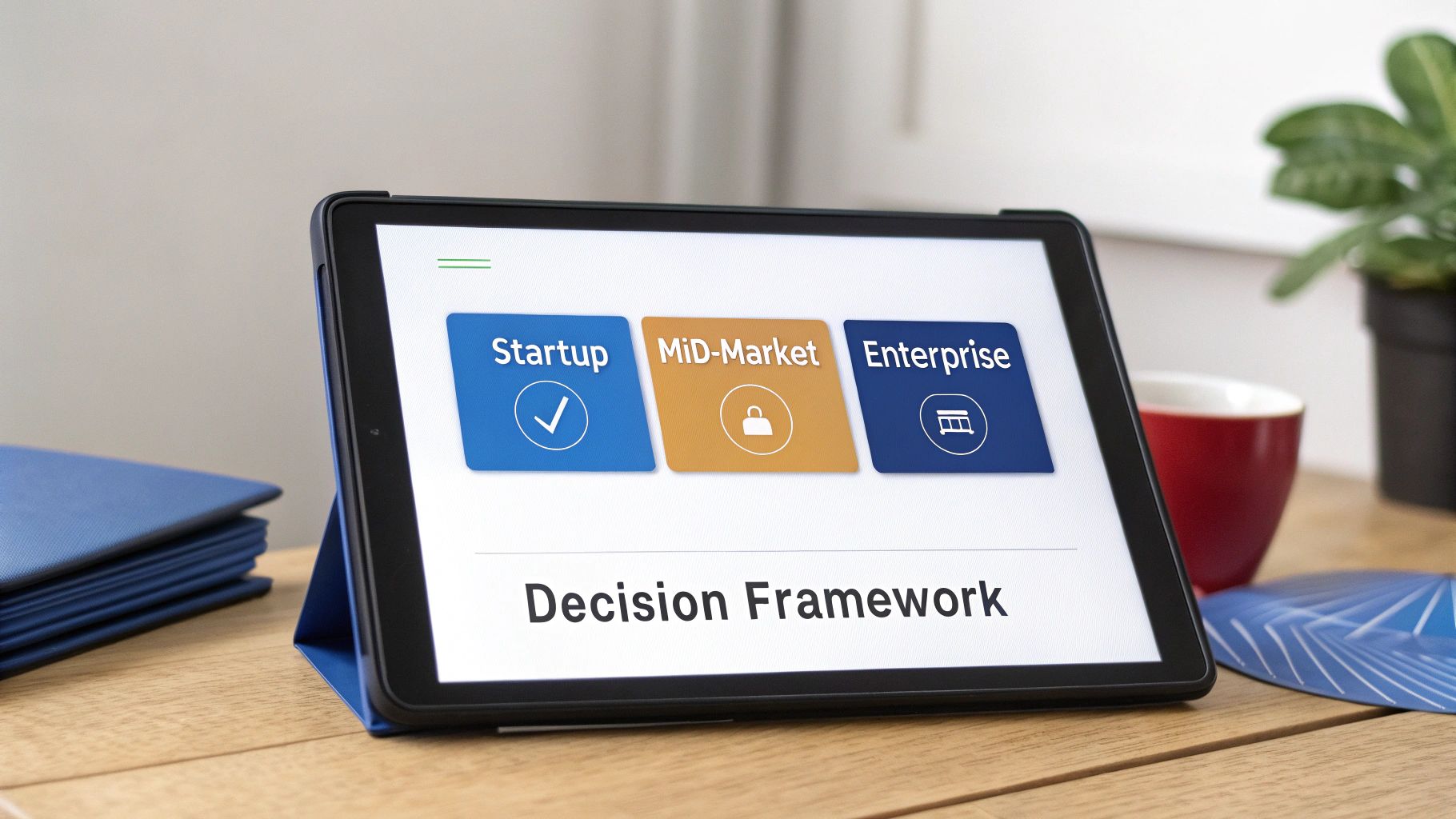
There is no universal winner in the HubSpot vs. Salesforce debate. The best platform is the one that aligns with your company’s operational reality—your team’s skill set, your growth stage, and your strategic objectives. This framework translates our analysis into a practical guide for different company profiles to help you make a decision that provides a competitive advantage.
Instead of a generic pro/con list, we map each platform’s strengths to specific business scenarios. A thorough self-assessment of your team’s technical expertise, budget constraints, GTM strategy, and customization needs is required. This approach moves beyond feature-for-feature comparisons to focus on strategic fit.
The Agile Startup or SMB Profile
For early-stage companies, speed and efficiency are paramount. The primary objective is to establish a solid go-to-market engine without incurring technical debt or unpredictable costs. You need a tool that your lean team can adopt and leverage from day one.
HubSpot is the definitive choice for this profile. Its all-in-one design, transparent pricing, and intuitive interface are purpose-built for companies in this phase.
- Ease of Use: Your team can become productive in days, not months, delivering an almost immediate return on investment.
- Predictable TCO: The bundled pricing model removes budgetary guesswork, a crucial benefit when managing cash flow.
- Unified Data: A single view of the customer across marketing and sales reduces administrative overhead and ensures data integrity from the outset.
The Scaling Mid-Market Business
Mid-market companies face a unique challenge: you are outgrowing legacy processes but are not yet a full-fledged enterprise. Your teams are expanding, and you need a platform that provides structure but remains adaptable. You may have a sales ops professional, but likely not a team of dedicated developers.
This is where the HubSpot vs. Salesforce decision becomes more nuanced. HubSpot’s Enterprise hub is surprisingly powerful, offering significant customization without requiring a developer. However, if your business relies on complex sales territories, a large product catalog, or non-standard revenue models, the deep customizability of Salesforce becomes highly compelling.
For the scaling business, the decision hinges on operational complexity. If your go-to-market motion follows proven playbooks, HubSpot provides a powerful and manageable growth path. If your strategy requires a completely bespoke system engineered from the ground up, it is time for a serious evaluation of Salesforce.
The Complex Enterprise Profile
At the enterprise level, complexity is a given. You are managing global sales teams, multiple business units, and a vast, interconnected tech stack. Here, customization is not a luxury; it is a core business requirement.
Salesforce is the undisputed leader for the enterprise. Its entire architecture is designed to be configured to handle the most intricate business requirements.
- Infinite Scalability: The platform is built to manage massive data volumes and complex user permissions without performance issues.
- Deep Customization: Using tools like Apex and Flow, you can adapt Salesforce to any unique business process, no matter how niche.
- Vast Ecosystem: The AppExchange provides a significant advantage, offering pre-built solutions for nearly any challenge and ensuring the platform can grow with your business.
Frequently Asked Questions
While the big picture is important in the HubSpot vs. Salesforce debate, practical, day-to-day questions often drive the final decision. Here are answers to common inquiries from B2B RevOps leaders.
Can We Actually Use HubSpot and Salesforce Together?
Absolutely. In fact, this is one of the most popular and powerful configurations in B2B technology. The classic model involves using HubSpot‘s Marketing Hub with Salesforce‘s Sales Cloud.
This hybrid approach allows your marketing team to operate within HubSpot’s best-in-class environment for campaign execution and lead nurturing. Once a lead meets MQL criteria, it is automatically synced to Salesforce, where your sales team can manage their entire process within their native CRM. This provides the best of both worlds without forcing either team onto a platform not optimized for their function.
How Painful Is a Migration From HubSpot to Salesforce?
A migration from HubSpot to Salesforce is a significant project that should not be underestimated. It is not a simple export-import process. The complexity arises from their fundamentally different data architectures. A robust data cleansing and preparation plan must be executed before any migration begins.
The most intensive work involves mapping every object and field from HubSpot to its new destination in Salesforce. You will also need a strategy to preserve historical engagement data, which often lacks a direct one-to-one equivalent. This is not a side project; it demands a dedicated project manager and technical expertise to prevent data loss or corruption.
A common pitfall is underestimating the effort required to map HubSpot’s marketing activities to Salesforce’s campaign and activity objects. An incorrect mapping can result in the loss of years of valuable customer interaction history. A detailed data mapping and validation plan is not optional—it is essential for a successful migration.
Which Platform Has Better Reporting for a RevOps Team?
The answer depends on your team’s current analytical maturity and requirements. HubSpot’s reporting is excellent for generating clear, actionable insights directly out of the box. Its dashboards are intuitive, easy to build, and provide most marketing and sales teams with the necessary performance tracking capabilities.
Salesforce, conversely, is an analytics powerhouse. Its reporting engine is designed to slice and dice massive, complex datasets in virtually any way imaginable. For a sophisticated RevOps team that needs to conduct multi-dimensional analysis across the entire customer lifecycle, Salesforce offers a depth that HubSpot cannot match, especially when integrated with tools like Tableau.
Ready to align your marketing and sales operations with the right CRM strategy? MarTech Do specializes in implementing, integrating, and optimizing both HubSpot and Salesforce to drive measurable GTM results. Schedule a consultation with us today.