If you’re staring at dismal open rates from your cold email campaigns, you’re not alone. In the age of AI, the generic, one-size-fits-all template is the fastest way to hurt your sender reputation and get ignored. Today’s decision-makers in marketing, sales, and revenue operations expect more.
To get a response, your outreach must feel like it was crafted for one person only. It needs to be hyper-personalized, offer tangible value, and be tightly integrated with your entire RevOps strategy, from your CRM data in Salesforce or HubSpot to your GTM engineering tools.
Why Your Old Cold Email Templates Are Failing

Does it feel like your go-to cold email templates have lost their magic? You’re not imagining things. The entire B2B outreach environment has changed, and old tactics are obsolete for operations leaders who value efficiency and results.
Decision-makers are more guarded than ever. Their inboxes are fortresses, protected by sophisticated filters and a healthy dose of skepticism. The core problem is a perfect storm of three key factors:
- Inbox Saturation: Your prospects receive hundreds of emails daily. A generic message that doesn’t immediately signal its relevance is just digital noise.
- Smarter Spam Filters: Email clients have become incredibly proficient at spotting and flagging mass-sent, impersonal content. One wrong move and you land straight in the spam folder, damaging your domain authority.
- The AI Content Flood: With generative AI, anyone can pump out mediocre outreach at scale. Prospects can now spot these low-effort, robotic emails from a mile away and have learned to ignore them completely.
The numbers back this up. B2B email statistics show a consistent battle for attention, where only the most relevant messages survive. To stand out, you can’t just participate in the noise; you have to lead with a strategy that leverages AI for personalization, not just for volume.
To see how much things have changed, let’s compare the old way of thinking with a modern, operations-focused approach.
Traditional Vs Modern Cold Email Approaches
| Element | Outdated Tactic | Modern RevOps Strategy |
|---|---|---|
| Goal | Volume & activity metrics (e.g., sends) | Revenue & qualified meetings |
| Personalization | Basic mail merge (e.g., {{first_name}}) |
Hyper-personalization based on triggers, research, and intent data from tools like Clay.com and ZoomInfo |
| Content | Company-centric, “We do X” | Prospect-centric, “I saw you’re facing Y, have you considered Z?” |
| CRM Use | A simple database for contacts | The central hub for tracking engagement, scoring leads, and automating follow-ups in Salesforce or HubSpot |
| Success Metric | High open and click rates | High reply rates, positive sentiment, and opportunities created |
This table crystallizes the shift: what used to be a numbers game is now a game of relevance and quality, engineered by a smart RevOps function.
The Shift from Volume to Value
For teams running on platforms like Salesforce or HubSpot, the old “spray and pray” method is more than just ineffective—it’s actively harmful. It clogs your CRM with useless interactions, corrupts your engagement data, and wrecks your domain’s sending reputation, making every future campaign harder.
The modern RevOps mindset treats every email as a critical touchpoint in the go-to-market engine. Success isn’t about how many emails you send; it’s about the quality of the conversations you start and the revenue opportunities you generate.
This reality requires a new playbook. Instead of searching for a one-size-fits-all template, high-performing teams build a strategic framework. This approach is grounded in deep research, AI-driven personalization, and smart CRM automation. It’s about creating “how did they know that?” moments—the kind that prove you’ve done your homework and genuinely understand your prospect’s world. That’s how you break through the noise and start real conversations that lead to revenue.
Crafting Your High-Performance Email Blueprint

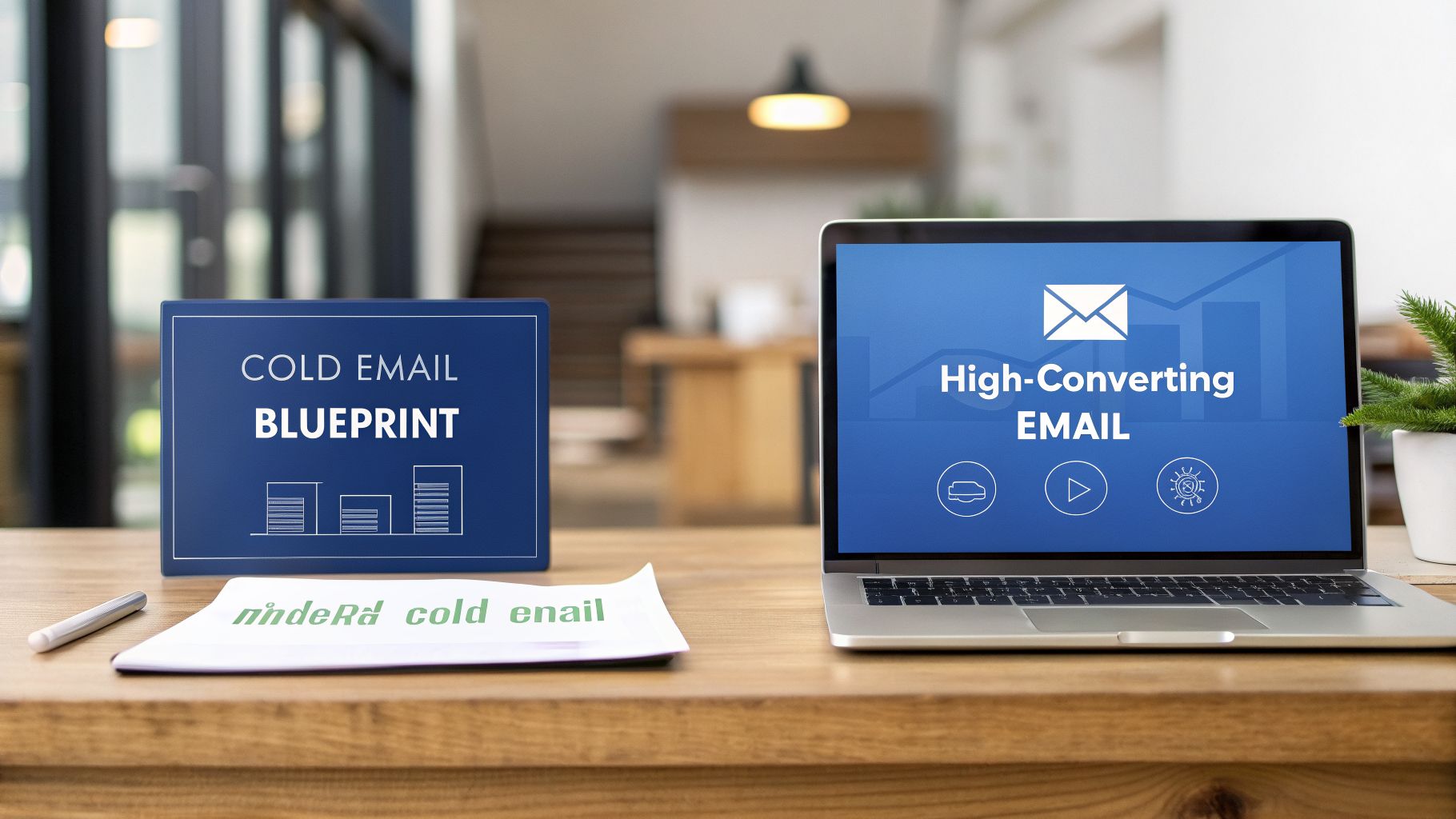
Before writing a single word, you need to think like an architect. A great cold email isn’t a block of text; it’s a strategic asset built to start a real conversation.
Let’s move past copy-paste templates. Every successful cold email—the kind that gets a reply—is built from four essential components. Think of it as a framework, not a rigid script.
- An intriguing subject line that earns the open.
- A personalized opening hook that proves this isn’t a mass email.
- A sharp value proposition that addresses a specific, relevant pain point.
- A clear, low-friction call-to-action (CTA) that makes it easy to say yes.
Nail these four elements, and you’ll have a flexible blueprint you can adapt for any B2B scenario. It doesn’t matter if you’re running your plays in Salesforce Sales Cloud or HubSpot Sales Hub; these fundamentals get you replies.
The Subject Line and Opening Hook
Your subject line is fighting for survival in an overflowing inbox. You have seconds to spark enough curiosity to avoid the delete key. Tired, vague lines like “Quick Question” or “Introductory Call?” scream “salesperson” and are ignored.
When they do click, the first sentence must immediately pay off the subject line’s promise. It needs to prove, instantly, that you’ve done your homework. It’s your first, best, and perhaps only chance to show this message was crafted for them.
An effective opening hook isn’t about you. It’s a direct reflection of something happening in your prospect’s world. Show them you understand a challenge they’re facing, a recent company win, or a new initiative. This is how you build trust from the first sentence.
For example, see how this one-two punch works together:
- Subject: Your recent Salesforce Admin job post
- Opening: “Hi [Name], I saw you’re hiring a Salesforce Admin to help scale your RevOps. Many teams find this is a sign their lead routing and attribution models are becoming complex to manage internally.”
This combination is effective because it’s timely and specific. It takes a public signal (the job posting) and immediately links it to a common business challenge that your product or service can help solve.
The Value Proposition and Call-to-Action
Once you’ve earned their attention, your value proposition needs to land with impact. This isn’t the place to list features. Instead, concisely explain how you solve a real-world problem for someone exactly like them. Frame it around an outcome they care about, like reducing CRM data errors or improving lead-to-opportunity conversion rates in Salesforce or HubSpot.
Finally, your call-to-action needs to be incredibly simple. The goal of a first email is almost never to book a 30-minute demo. It’s to get a reply and confirm you’ve found a real problem. Asking for too much, too soon, kills momentum.
Instead of a high-friction ask like, “Are you free for a demo next week?”, try something much easier:
- “Would a one-page summary on how we helped [Similar Company] solve this be useful?”
- “Open to learning more?”
These are simple interest-based questions. They make it easy for a busy executive to type back a quick “yes,” which opens the door for your next move. Mastering these core components is a cornerstone of our recommended B2B email marketing best practices.
Using AI and CRM Data for Hyper-Personalization

Let’s be blunt: generic emails get deleted. Emails that feel personal start conversations. In today’s B2B landscape, you must move past simply dropping in a {{first_name}} and {{company_name}}. The real advantage lies in hyper-personalization at scale, powered by smart technology.
This is where the discipline of Go-to-Market (GTM) engineering shines. It’s about using your data and automation stack to engineer highly relevant, timely touchpoints. You’re not just sending a cold email template; you’re creating a genuine moment of connection that feels crafted for an audience of one.
The secret lies in finding unique “personalization triggers”—specific, timely details about a prospect or their company that make your outreach instantly relevant.
Finding Personalization Triggers with Enrichment Tools
Manually digging through LinkedIn and news sites for every prospect doesn’t scale. Top-performing RevOps teams automate this discovery process with data enrichment and GTM engineering platforms.
Think of a tool like Clay as your central hub. It integrates with dozens of data sources, like ZoomInfo, pulling in actionable insights and finding those golden nuggets for you.
Imagine automatically flagging these triggers for every person on your outreach list:
- Recent Company News: Did they just announce a funding round or a major partnership?
- Key Job Postings: Are they hiring for roles that indicate a pain point you solve, like a “HubSpot Administrator,” “MCAE Specialist,” or “RevOps Analyst”?
- Tech Stack Intel: What’s in their MarTech stack? Do they use a tool that integrates perfectly with your solution, or a competitor’s tool you can replace?
- Individual Activity: Did a key contact just publish an article, appear on a podcast, or win an award?
These aren’t just icebreakers; they’re your strategic entry points. Of course, knowing how to write cold emails that actually get replies is crucial. But these data-driven triggers provide the “why you, why now” that makes all the difference.
Integrating Enriched Data into Your CRM
Finding these triggers is a great start, but the real power is unlocked when you pipe that data directly into your CRM, whether it’s Salesforce or HubSpot.
This is a core principle of effective CRM and marketing automation integration. By mapping these rich data points to custom fields on your contact and account records, you turn raw data into fuel for your sales sequences and email automation.
For example, set up custom fields in your CRM like:
Recent_News_URLHiring_for_RoleCompetitor_Tech_UsedRecent_LinkedIn_Post_Topic
With this information in your CRM, your email templates can dynamically pull in these hyper-specific details. Suddenly, every automated email feels uniquely personal.
The goal is to create that “how did they know that?” moment. When a prospect reads an email referencing a specific hiring need or a podcast they were just on, it instantly elevates your message above the generic noise flooding their inbox. It proves you’ve done your homework and have a legitimate reason for reaching out. This isn’t just about a better cold email template; it’s a fundamentally more effective way to conduct outreach.
Alright, theory is one thing, but RevOps lives and breathes execution. Let’s get practical and walk through some field-tested cold email templates I’ve used to book meetings in tough B2B markets.
These aren’t just scripts to copy and paste. Think of them as frameworks. The idea is to load them into your Salesforce or HubSpot sequences and then bring them to life with the specific data triggers you’ve identified. Each one is crafted to start a real conversation, not just blast a pitch.
1. The “New Executive Hire” Trigger
When a company brings on a new VP or C-suite leader, it’s a massive buying signal. New executives have a mandate to shake things up and find quick wins. This makes them far more receptive to new solutions than someone who’s been in the role for years. This template gets your foot in the door at that perfect moment.
Subject: Congrats on the new role at {{company_name}}
Hi {{first_name}},
Just saw the news about you joining {{company_name}} as the new {{title}} — congratulations!
From my experience, new leaders are often looking to make an early impact by shoring up gaps in areas like {{relevant_pain_point_1}} and {{relevant_pain_point_2}}.
We help B2B teams do exactly that by [Your one-sentence value proposition]. A recent client in your industry actually saw a 30% improvement in their pipeline velocity within six months of working with us.
Would you be open to a quick chat about the early priorities on your roadmap?
This approach works because it’s timely and shows you’re paying attention. You’re not just another salesperson; you’re a potential strategic partner who understands the unique pressures of their new role. The key is connecting your value prop directly to a challenge they’re almost certainly thinking about.
2. The “Competitor Tech Stack” Angle
Knowing a prospect uses a competitor’s product is a goldmine. But you can’t just barge in and trash their current tool. That’s a fast track to the spam folder. This template acknowledges their choice and cleverly pivots to a specific gap your solution fills.
Subject: Question about your {{competitor_tech}} setup
Hi {{first_name}},
My research shows your team is using {{competitor_tech}} for sales engagement. It’s a solid tool, especially for [Acknowledge a strength of the competitor].
Where we often come in for teams using {{competitor_tech}} is to handle the next piece of the puzzle—specifically, {{your_unique_differentiator}}. Our platform integrates directly to solve for this, which helps our clients [State a specific outcome].
Would a one-page comparison showing how we complement your current stack be useful?
The reason this gets replies is that it’s disarming. You show you’ve done your homework and respect their current decisions. The call-to-action is also incredibly low-friction. You’re offering value (a helpful comparison) instead of demanding 15 minutes of their time.
These templates are just the starting line. The real magic happens when you enrich them with data from your CRM and intel tools like Clay. For example, swapping a generic pain point for something hyper-specific you found (e.g., “I saw on LinkedIn you’re hiring three new SDRs…”) is what turns a good email into a meeting on the calendar.
3. The “Problem-Agitate-Solve” (PAS) Framework
The PAS framework is a classic for a reason—it taps directly into human psychology. This template is perfect when you’ve identified a nagging industry-wide pain point. You start by making them feel understood before you ever mention your product.
Subject: A thought on {{industry_specific_pain_point}}
Hi {{first_name}},
Working with other B2B SaaS companies, one of the most common challenges I see is {{problem}}.
The tricky part is that this often leads to things like [Agitate the problem—e.g., “frustrated sales reps and messy CRM data”]. If it’s left to fester, it can throw off forecast accuracy for the whole quarter.
We actually built our platform to solve this exact issue by [Solve the problem—e.g., “automating lead routing in Salesforce based on real-time intent signals”].
Is this something on your radar at {{company_name}}?
This email follows a proven narrative arc. It grabs their attention by naming a familiar problem, makes the consequences of ignoring it feel real and painful, and then positions your solution as the clear, logical escape route.
Setting Up Automated Follow-Up Sequences in Your CRM

The first cold email is just a conversation starter. The truth is, most decision-makers are too busy to respond to a single message. The real connections—and the revenue—happen during the follow-up. But persistence requires a system.
This is where your CRM, whether it’s Salesforce Sales Cloud or HubSpot Sales Hub, becomes your command center. By building automated follow-up sequences, you create a safety net ensuring no high-value lead is forgotten. It transforms a tedious manual process into a reliable pipeline engine.
A great follow-up sequence isn’t about just sending more emails. It’s about orchestrating a thoughtful series of touchpoints across different channels. The goal is to stay top-of-mind by being helpful, not by being a nuisance.
An effective cadence mixes channels to meet prospects where they are. If you’re looking for more ideas on this, we’ve got a whole guide on how to follow up with a lead that goes even deeper.
Building a Multi-Channel Cadence
What works best is a sequence with multiple steps across different channels. Spacing out interactions is crucial. More importantly, every touchpoint must bring new value—a fresh insight, a relevant resource, a helpful tip. Never send a “just checking in” email. Each message should be a distinct, valuable nudge.
Here’s a simple 5-touch cadence you can build right inside your CRM.
Example 5-Touch Follow-Up Cadence
This table shows a sample sequence that balances direct outreach with more subtle engagement, giving prospects multiple ways to respond.
| Day | Channel | Action / Message Focus |
|---|---|---|
| Day 1 | Send the initial, hyper-personalised cold email using a proven template. | |
| Day 3 | View the prospect’s profile. This is a subtle, low-pressure notification. | |
| Day 5 | Follow up with a new piece of value, like a relevant case study or blog post. Reference the initial email. | |
| Day 8 | Send a connection request with a short, personalised note mentioning your previous email. | |
| Day 10 | Send a final, interest-based “break-up” email. Ask if they’re open to reconnecting later. |
This structure gives your prospect multiple chances to engage on their own terms. As you automate your outreach, deliverability becomes paramount. There’s no point in sending great emails if they land in spam. For a solid technical breakdown, check this guide to Automate Cold Email Without Landing In Spam.
The most important rule is timing. Always leave 2-3 business days between emails. This buffer shows respect for their time. Once you automate this cadence in your CRM, your sales team can stop worrying about who to email next and focus on having meaningful conversations.
Right, you’ve built and launched your shiny new cold email templates. Job done? Not even close.
If you’re not meticulously tracking what happens next, you’re just shouting into the void. You can’t improve what you don’t measure, and you can’t connect your team’s work back to actual revenue.
This is where RevOps earns its keep. It’s time to look past vanity metrics like open and click rates. They give you a faint signal, but they don’t tell you if you’re actually making progress toward a sale.
Think of your cold email program less like an art project and more like a revenue-generating science experiment. The goal is to create a tight feedback loop where real data from your campaigns sharpens every single email you send. It’s all about continuous, data-backed improvement.
The KPIs That Actually Move the Needle
Pop open your CRM—whether that’s Salesforce or HubSpot—and build a dashboard that ignores the fluff. We need to focus squarely on the key performance indicators (KPIs) that tell you if your templates are starting real conversations that lead to pipeline.
These are the core metrics that should be on your radar:
- Deliverability Rate: What percentage of your emails actually landed in an inbox? If this dips below 95%, you have a problem. It could be your list quality or a red flag about your domain’s reputation.
- Positive Reply Rate: This is your north star metric. It cuts through out-of-office replies and auto-responders to show how many real people wrote back with interest. This is gold.
- Meetings Booked: The ultimate acid test for most B2B outreach. How many of those positive replies turned into a meeting on the calendar?
- Opportunity Creation Rate: Now we’re talking business impact. Of those booked meetings, how many converted into qualified sales opportunities in your CRM? This metric draws a direct line from your email to your pipeline.
Having these KPIs in a dedicated dashboard gives you an at-a-glance health check on your campaigns. You can spot issues almost immediately and, just as importantly, see what’s working so you can double down on it.
A Framework for Constant Improvement
Once you have that measurement foundation, the real fun begins: optimisation. The most effective way to do this is with methodical A/B testing.
The key is to change only one thing at a time. I’ve seen too many teams test a new subject line, a new CTA, and a new opening line all at once. When the results come in, they have no idea which change actually made the difference. Don’t fall into that trap.
Start by testing the elements that have the biggest potential impact on your results.
Test Your Subject Lines
Try pitting two different psychological angles against each other. For instance, you could test a curiosity-based subject line against one that leads with a clear benefit.
- Version A (Curiosity): “Question about your RevOps stack”
- Version B (Benefit): “An idea to improve your lead routing”
Which one gets more opens and, more importantly, more positive replies?
Test Your Calls-to-Action (CTAs)
Here, you’re often comparing a “soft” ask with a “hard” one. A low-friction CTA is less demanding, while a direct CTA asks for a specific commitment.
- Version A (Low-Friction): “Open to learning more?”
- Version B (Direct): “Do you have 15 minutes to connect next week?”
The results might surprise you; sometimes a more direct ask performs better because it provides clarity.
Test Your Value Propositions
Does your audience care more about saving money or saving time? Test it. Frame the core benefit of your solution in two distinct ways and see which one resonates more.
- Version A (Cost Savings): Focus on reducing overhead or improving ROI.
- Version B (Efficiency Gains): Highlight how you can help them get more done with less effort.
For any test to be valid, you need a statistically significant sample size—that usually means sending at least a few hundred emails for each variation. Once you have a clear winner, that version becomes your new “control” template. Then, you pick a new variable to test and start the whole process over again. This iterative cycle turns a good template into an unstoppable one, building a predictable revenue engine from your cold outreach.
Your Cold Email Questions, Answered
When you’re deep in the trenches of RevOps, a few common questions about cold email pop up again and again. Let’s tackle some of the big ones I hear from sales and operations leaders.
How Many Follow-up Emails Are Too Many?
There isn’t a single magic number, but my experience shows a sequence of 4-6 touches over 2-3 weeks is the sweet spot for most B2B outreach. It takes an average of five touches just to get a reply, so giving up too early is one of the biggest unforced errors you can make.
The real key is to add new value with every message. Don’t just send another email “checking in.” Instead, offer a different resource, point them to a relevant case study, or share a fresh insight. If you get radio silence after that sequence, shift that contact into a long-term nurture cadence in your CRM and circle back next quarter.
Can I Use AI To Write My Entire Cold Email?
Honestly, that’s a mistake. While AI is a fantastic tool for research, brainstorming angles, and polishing copy, letting it write the entire email from scratch is a recipe for generic outreach that gets deleted. Prospects can spot an AI-written message a mile away.
Think of AI as your co-pilot, not the pilot. Let it help you find those golden personalization nuggets using tools like Clay or tighten up your phrasing, but the final message needs your strategic intent and a genuine human touch.
What Is the Best Time of Day To Send a Cold Email?
The old advice was to send emails mid-morning on Tuesdays and Thursdays. The problem is, because everyone knows this, those time slots have become the most crowded windows in your prospect’s inbox.
A much smarter approach is to test what works for your specific audience. Even better, most modern sales engagement platforms that integrate with HubSpot or Salesforce now have send-time optimization. These features analyse when an individual prospect has engaged with emails in the past and automatically send your message at that exact time. It removes the guesswork.
Ready to stop guessing and start building an outreach engine that actually drives revenue? At MarTech Do, we specialize in auditing and fine-tuning your RevOps stack—including platforms like Salesforce, Account Engagement (Pardot), and HubSpot—to ensure your cold email strategy delivers real, measurable results. Get in touch with our experts today and let’s talk about what’s possible.