Choosing between HubSpot and Salesforce boils down to a fundamental difference in philosophy. Think of HubSpot as an all-in-one growth platform. It’s built for ease of use and tightly integrated functionality, making it a natural fit for B2B companies that need to get marketing and sales operations running quickly.
On the other hand, Salesforce is a deeply customisable ecosystem. It’s engineered for complexity and scale, perfectly suited for enterprises with specific RevOps processes and the need for long-term, bespoke integrations with tools like Revenue Cloud or Account Engagement.
A Strategic Summary For B2B Decision-Makers
For leaders in RevOps, marketing operations, and sales operations, the HubSpot vs. Salesforce debate isn’t about which CRM is “better.” It’s about which one aligns with your company’s operational maturity and go-to-market (GTM) strategy. This is a foundational decision that will impact everything from user adoption and process efficiency to data integrity and your ability to scale.
The platform you choose will define your teams’ daily reality. Do they need a unified environment where marketing, sales, and service tools work together seamlessly out of the box? Or do they need a platform that can be meticulously engineered to fit complex, multi-layered business processes? This guide is designed to provide actionable insights for framing that critical choice.
To get started, here’s a high-level comparison table that breaks down the core attributes of each platform from a RevOps perspective.
HubSpot vs Salesforce At-a-Glance
| Attribute | HubSpot | Salesforce |
|---|---|---|
| Core Philosophy | All-in-one platform focused on ease-of-use and inbound methodology. | Customisable ecosystem designed for complex sales processes and scale. |
| Ideal User | SMBs and mid-market companies seeking rapid implementation and a unified toolset. | Mid-market to enterprise companies with specific GTM needs and technical resources. |
| User Experience | Intuitive, user-friendly interface designed for marketers and sales reps. | Powerful but complex interface requiring specialised admin knowledge. |
| Customisation | Guided, straightforward customisation within a defined framework. | Nearly limitless customisation through custom objects, code, and apps. |
| Implementation | Faster, often self-sufficient onboarding with a lower initial barrier. | Typically requires certified consultants and a structured, longer project. |
| Pricing Model | Bundled “Hubs” (Marketing, Sales, etc.) with tiered feature sets. | A la carte model with per-user licenses and numerous add-on products. |
This at-a-glance view should give you a solid starting point for understanding where each platform shines.

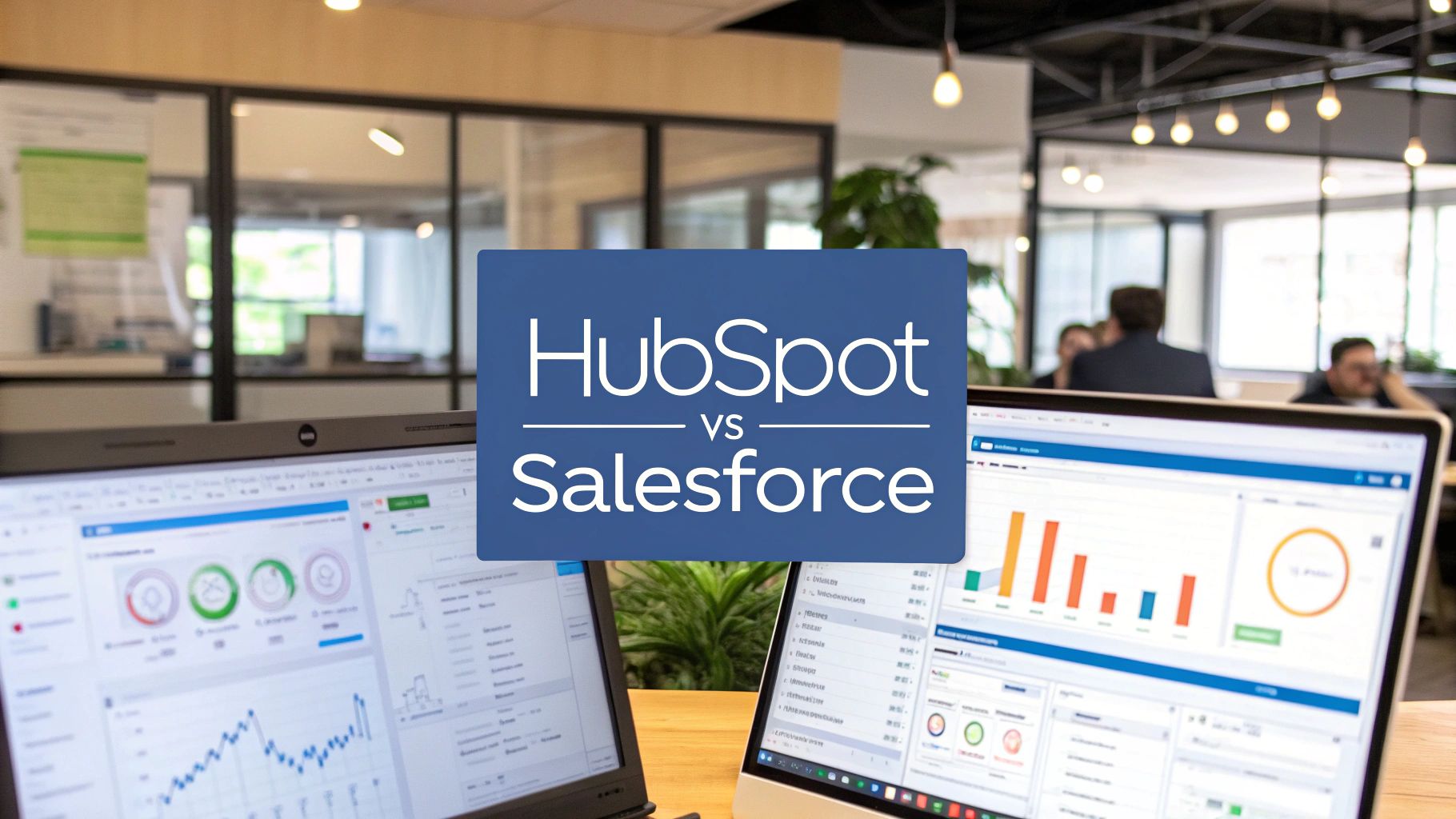
The image above captures the essence of a modern data-driven team, exactly the kind of environment Salesforce Sales Cloud is built for. Its dashboards are designed to visualise everything from pipeline and forecasts to team performance, showcasing its strength in granular reporting.
This is where you see Salesforce’s enterprise-grade analytical power come to life. It’s built for organizations that need deep operational oversight to manage intricate sales cycles and large, distributed teams.
Comparing Core CRM and Sales Operations Capabilities
When you put HubSpot and Salesforce head-to-head, feature lists alone don’t tell the whole story. The real difference—the one that will define your team’s success—is how each platform’s core architecture supports your day-to-day sales operations. This choice ripples through everything, from how quickly your reps adopt the tool to the complexity of the go-to-market motions you can successfully execute.
HubSpot’s Sales Hub was built with the end-user in mind. Its interface is intuitive, meaning you can get sales reps logging calls, sending emails, and managing their pipeline with minimal training. For fast-paced inside sales teams where speed and simplicity are paramount, this isn’t just a convenience; it’s a strategic advantage for marketing and sales operations.
On the other hand, Salesforce Sales Cloud is an operational powerhouse built for depth and precision. Yes, the learning curve is steeper, but its true power is in its ability to be shaped to fit any business process, no matter how specific or complex.
Driving Sales Rep Efficiency
If you’re leading a sales ops team, rep productivity is your north star metric. This is an area where HubSpot shines. It embeds essential sales tools directly into a rep’s workflow, reducing the time wasted switching between different applications.
- Sequences: HubSpot’s automated email and task sequences are built-in and simple to set up. Reps can automate their outreach without leaving their inbox or the CRM.
- Templates & Snippets: With a simple command, reps can pull up pre-approved email templates and text snippets. This ensures messaging consistency and saves significant time.
- Meeting Scheduler: The native scheduling tool eliminates the back-and-forth emails required to book a demo. It syncs directly with calendars and contact records, streamlining the process.
Salesforce can achieve all of this, but it often requires adding products like Sales Engagement (formerly High Velocity Sales) or leveraging the AppExchange for third-party integrations. While these solutions are powerful, this modular approach adds layers of complexity and cost that HubSpot’s all-in-one design avoids.
For a team focused on high-volume outbound prospecting and straightforward deal cycles, HubSpot’s unified toolkit provides a frictionless experience that boosts adoption and activity metrics right out of the box.
Managing Complex GTM Motions
This is where the conversation shifts, and Salesforce steps into the spotlight. Its entire architecture is designed to handle the reality of enterprise-level sales, especially when managing multiple stakeholders, product lines, and sales territories.
The key to Salesforce’s power is its data model, which is built on a relational database of standard and custom objects. This lets a business map its unique operational DNA directly into the CRM.
Let’s walk through a typical enterprise B2B sales process to see what this means in practice:
- A rep works with several different contacts at one Account.
- An Opportunity involves a custom bundle of products, linking to a custom Product SKU object to track specifics, a core function of Revenue Cloud.
- The deal requires sign-off from legal and finance, triggering an automated approval process managed by custom workflows.
- Complex territory management rules automatically assign new leads and accounts based on granular criteria like industry, company size, and geographic location.
This level of detailed control is second nature in Salesforce. You can build intricate relationships between different objects, create complex validation rules for data integrity, and deploy sophisticated automation using tools like Process Builder or Flow. While HubSpot has added custom objects, they are a newer feature and lack the same relational depth or trigger-based automation capabilities as Salesforce.
For any sales ops leader managing a multi-faceted go-to-market motion, Salesforce provides the rock-solid foundation needed for true process control and scale.
Analysing Marketing Automation and RevOps Alignment
For any Revenue Operations framework to succeed, a solid connection between marketing and sales is essential. This is where the HubSpot vs Salesforce debate gets particularly relevant for marketing operations, especially when comparing their marketing automation platforms: HubSpot Marketing Hub and Salesforce Account Engagement (formerly Pardot). The right choice must unify your data and provide a clear, actionable view of the entire customer journey.
This isn’t just a feature-for-feature comparison; it’s about their core philosophies. HubSpot’s strength is its all-in-one, natively integrated database. Marketing, sales, and service data all live in the same system, which simplifies lead handoffs and full-funnel reporting out of the box.
Account Engagement, on the other hand, was built to leverage the immense power of the Salesforce CRM. Its strength lies in a deep, native sync that lets marketing ops leaders design sophisticated B2B campaigns that draw from complex data models, custom objects, and the intricate automation rules already configured in Sales Cloud.

Unifying the Customer Journey
For any RevOps team, a single source of truth is the ultimate goal. HubSpot achieves this with its unified platform architecture. Because the CRM, marketing, and sales tools share one database, data flows seamlessly between teams without a complex connector.
This all-in-one approach has immediate advantages:
- Painless Lead Handoffs: When a lead is marked as “marketing qualified” in Marketing Hub, it is instantly available in the sales queue with its complete history. No sync delays, no data mapping headaches.
- Cohesive Reporting: Building a report that follows a contact from their first website visit to a closed-won deal is straightforward because all data resides in one place.
- User-Friendly Segmentation: Marketers can segment contact lists using any CRM property—from deal stage to last activity date—to create highly targeted campaigns without requiring administrator assistance.
Salesforce and Account Engagement create this unified view through a powerful, dedicated connector. While this setup requires more technical expertise to configure and manage, it gives organizations with complex data needs unparalleled control. The sync is robust, allowing marketing teams to use intricate data from custom Salesforce objects to fuel hyper-personalized campaigns.
A critical distinction for marketing operations is how each platform handles data alignment. HubSpot prioritises ease-of-use with a shared database, while Account Engagement offers granular control by syncing with the master Salesforce database, enabling strategies built on deep CRM customisation.
Campaign Execution and Lead Nurturing
When it’s time to build and launch campaigns, HubSpot Marketing Hub is built for speed and agility. Its visual workflow builder is intuitive, letting marketers map out complex nurture sequences with branching logic based on contact behavior. You can learn more about its capabilities in our detailed guide on HubSpot Marketing Hub.
Account Engagement offers a similarly powerful visual journey builder with Engagement Studio. Its primary advantage is its direct integration with Salesforce data and actions. For instance, a single automated flow can change a prospect’s status, create a task for a sales rep, and add them to a Salesforce campaign.
You can see this difference in market adoption. According to industry analyses, HubSpot commands a massive share of the marketing automation space, somewhere between 31–37%, making it the go-to for teams focused on inbound lead generation. Meanwhile, Salesforce leads the overall CRM market with a 21.8% share and $34.86 billion in global revenue, demonstrating its dominance in large enterprises where complex, high-value accounts are the focus. You can dig deeper into these marketing automation market statistics.
So, what does this mean for a marketing operations leader? The decision comes down to the complexity of your go-to-market motion. If you’re running a high-velocity inbound model and need to launch campaigns quickly, HubSpot’s all-in-one structure is a clear winner. But if your strategy relies on intricate account-based marketing (ABM) plays that are deeply woven into custom data and sales processes within Salesforce, Account Engagement provides the necessary architectural muscle.
Evaluating Scalability, Customization, and Ecosystem
True scalability isn’t just about handling more data—it’s about whether the platform can adapt and grow with your business. When comparing HubSpot versus Salesforce, the discussion moves beyond ease-of-use to a larger question of architectural philosophy. This is the crossroads where RevOps leaders must choose: do you want a guided, user-friendly path to customization, or a platform with nearly limitless potential that requires GTM engineering?
HubSpot’s approach provides control within a clear, well-structured framework. You can create custom properties, build workflows, and adjust sales pipelines without needing a developer. This guided experience is a significant advantage for companies that need their ops teams to be agile and self-sufficient.
Salesforce operates on a different level. Its power comes from a deep, relational data model built on custom objects, Apex code for custom business logic, and the powerful Salesforce Flow for complex automation. It’s a system designed to be molded to the exact, unique processes of your organization, no matter how intricate.
Customization Philosophies Compared
The fundamental difference lies in how each platform approaches customization. HubSpot offers a paved road with guardrails, ensuring you can build effective processes without significant risk. Salesforce provides the raw materials and a professional toolkit to build whatever you can imagine—a superhighway, a bridge, you name it—but it demands real architectural expertise. This choice mirrors the broader decision between custom software development versus off-the-shelf solutions.
Here’s what that looks like in practice:
- HubSpot: A mid-market B2B company wants to track interest in a new product. They can easily add a “Product Interest” custom property and build a workflow to notify the appropriate sales reps. The process is intuitive and self-contained.
- Salesforce: An enterprise company needs to manage complex contracts. They can create a custom “Subscription” object linked to Accounts and Opportunities, connect to a third-party billing system via API, and use Apex triggers to automatically calculate prorated revenue when a contract is modified.
For RevOps leaders, the choice is strategic: Do you need a system that empowers your team to make fast, controlled improvements (HubSpot), or a foundational platform that can be architected to mirror every nuance of your GTM motion (Salesforce)?
The Ecosystem: The AppExchange vs. The App Marketplace
A platform’s true power is often measured by its ecosystem, and this is where the gap between these two giants becomes significant. Both HubSpot’s App Marketplace and the Salesforce AppExchange offer integrations, but their depth, scope, and focus are worlds apart.
HubSpot’s App Marketplace excels at providing straightforward, easy-to-install apps that enhance its core marketing and sales tools. You’ll find hundreds of solid integrations for everyday tools like Slack, Zoom, and popular project management software. These apps are generally simple to set up, extending the platform’s value without needing a technical expert. For many businesses, connecting these tools is crucial, and understanding the details of a Salesforce integration with HubSpot is often part of that puzzle.
The Salesforce AppExchange, however, is in a class of its own. It’s the definitive B2B enterprise app store, home to thousands of highly specialized, industry-specific solutions. This is where you find enterprise-grade tools for Configure, Price, Quote (CPQ), advanced billing, or industry-specific compliance management. This is also where GTM engineering tools like Clay.com and ZoomInfo offer deep integrations, allowing RevOps teams to build sophisticated data enrichment and prospecting workflows directly within their CRM.
Its dominance is especially clear in major markets. In California, for example, Salesforce has a massive enterprise footprint with over 9,000 customer organizations on record. This reflects its status as the go-to platform for large companies that demand deep customization and specialized integrations. The concentration of users highlights the value businesses place on the AppExchange’s ability to solve specific, complex business challenges.
Unpacking Implementation and the True Cost of Ownership
When weighing HubSpot against Salesforce, looking at the sticker price alone is a common mistake. The real story is in the Total Cost of Ownership (TCO), a figure that extends far beyond initial license fees. It includes implementation, ongoing administration, and—most importantly—the skilled professionals you’ll need to maximize its value.
HubSpot has cornered the market on straightforward, DIY-friendly onboarding. Many B2B teams can get the essential hubs running themselves, using setup wizards and extensive documentation. This significantly lowers the initial barrier, a major draw for companies needing to move quickly.
Salesforce, conversely, is a different beast. Its implementation is almost always a formal, consultant-led project. The platform’s power and flexibility necessitate a proper discovery, design, and deployment phase, typically handled by a certified partner. The upfront investment is higher, but it’s intended to ensure the system is properly architected to handle complex go-to-market strategies from the start. We’ve got a whole guide on this if you want to dig deeper into how to implement a CRM system.

This gets to the heart of the matter—calculating the full financial commitment beyond the subscription is what a proper TCO analysis is all about.
The People Behind the Platform
Your CRM costs don’t stop with the software; they extend to your payroll. The skill sets needed to manage each platform are worlds apart, representing a major, ongoing operational cost.
- HubSpot Administrator: You can often succeed with a tech-savvy marketing or sales ops professional in this role. Their job is to optimize workflows, train users, and leverage the integrated tools. Certifications are available, but a deep coding background is not typically required.
- Salesforce Administrator: This is a highly specialized career path. Certified Salesforce Admins are in constant demand because they have the technical skills to manage custom objects, intricate security rules, and complex automations with tools like Flow. Larger companies often require an entire team, including developers, to maintain and enhance the ecosystem.
Choosing between HubSpot and Salesforce is also a choice about the team you’re going to build. Budgeting for HubSpot often means empowering your existing ops people. Budgeting for Salesforce means committing to a dedicated team of certified technical experts.
Realistic Timelines and Practical Trade-offs
The time-to-value also directly impacts cost. We see this play out in tech hubs like California, where small businesses often onboard with HubSpot much faster. In contrast, large enterprises frequently opt for Salesforce because it’s built for complex environments. Vendor data has pointed to average small-business implementation times of around 17 days for Salesforce, while HubSpot’s Sales Hub can average closer to 36 days—a difference that reflects their distinct service models and the depth of professional services involvement.
Ultimately, you’re looking at a set of very real trade-offs. As you plan your CRM rollout, it’s wise to anticipate potential challenges. Getting expert advice on topics like overcoming Salesforce deployment issues can prevent significant headaches. This foresight keeps your project on track and ensures it delivers the expected business value.
A Decision Framework for Your B2B Tech Stack
Choosing between HubSpot and Salesforce is more than a software purchase; it’s a decision about your company’s entire operational philosophy. This choice lays the groundwork for how your marketing, sales, and service teams will operate, collaborate, and grow. To make the right call, you must look past feature comparisons and focus on what your business truly needs to succeed.
The best platform will align with your go-to-market (GTM) strategy, your team’s technical skills, and your five-year plan. This framework will help you ask the right questions and map your company’s operational DNA to the system that will support it, not hinder it.
Evaluating Go-to-Market Complexity
The single most important factor is the reality of your daily sales and marketing operations. A high-velocity sales process has completely different requirements than a long, complex enterprise sale with multiple decision-makers. Begin with an honest audit of how you operate.
- Your Sales Process: Is it a straightforward, linear path from lead to close? Or does it involve custom approval workflows, multiple product lines, and non-linear stages? Salesforce was built to handle this complexity, allowing you to map intricate processes with custom objects and relational data.
- Your Marketing Strategy: Is your engine fueled by a high-volume inbound funnel where speed and a smooth lead handoff are critical? HubSpot excels here with its unified database and easy-to-use campaign tools. Or are you running sophisticated account-based marketing (ABM) campaigns that require tight integration with custom CRM data? Salesforce Account Engagement is designed for exactly that.
- Your Data Structure: Can you run your business using standard records like contacts, companies, and deals? Or do you need to track unique entities like customer subscriptions, specific projects, or physical assets? If a custom data model is a non-negotiable requirement, Salesforce provides that flexible foundation.
The real question is: Do you need a platform that streamlines a standard GTM process, or one that you can custom-build to mirror your unique one? Your answer will point you directly to either HubSpot’s out-of-the-box power or Salesforce’s architectural depth.
Assessing Technical Resources and Autonomy
The most powerful platform is worthless if your team cannot use it effectively. Your decision between HubSpot and Salesforce is also a long-term commitment to a certain kind of internal team and the budget required to support them.
HubSpot is likely your best bet if:
- You want your marketing and sales operations teams to be agile and largely self-sufficient.
- The goal is to empower non-technical users to build their own reports, set up automation, and manage the system without writing code.
- You prefer not to hire a dedicated team of certified admins and developers for system maintenance.
Salesforce is probably the right move if:
- You already have—or plan to hire—dedicated Salesforce administrators and developers with significant technical expertise.
- Your business logic demands custom code (like Apex) and complex automation that a standard workflow builder cannot handle.
- You view your CRM as the central pillar of your enterprise architecture, requiring a dedicated technical team for governance and continuous improvement.
In the end, this comes down to balancing current needs with future ambitions. HubSpot provides B2B companies with an incredible all-in-one platform to move quickly and align marketing and sales with minimal friction. Salesforce, on the other hand, is an enterprise-grade ecosystem that can be customized to fit any business process, providing a solid foundation for complex, long-term growth. Use this framework to determine which of these philosophies is right for your journey.
Frequently Asked Questions
When it comes to the HubSpot vs. Salesforce debate, RevOps and marketing leaders often have the same pointed, practical questions. Let’s tackle some of the most common issues that arise during the evaluation process.
Is It Hard to Migrate From HubSpot to Salesforce (or Vice Versa)?
Yes, and you should be wary of anyone who claims otherwise. Moving between these platforms is a significant undertaking that requires meticulous strategic planning and a thorough system audit.
When migrating from HubSpot to Salesforce, you’re not just moving data. You are re-engineering your entire data model to fit Salesforce’s relational structure of Accounts, Contacts, and Opportunities. It’s a complete architectural rebuild.
Going from Salesforce to HubSpot is more about simplification. You must make strategic decisions about what to do with custom objects and complex workflows built in Salesforce. Which ones can be retired? Which can be adapted to HubSpot’s more straightforward system? Either move demands rigorous data cleanup and expert guidance to avoid business disruption.
Can You Use HubSpot and Salesforce Together?
Absolutely. In fact, a hybrid approach is incredibly common for B2B companies. The most effective setup we see is using HubSpot’s Marketing Hub for its strengths: user-friendly marketing automation, easy-to-use campaign builders, and top-of-funnel activity management.
In this model, Salesforce acts as the central CRM—the undisputed source of truth for all customer, account, and opportunity data. However, this strategy’s success hinges on the quality of the integration between them. A rock-solid plan for data synchronization, field mapping, and aligning your lead handoff process is essential to prevent data chaos.
Which Platform Is Better for a Startup?
Nine times out of ten, HubSpot is the smarter choice for a startup. Its all-in-one design and intuitive interface mean small teams can get started quickly, often without needing a dedicated admin immediately.
Startups can begin with the free CRM and add paid Hubs as they establish their go-to-market fit. This allows them to build a strong operational foundation before they require the kind of heavy-duty customisation Salesforce offers. It is simply a more logical and budget-friendly starting point.
Choosing and implementing the right platform is a cornerstone of your GTM strategy. Whether you need a system audit, a full-scale migration, or ongoing RevOps support, MarTech Do aligns your technology with your revenue goals. Schedule a consultation with us today.