A common lifecycle stage problem doesn’t arise from HubSpot lacking functionality. Instead, it stems from underutilization. In practice, most HubSpot portals use less than 20% of the platform’s built-in lifecycle capabilities, which leaves key stage transitions unautomated and makes funnel reporting unreliable, according to On The Fuze’s lifecycle stage breakdown.
That underuse becomes expensive fast in a B2B stack built on HubSpot, Salesforce Sales Cloud, Account Engagement, Service Cloud, and Revenue Cloud. Marketing thinks a record is qualified. Sales sees a different status in Salesforce. Customer success inherits a contact that still looks like a prospect. Finance asks for funnel conversion reporting and gets three different answers.
I’ve seen this most often in companies that already have decent campaign execution. Their email programmes run. Their SDR team works leads. Their dashboards look polished. But the underlying contact journey is structurally wrong, so every downstream process gets noisier than it should be. HubSpot lifecycle stages aren’t a cosmetic CRM field. They’re part of your operating model for GTM alignment, RevOps implementation, and cross-platform reporting.
Why Your HubSpot Lifecycle Stages Are a Hidden Revenue Problem
The hidden cost of bad lifecycle architecture is that it doesn’t fail loudly. It fails in reporting, handoffs, attribution, and rep trust.
A marketing team can keep generating names while sales stops trusting MQLs. A Salesforce dashboard can show pipeline progression while the contact record in HubSpot tells a different story. Service Cloud can onboard a net-new customer while marketing automation still includes that same contact in pre-sales nurture. Nobody sees one catastrophic error. They see friction everywhere.
The issue isn’t the field. It’s the operating logic
HubSpot gives teams a usable framework out of the box, but it doesn’t define your business rules for you. If your portal has no clear criteria for MQL, no workflow governance, and no agreement on when Salesforce should override or respect HubSpot, the field becomes administrative clutter instead of a revenue control point.
Typically, RevOps leaders usually inherit a mess:
- Marketing owns the top of funnel, but sales changes lifecycle stages manually.
- Salesforce owns commercial truth, but HubSpot still runs nurturing based on stale values.
- Dashboards show movement, but nobody can explain what qualified a contact to move.
Practical rule: If your sales team can’t explain the difference between Lifecycle Stage, Lead Status, and Deal Stage in one sentence each, your reporting is probably already compromised.
Where this gets worse in Salesforce environments
The risk climbs when Salesforce Lead, Contact, Opportunity, and Account processes are all in play. Many B2B teams sync HubSpot to both Leads and Contacts, then forget to define where lifecycle ownership sits after conversion. That creates duplicate logic, sync collisions, and stage drift.
Good lifecycle design does three things at once:
- It gives marketing a clean qualification model.
- It gives sales a trustworthy handoff.
- It preserves a single contact journey across systems.
That’s the standard. Anything less creates a hidden revenue problem long before anyone notices it in a board deck.
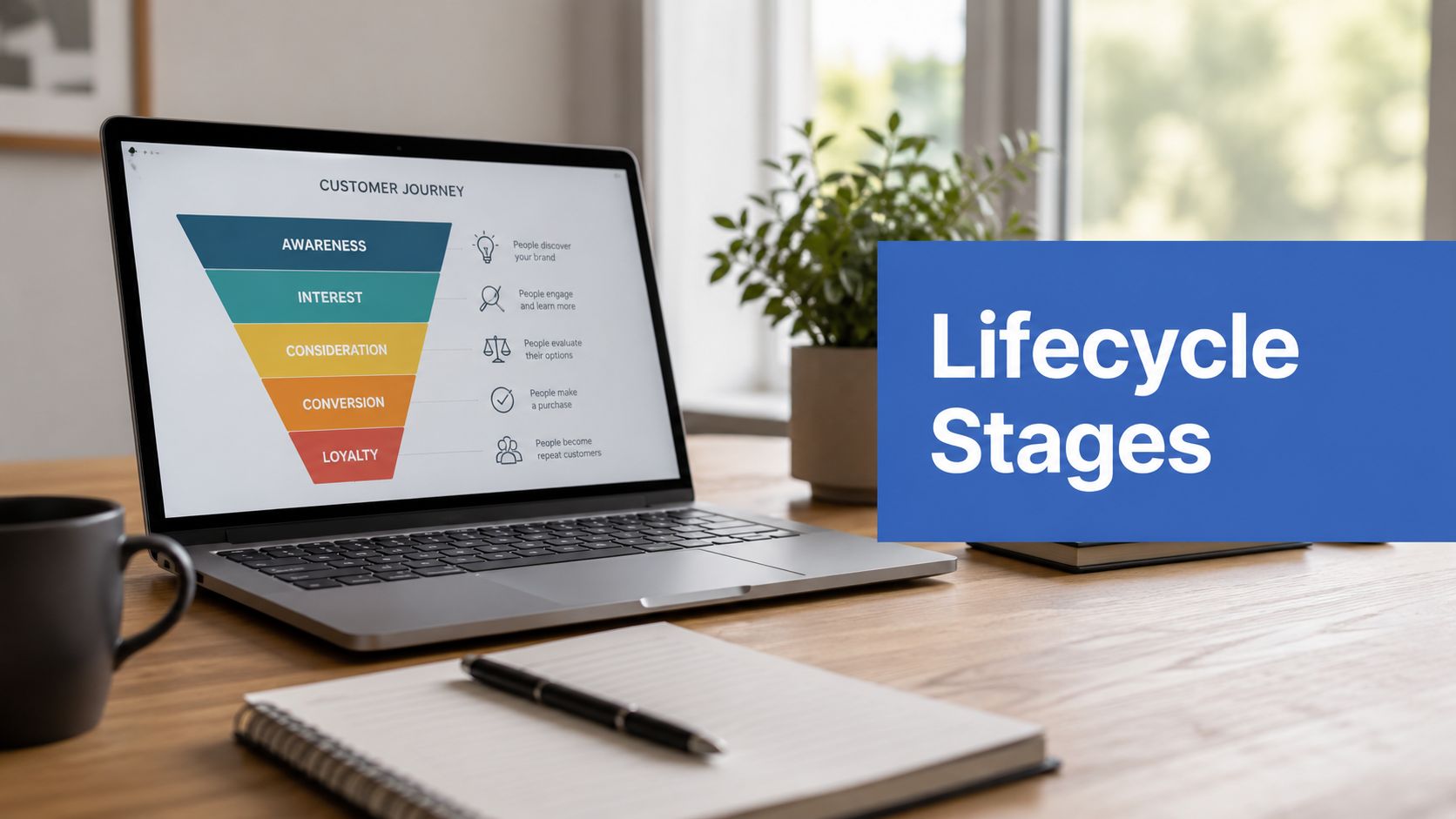
The Eight Default HubSpot Lifecycle Stages Defined
HubSpot provides eight default lifecycle stages out of the box: Subscriber, Lead, MQL, SQL, Opportunity, Customer, Evangelist, and Other, and stage progression is designed to move forward only, as noted by The Pedowitz Group.
That forward-only logic matters. Lifecycle stage is meant to represent relationship maturity with your brand, not day-to-day rep activity and not the state of one specific deal.
Lifecycle stage versus deal stage
This distinction causes more confusion than almost anything else in HubSpot.
Lifecycle Stage tracks the broad relationship across marketing, sales, and service.
Deal Stage tracks a specific commercial transaction.
A contact can sit in Customer lifecycle stage while a renewal deal moves through a separate pipeline. A contact can also be in Opportunity lifecycle stage because they’re attached to an active sales motion, while the associated deal sits at proposal, legal review, or procurement.
HubSpot lifecycle stage definitions and triggers
| Lifecycle Stage | Operational Purpose | Example Trigger |
|---|---|---|
| Subscriber | Early audience member who has opted in but has not shown meaningful buying intent | Newsletter sign-up or blog subscription |
| Lead | Known contact with initial engagement worth tracking | Content download, webinar registration, or general enquiry |
| MQL | Marketing-approved contact who meets documented qualification criteria | Lead score crosses threshold or qualifying form activity occurs |
| SQL | Sales-accepted contact ready for direct qualification or active outreach | Rep confirms fit and buying potential through agreed sales criteria |
| Opportunity | Contact associated with an active deal or formal sales pursuit | Deal is created and linked to the contact |
| Customer | Closed-won buyer | Associated deal is marked closed won |
| Evangelist | Customer actively advocating for the brand | Referral activity or case study participation |
| Other | Contact outside the buying journey | Vendor, partner, internal contact, or applicant |
How high-performing teams actually use them
A clean model depends on using each stage for one job only.
- Subscriber is for permission, not demand.
- Lead is for early interest, not qualification.
- MQL is a marketing decision.
- SQL is a sales acceptance point.
- Opportunity should align to a real deal motion.
- Customer should trigger post-sale programmes immediately.
- Evangelist should be reserved for true advocacy.
- Other should never become the junk drawer for records nobody classified properly.
Lifecycle stages should answer one question clearly: what is this contact’s current relationship to the business?
The two stages most teams misuse
The biggest operational errors usually happen around MQL and Other.
MQL gets inflated because teams confuse engagement with readiness. Someone downloads one asset and suddenly appears sales-ready. Other gets abused because imports, sync failures, and edge-case records need somewhere to go. Both habits make segmentation worse.
The fix is simple in theory and harder in practice. Define exact entry logic, automate it, and stop using lifecycle stages as a substitute for campaign membership, sales tasks, or rep notes.
Configuring Stages for a B2B Revenue Engine
Default lifecycle stages are only a starting point. The main work starts when you decide what qualifies someone to move, who owns that decision, and which system enforces it.

The most important configuration point in a B2B funnel is MQL. HubSpot does not define MQL for you in any meaningful operational way. You have to build it. And if you’re running Salesforce Sales Cloud alongside HubSpot, that definition has to survive field syncs, rep behaviour, and reporting requirements.
Binary scoring breaks down quickly
A lot of teams still use simplistic logic. Job title plus one form fill. Company size plus page views. Or worse, any demo request automatically becomes MQL with no fit review.
That approach looks efficient, but it creates false positives. In competitive B2B markets, especially when GTM teams rely on outbound, enrichment, and paid capture together, binary scoring makes sales spend time on records that aren’t commercially ready.
According to a HubSpot community discussion on lifecycle setup, a 3-dimension scoring model using fit, engagement, and intent with a threshold of 75+ produced a 28% higher MQL-to-SQL conversion rate than binary scoring models, based on analysis of 25+ B2B clients in this HubSpot Community reference.
What a stronger scoring model looks like
The practical model is straightforward:
- Fit should reflect who the account is. Industry, size, region, tech stack, and role.
- Engagement should reflect what the person has done across forms, emails, pages, and events.
- Intent should reflect buying proximity. Demo requests, pricing-page behaviour, product comparisons, or high-value return visits.
For fit, enrichment matters. Tools like Clay help GTM engineering teams build more useful firmographic and account context before a record reaches sales. That’s especially useful when Salesforce account data is incomplete or when inbound forms don’t capture enough qualification detail.
Where teams usually get this wrong
The common mistake isn’t just a weak score. It’s a score with no operational consequence.
If MQL criteria exist in a slide deck but not in a workflow, reps will ignore it. If HubSpot updates MQL but Salesforce lead assignment doesn’t recognise the same threshold, the handoff fails anyway. If marketing adjusts the score without sales sign-off, trust disappears.
Use this rule set:
- Define the score in writing.
- Map each scoring dimension to real HubSpot properties.
- Set the threshold.
- Build the workflow that updates lifecycle stage.
- Mirror the handoff logic in Salesforce routing and visibility.
That’s what turns HubSpot lifecycle stages into a revenue engine instead of a reporting label.
Key Automation Workflows for Stage Progression
A lifecycle model without automation turns into manual clean-up work. People forget updates, reps override fields, imports create exceptions, and reporting drifts. Good automation doesn’t just save time. It protects stage integrity.

Workflow one from Subscriber to Lead
When someone subscribes to a newsletter, they are not a lead yet. But when that same person later downloads a gated asset or registers for a webinar, the relationship changes.
When this happens: a contact with lifecycle stage Subscriber submits a high-value content form.
Then this action occurs: set lifecycle stage to Lead, stamp the latest conversion source, and add the contact to the relevant nurture stream.
Effective sequence design is key. Teams refining optimizing marketing automation sequences usually perform better when stage movement and nurture logic are designed together, not as separate projects.
Workflow two from Lead to MQL
This one should never rely on rep judgement alone.
When this happens: a Lead’s score crosses the documented threshold and required fit criteria are present.
Then this action occurs: set lifecycle stage to MQL, create the handoff notification, assign the owner if routing rules require it, and suppress top-of-funnel education emails.
If you need examples of branching logic, suppression rules, and qualification workflows, review these marketing automation workflow examples before building everything from scratch.
Don’t automate the handoff email and forget the suppression logic. That’s how contacts get “sales ready” alerts while still receiving awareness-stage nurture.
Workflow three from MQL to SQL
This transition should reflect sales acceptance, not marketing optimism.
When this happens: the assigned rep confirms the contact meets the team’s sales qualification standard and updates the required sales fields.
Then this action occurs: set lifecycle stage to SQL, update lead status for active follow-up, and create any Salesforce task or campaign status updates needed for visibility.
In a Salesforce-connected environment, this is often where teams decide whether HubSpot or Salesforce is allowed to write back the final lifecycle value. If you don’t settle that upfront, both systems will fight for control.
Workflow four from Opportunity to Customer
This is the automation too many teams assume already exists.
When this happens: the associated deal is marked closed won.
Then this action occurs: lifecycle stage updates to Customer, prospecting sequences stop, onboarding workflow starts, and the contact is added to post-sale segmentation.
That last piece matters. The stage update alone is not enough. Customer lifecycle should trigger real downstream action across onboarding, service routing, expansion plays, and advocacy tracking.
Mapping HubSpot Stages to Your Salesforce Environment
If HubSpot and Salesforce don’t agree on lifecycle logic, sales and marketing will work from different truths. The fix isn’t complicated, but it does require discipline in field design, sync governance, and ownership.

Map the concept to both Lead and Contact
In Salesforce Sales Cloud, lifecycle logic usually needs to exist on both the Lead and Contact objects if your business converts leads before opportunity management is fully underway.
That means creating or mapping a consistent lifecycle field structure so sales can see the contact’s maturity regardless of object state. It also means deciding what happens on lead conversion. If the lifecycle value lives on Lead but doesn’t transfer properly to Contact, your reporting chain breaks the moment conversion happens.
A practical integration blueprint should include:
- A shared field definition across Lead and Contact
- Clear picklist parity so HubSpot values map cleanly
- Conversion handling rules so the value persists after lead conversion
- Visibility rules so sales sees lifecycle without hunting through page layouts
For teams working through the native connector in more depth, this guide to HubSpot and Salesforce integration is a useful technical reference.
Choose a source of truth before you sync
This is the decision often postponed, and it causes the most confusion later.
If marketing automation drives Subscriber, Lead, and MQL in HubSpot, HubSpot should usually be the source of truth for those early stages. If sales activity in Salesforce determines SQL acceptance or opportunity readiness, Salesforce may need to own those transitions or at least provide the validating signal.
What doesn’t work is ambiguous ownership.
- HubSpot sets MQL.
- Salesforce rep manually changes the field back.
- HubSpot workflow sees old criteria and updates it again.
- Reports become impossible to trust.
Build for reporting, not just sync success
A technically successful sync can still produce bad operational reporting. I see this often when the connector passes the field correctly, but teams haven’t aligned lifecycle with campaign attribution, lead status, opportunity creation, or account-level reporting.
Sales needs lifecycle visibility in Salesforce. Marketing needs CRM-confirmed outcomes in HubSpot. RevOps needs both without duplicate logic.
In Account Engagement environments, this becomes even more important. Pardot-style lifecycle thinking often leans heavily on score, grade, and status. HubSpot’s lifecycle field is broader. If you’re using both ecosystems across business units or regions, the field definitions must be precise enough that executives can compare funnel progression without interpretation gaps.
Common Lifecycle Stage Pitfalls and How to Fix Them
The most damaging lifecycle mistake is also one of the most common. Teams move contacts backwards after a deal is lost because they think they’re “cleaning up” the funnel. They’re destroying historical truth.

According to this discussion on managing lifecycle stages after dropped sales, 58% of B2B marketers incorrectly downgrade contacts to Lead after a lost deal, which corrupts funnel analysis and causes a 25% drop in accurate re-engagement campaign performance.
Don’t downgrade the journey
A lost deal does not erase the fact that the contact reached opportunity-level maturity. The relationship happened. Sales engaged. A commercial conversation existed. Moving the lifecycle stage backwards rewrites that history.
Use other fields to track the outcome:
- Lead Status for sales disposition
- Deal Stage for the transaction result
- Custom loss reason fields for reporting and re-engagement logic
- Recycling or nurture flags for future campaign eligibility
That preserves lifecycle integrity while still giving sales and marketing the operational detail they need.
Manual edits create silent reporting damage
Another recurring problem is unrestricted manual editing. When everyone can change lifecycle stages ad hoc, the field stops meaning anything.
I prefer a stricter model:
- Marketing automation owns early-stage movement.
- Sales can validate sales-owned transitions.
- Post-sale teams can manage advocacy or customer-specific stage logic.
- Admin-level controls handle exceptional backfills and audits.
That governance matters even more if outbound email is part of your motion. Deliverability teams often focus on sender reputation and tooling, and resources like Best email warmup tools can help improve outbound readiness. But if lifecycle governance is weak, reps still end up prospecting the wrong records and re-engagement programmes still target the wrong audiences.
Customer and Evangelist are often ignored
A lot of companies stop caring after closed won. That leaves post-sale revenue, referrals, and case study participation outside the lifecycle model.
The better approach is to treat Customer as the trigger for onboarding and expansion segmentation, then reserve Evangelist for customers who actively refer new business or participate in case studies. If your team wants practical guidance for cross-functional ownership, this article on aligning marketing, sales, and customer success with lifecycle stages is worth reviewing.
Keep lifecycle stage static when the relationship milestone remains true. Track the new sales reality somewhere else.
Your 90 Day Lifecycle Stage Cleanup Playbook
Lifecycle stage cleanup is a revenue operations project, not a naming exercise. In HubSpot and Salesforce environments, bad stage logic creates reporting errors, broken routing, and messy handoffs between marketing, SDRs, AEs, and customer success.
A practical cleanup plan fits into 90 days if the scope stays tight and the owners are clear. I use three phases: fix the data first, lock the operating rules second, then rebuild the automation and reporting layer.
Days 1 to 30
Start with record quality and system behaviour.
Review contacts, companies, lead sources, form conversion paths, active workflows, Salesforce field mappings, and sync history. Look for records with no lifecycle stage, contacts marked as Customer with no closed won deal, companies sitting at Subscriber while linked contacts are SQLs, and duplicate automations that push stages forward without a valid trigger.
This is also the point to inspect Salesforce conversion paths. Check what happens when a lead converts to a contact, account, and opportunity, and confirm whether HubSpot lifecycle stage is mapping to the right Salesforce field. I often find teams syncing HubSpot Lifecycle Stage to Salesforce Lead Status or another sales-process field, which creates confusion fast.
Pull real examples, not just reports. Review a small set of recently created leads, converted leads, open opportunities, closed won deals, and churned customers. If the stage history does not match the actual commercial relationship, the model is already failing.
Days 31 to 60
Use the second month to settle the rules.
Bring marketing ops, sales ops, RevOps, sales leadership, and any Salesforce admin into the same working session. Define each stage by entry criteria, owner, allowed automation, and sync direction. If a stage can change because of a workflow, state the trigger. If a stage requires human validation, name the team that approves it.
Be strict about the difference between lifecycle stage, lead status, and deal stage. Lifecycle stage should answer one question: how far has this person or company progressed in the revenue relationship? Lead status tracks rep activity. Deal stage tracks an open sales process. Once teams mix those jobs together, reporting stops being reliable.
Stage downgrade rules need a decision here too. HubSpot does not handle downgrades the way many teams expect, and Salesforce sync can make that worse if both systems are allowed to overwrite each other. For B2B clients, I usually keep lifecycle stage as the highest true relationship milestone and handle disqualification, recycling, or stalled pipeline in separate fields.
Days 61 to 90
Now build the controlled version of the system.
Refactor workflows for the main stage transitions. Test form submissions, MQL qualification, sales acceptance, opportunity creation, closed won updates, and customer onboarding handoffs. Then test exception cases, including merged records, manually created Salesforce opportunities, backfilled imports, and records that already sit in later stages.
Do not stop at workflow testing. Validate reports in both platforms. Compare a HubSpot lifecycle funnel report against Salesforce opportunity and account reporting to make sure the same records land in the same business buckets. If they do not, the integration logic still has gaps.
Training matters here because user behaviour can undo clean automation in a week. Sales reps need to know which fields they own, CS needs to know when Customer and Evangelist should change, and admins need a short audit routine for imports, sync errors, and workflow edits.
Use one standard across the whole project: each lifecycle stage should represent a real relationship milestone, each transition should have a clear owner, and each HubSpot to Salesforce sync should reinforce that logic instead of overriding it.
If your team uses HubSpot with Salesforce Sales Cloud, Account Engagement, Service Cloud, or Revenue Cloud and your lifecycle model feels inconsistent, MarTech Do can help you audit the data, repair the stage architecture, align handoffs, and build automation that your revenue team can confidently trust.