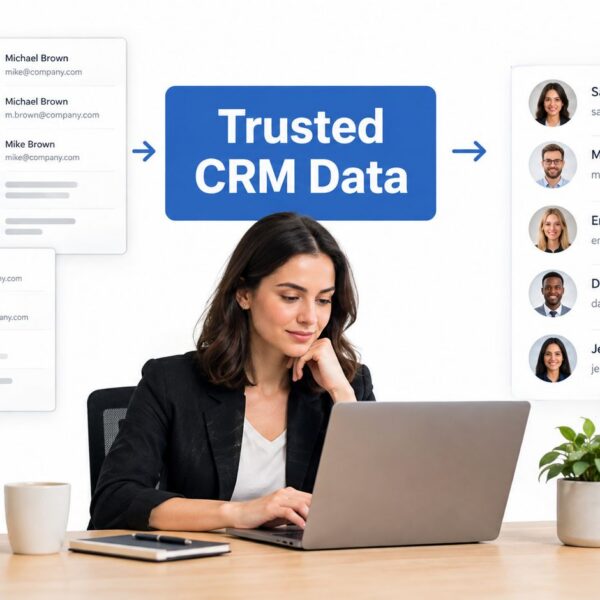
Your team fixed lead routing last quarter. Sales accepted more leads for a few weeks, then conversion slipped again. Marketing cleaned up scoring rules, but Salesforce fields still don’t match HubSpot properties. Service Cloud has useful handoff data, yet nobody brings it into pipeline reviews. The result is familiar. Everyone is working, but improvement feels scattered.
That’s where a continuous improvement framework earns its keep. It gives RevOps teams a repeatable way to inspect process, test changes, measure impact, and standardise what works. Instead of relying on one-off clean-ups, you build a system that keeps getting better.
For B2B companies running Salesforce Sales Cloud, Revenue Cloud, Service Cloud, Account Engagement (formerly Pardot), and HubSpot Sales and Marketing Hubs, that structure matters. These platforms can support strong forecasting, cleaner attribution, and faster handoffs. They can also multiply confusion if teams change rules without a common method. A disciplined framework keeps operational changes tied to outcomes that managers care about: pipeline movement, cleaner data, better adoption, and fewer manual repairs.
Introduction to Continuous Improvement Frameworks
A RevOps plateau rarely looks dramatic at first. Pipeline velocity slows a little. Forecast calls get longer. Managers ask for another audit because the last fix didn’t stick. Someone exports data into a spreadsheet to “double-check the dashboard”, and now the team is maintaining two versions of the truth.
A continuous improvement framework solves that problem by replacing reactive fixes with a cycle. You define the process, identify the gap, test a change, review the result, and either standardise it or revise it. Done well, this creates shorter feedback loops and clearer ownership across marketing operations, sales operations, and CRM administration.
The idea isn’t abstract. In California’s public education sector, Fresno Unified School District improved graduation rates from 69% to 79%, a 15% increase, and college eligibility rates from 32% to 48%, a 50% increase, during a five-year continuous improvement effort between 2009 and 2014, as documented in the EdPolicy in California report on Fresno Unified’s improvement work. Different sector, same lesson. When teams commit to structured goals, regular review, and stakeholder ownership, results become measurable.
Practical rule: If your team can’t describe how a process gets better over time, you don’t have an improvement system. You have a backlog of fixes.
For RevOps leaders, the benefit is simple. You stop treating Salesforce, HubSpot, MCAE, Clay, ZoomInfo, routing logic, and attribution models as isolated projects. You manage them as connected parts of one go-to-market operating system.
Understanding Key Concepts of Continuous Improvement Frameworks
A continuous improvement framework works best when everyone shares the same mental model. Without that, one manager thinks “improvement” means a quarterly clean-up, another thinks it means a new dashboard, and the admin thinks it means field de-duplication. Those are useful tasks, but they aren’t a framework.

The core ideas that make the framework work
Think of continuous improvement the way a software team thinks about sprints. You don’t wait a year to discover whether the release strategy failed. You work in short cycles, inspect outcomes, and adjust while the cost of change is still manageable.
In RevOps, the same logic applies:
- Iterative cycles mean your team improves lead management, lifecycle stages, handoff rules, or forecast hygiene in rounds rather than with a single “big fix”.
- SMART goals keep the cycle grounded. A goal should be specific enough that two different managers would measure it the same way.
- Feedback loops connect action to evidence. If a routing change goes live, the team needs a way to see whether response quality, record quality, or stage progression improved.
- Root-cause analysis prevents shallow fixes. If leads are stalling, the issue might be stage design, required fields, scoring thresholds, or rep follow-up rules.
- Stakeholder ownership makes improvement stick. A process without an owner usually becomes a complaint, not an initiative.
- Data-driven decision making keeps debate from drifting into opinion.
California’s Department of Education uses this logic in a formal way. Agencies are required to select one to three SMART performance goals for the next program year and track trends against state averages, embedding continuous improvement directly into compliance cycles, according to the California adult education continuous improvement plan guide.
Where RevOps teams usually get confused
The biggest confusion is between activity and improvement. A new workflow isn’t proof of progress. A dashboard isn’t proof either. Improvement only counts when a team can connect a change to a better operating result.
A second confusion sits around ownership. Managers often assume RevOps should own every fix. That’s too broad. RevOps should usually own the system design, measurement model, and operating cadence. Sales, marketing, customer success, and CRM admins still need clear roles inside that model.
Improvement gets easier when every KPI has an owner, every owner has a review date, and every review produces a decision.
A simple way to remember it
Use this sequence:
- Define the current process
- Choose a SMART goal
- Find the likely cause of the gap
- Test one change
- Measure the outcome
- Standardise or revise
That sequence sounds basic because it is. Good frameworks are simple enough to repeat. The sophistication comes from applying the cycle consistently across Salesforce architecture, HubSpot automation, MCAE nurture flows, and GTM data enrichment.
Comparing Leading Continuous Improvement Models
Not every team needs the same model. Some RevOps groups need a lightweight rhythm they can start this month. Others need a more disciplined structure because their stack is large, their approval chain is complex, or their data quality is already shaky.
That last point matters. Practically all continuous improvement frameworks assume good data, but California RevOps teams report that missing or inaccurate data derails 60% of improvement cycles before the Plan/Do/Study/Act phase can begin, as noted in the California guidance discussing missing or inaccurate data in improvement work. If your CRM data is unreliable, even the best framework becomes theatre.
Comparison of CI Frameworks
| Framework | Primary Focus | Cycle Duration | Complexity | Culture Fit |
|---|---|---|---|---|
| PDSA | Testing and learning through small changes | Short, repeatable cycles | Low to medium | Strong fit for RevOps teams that need quick operational feedback |
| Kaizen | Everyday incremental improvement | Ongoing, embedded in daily work | Low | Strong fit for teams that want broad participation from admins, managers, and operators |
| Lean | Removing waste and improving flow | Medium-term, process-led | Medium | Good fit for teams dealing with handoff friction and duplicate work |
| Six Sigma | Reducing variation and defects through structured analysis | Longer project cycles | High | Best fit for mature organisations with analytical resources and strict controls |
When PDSA is the practical choice
PDSA is often the best entry point for RevOps. It’s clear, fast, and easier to apply to lead routing, lifecycle definitions, scoring, and dashboard design than a heavier quality model.
If your team keeps asking questions like these, PDSA usually fits:
- “Why are MQLs piling up?” Test one routing change.
- “Why do stage definitions vary by team?” Trial a revised entry criterion.
- “Why are forecast categories inconsistent?” Pilot a shared inspection rule with one sales pod.
PDSA suits managers who need movement without launching a large transformation programme.
Where Kaizen, Lean, and Six Sigma fit better
Kaizen works well when you want improvement behaviour to become part of daily operations. It’s useful in environments where coordinators, SDR managers, CRM admins, and campaign managers all notice small problems and can raise them quickly.
Lean is stronger when your biggest problem is waste. In RevOps, that often shows up as duplicate approvals, unnecessary status fields, repetitive exports, or avoidable handoffs between marketing and sales.
Six Sigma helps when a process has to be tightly controlled and the cost of variation is high. Think regulated workflows, revenue recognition dependencies, or service processes that tie directly to contract stages in Revenue Cloud.
Choose the lightest model that your governance can support. Teams rarely fail because the framework is too simple. They fail because the framework is too heavy to maintain.
A decision lens for managers
Use these questions before choosing a model:
- How stable is your data base? If field quality is weak, fix that before you choose an advanced method.
- How fast do you need feedback? If leadership wants quicker operational decisions, start with shorter cycles.
- Who needs to participate? Broad participation favours Kaizen. Specialist analysis may favour Six Sigma.
- What kind of problem dominates? Waste points toward Lean. Defects point toward Six Sigma. Mixed operational friction often points toward PDSA.
- How much change fatigue is already in the business? Lighter models create less resistance.
A practical pattern in B2B RevOps is to use PDSA as the operating loop, borrow Lean ideas to remove waste, and build a Kaizen-style culture where frontline users raise issues early. A single school need not be adopted with perfect purity. What is required is a model that helps them inspect, decide, and improve without confusion.
Implementing Continuous Improvement in RevOps
Most RevOps teams don’t need more theory. They need a clean operating routine. That starts with an audit, then moves into KPI design, role clarity, and a review cadence that people can realistically maintain.

Using the PDSA cycle in California RevOps implementations reduces process cycle time by an average of 23% within six months, with a strong link between root-cause analysis frequency and defect reduction (r=0.78, p<0.01), according to the continuous quality improvement framework overview from Root Cause. That’s why disciplined review matters. Speed improves when teams diagnose causes rather than repeatedly patch symptoms.
Start with a RevOps audit checklist
A useful audit should expose friction, not just document it. Review the process from inquiry through closed revenue and handoff.
- Map the process path: Document how leads enter, qualify, route, convert, and progress. Include exceptions, not just the ideal path.
- Inspect field dependencies: Check required fields, default values, picklist alignment, and validation rules across Salesforce and HubSpot.
- Review automation logic: Identify workflows, assignment rules, enrichment jobs, and lifecycle triggers that can conflict.
- Check attribution inputs: Confirm campaign member statuses, source fields, and opportunity contact role practices.
- Assess reporting trust: Compare dashboard logic with how teams use stages and statuses.
- Look for manual workarounds: Every spreadsheet export or Slack reminder is a signal that the system design may be incomplete.
For a practical operations benchmark, this guide on streamlining business processes is useful because it frames audit work around repeatability rather than one-off fixes.
Define KPIs that managers can act on
Don’t overload the scorecard. A continuous improvement framework works best when the first dashboard highlights the few measures that drive decisions.
Good RevOps KPI candidates include:
- Pipeline velocity: Shows whether opportunities are moving at a healthy pace.
- Lead-to-cash conversion time: Helps teams see where speed breaks down across the funnel.
- Lifecycle progression quality: Reveals whether records are advancing cleanly or skipping required steps.
- Forecast consistency: Flags differences between stage design and sales behaviour.
- Data completeness for key objects: Useful for catching reporting blind spots before they hit board-facing dashboards.
If forecast quality is one of your weak spots, Yalc’s GTM sales insights offer a helpful lens on how forecast accuracy depends on disciplined inputs, not just better reporting.
Clarify roles before you launch the cadence
A lot of continuous improvement programmes stall because everyone attends the meeting but nobody owns the outcome.
Use a simple operating model:
-
CI champion
Usually a RevOps or GTM operations leader. This person runs the cycle, maintains focus, and makes sure each review ends with a decision. -
Data steward
This role checks field quality, sync reliability, and reporting logic before the team acts on the numbers. -
Ops manager
Often the bridge to sales or marketing leadership. This person translates process changes into team behaviour, enablement, and adoption. -
System admin or architect
Owns configuration changes, release timing, and rollback planning.
If one person owns the meeting, the data, the build, and the rollout, your framework is already overloaded.
Set a cadence that matches the work
A cadence should be boring in the best way. Predictable. Lightweight. Easy to keep.
- Weekly huddle: Review one or two active experiments, blockers, and near-term actions.
- Monthly deep dive: Analyse KPI movement, root causes, and standard changes.
- Quarterly reset: Retire stale initiatives, choose new priorities, and align with commercial goals.
Run change management like part of the framework
A process isn’t improved when a workflow goes live. It’s improved when users understand it, follow it, and trust the reporting that comes out the other side.
Use this change sequence:
- Align stakeholders early: Confirm what problem matters and how success will be judged.
- Train to the exception paths: Standard paths are easy. Confusion usually appears in edge cases.
- Document the new standard: Keep one current version of the process, not five slide decks.
- Monitor adoption signals: Watch for skipped fields, unusual stage jumps, or manual overrides.
- Close the loop publicly: Let teams know what changed, why it changed, and what happened after the test.
Mapping Frameworks to Salesforce HubSpot and MCAE
A framework only becomes real when it’s anchored in the systems your teams use every day. In RevOps, that usually means Salesforce Sales Cloud at the core, HubSpot for marketing and sales execution, MCAE for nurture and scoring in Salesforce-centric environments, and supporting tools such as Clay for enrichment and workflow triggers.

The technical setup matters because weak integrations can hide process problems. The 2025 HubSpot-Salesforce integration update is described as cutting sync latency to near-instant levels, eliminating the 15-20% data loss that older configurations caused during lead-to-deal handoffs, according to this overview of the 2025 HubSpot-Salesforce integration update.
How the framework maps to each platform
Salesforce Sales Cloud should hold the source-of-truth objects, stage definitions, required fields, and reporting structures. Improvement work here usually focuses on pipeline architecture, conversion logic, opportunity hygiene, and forecast consistency.
HubSpot Sales and Marketing Hubs are strong for fast operational feedback. Teams can monitor lead handoffs, lifecycle updates, form conversion quality, and campaign response quickly. If your intake layer includes external forms, it helps to know how to extend Growform functionality via Zapier so submissions can enter your improvement loop without manual intervention.
MCAE works well when your nurture logic, scoring, and Salesforce object model need tighter coordination. This guide to Marketing Cloud Account Engagement is useful for understanding how nurture and scoring architecture influence broader RevOps operations.
The configuration checks that often prevent failure
A continuous improvement framework needs trustworthy movement between systems. Some checks are operationally essential:
- Audit custom fields and objects before deployment: One forgotten required field in Salesforce can halt a HubSpot sync entirely.
- Confirm the integration user setup: The designated user needs the proper Salesforce permission set and the corresponding HubSpot account access permissions.
- Standardise lifecycle and stage mapping: If lifecycle states and CRM stages drift apart, KPI reviews become misleading.
- Set alerts for failed syncs or field exceptions: Small breaks create large reporting problems when nobody sees them early.
- Use dashboards for near-real-time review: Fast visibility supports faster corrective action.
What managers should watch in practice
The best platform mapping is operational, not decorative. Your dashboard should help a manager answer questions like:
- Are leads entering the correct lifecycle stage?
- Did the routing rule fire as expected?
- Are opportunity amounts and stages syncing cleanly?
- Did a nurture change affect downstream sales acceptance?
- Which object or field issue is distorting the report?
When those answers are visible inside the stack, the continuous improvement framework becomes a working management system rather than a workshop exercise.
Practical Templates and Tools for RevOps Teams
Many teams don’t fail because they lack ideas. They fail because every cycle starts from a blank page. Templates fix that. They make the work repeatable, reduce debate about format, and let managers spend time on decisions instead of document creation.
The templates worth keeping on hand
Use a small set of working templates and keep them current:
- Process audit checklist: Include process steps, owner, system touchpoint, failure mode, and evidence field.
- KPI dashboard wireframe: Sketch the exact tiles, filters, and drill-downs needed before anyone builds reports.
- Action tracker: Record hypothesis, owner, due date, status, and result of each improvement test.
- Change log: Capture what changed in Salesforce, HubSpot, MCAE, or connected tooling and why.
- Training note template: Summarise the new standard, affected roles, and exception scenarios.
How to customise without creating chaos
A template should flex around the process, but the logic should stay stable. Add fields only if they support a decision. If a field never changes a meeting outcome, remove it.
For teams comparing campaign execution needs before they standardise tooling, this overview of the core features of campaign tools is a useful reference point. It helps managers separate essential campaign operations from nice-to-have features.
You can also turn static templates into live operating assets by connecting them with the workflows described in these workflow automation examples. That’s often the point where a checklist stops being documentation and starts becoming part of the system.
A template is valuable when it shortens the next decision. If it only creates more fields to maintain, it’s admin work in disguise.
A simple tool stack for execution
Google Sheets or Smartsheet can work for early-stage tracking. Mature teams usually push the core fields into Salesforce or HubSpot so actions, owners, and status updates stay near the process itself. The best setup is the one your team will maintain every week.
Real World Case Example in California B2B RevOps
A mid-market California B2B team had a common problem. Marketing ops ran monthly audits, sales ops managed forecast clean-up, and CRM admins handled field changes as tickets arrived. Everyone was busy, but pipeline reviews kept circling the same questions because the systems weren’t improving as one operating model.
The team switched from periodic manual reviews to a continuous improvement framework built around real-time KPI dashboards, a standing monthly root-cause session, and clear ownership across sales operations, marketing operations, and system administration. They started with one process slice: lead-to-opportunity handoff. That limited scope made it easier to identify field mismatches, routing exceptions, and reporting gaps without reopening the whole stack at once.
The broader California benchmark is encouraging. Continuous improvement frameworks that embed real-time KPI dashboards achieved 31% higher ROI on Salesforce/HubSpot integrations and reduced pipeline attrition by 18% in California markets, according to benchmark data on scalable continuous improvement frameworks.
What this team did that others can copy
- They narrowed the first cycle: One process, one owner group, one review rhythm.
- They inspected root causes, not symptoms: Instead of blaming rep adoption, they checked stage logic, sync behaviour, and field completeness.
- They standardised after proof: Once a revised process worked, they documented it and trained managers on exceptions.
- They made dashboards operational: The dashboard wasn’t for show. It was the agenda for the review meeting.
The overlooked lesson is cultural. The team didn’t improve because they bought another tool. They improved because they created a shared discipline for deciding what to change, how to test it, and when to lock in the new standard.
Conclusion and Next Steps for Continuous Improvement
A continuous improvement framework gives RevOps managers something more valuable than a one-time fix. It gives them a reliable operating rhythm. That matters when your pipeline depends on clean CRM architecture, stable integrations, clear ownership, and fast feedback from the field.
The practical path is straightforward. Choose a model your team can maintain. Audit one high-friction process. Define a small set of KPIs. Assign owners. Run a review cadence that produces decisions, not just discussion. Then standardise what works and retire what doesn’t.
If your stack includes Salesforce, HubSpot, MCAE, Service Cloud, Revenue Cloud, Clay, or enrichment workflows, keep the framework tied to the system behaviour managers can inspect. Better process design beats heroic clean-up every time.
Start small, but start in a structured way. One stable loop is better than ten scattered fixes.
If your team needs help turning scattered audits, CRM fixes, and reporting debates into a working RevOps system, MarTech Do can help you design the framework, clean up the stack, and build an operating cadence your team can sustain.