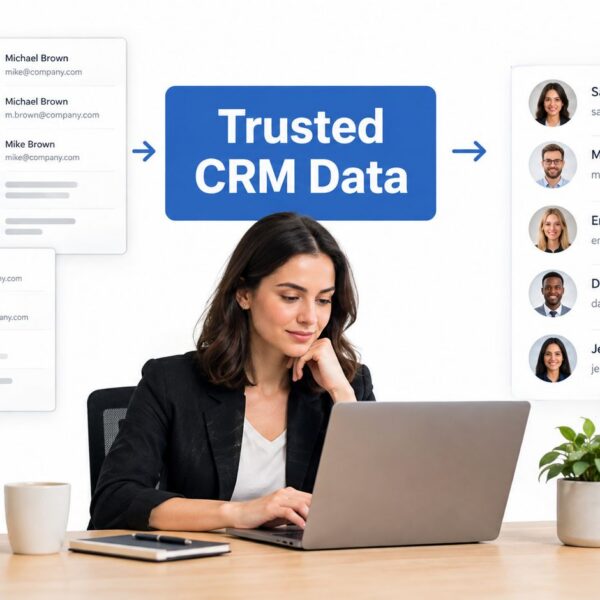
A Salesforce migration can look healthy while revenue reporting breaks. The records load, users log in, and the cutover checklist turns green, but campaign attribution no longer matches opportunities, lifecycle stages mean something different, and HubSpot or Account Engagement keeps updating the old system. For Marketing Operations, Sales Operations, and RevOps leaders, that’s not a technical inconvenience. It’s a loss of confidence in the numbers used for forecasting, routing, pipeline management, and customer follow-up.
The practical standard for data migration best practices Salesforce projects is therefore higher than successful imports. Teams need a governed plan, dependency-aware loading, controlled coexistence with connected systems, and validation that proves the business can still answer its most important questions. The guidance below applies to B2B environments using Salesforce Sales Cloud, Service Cloud, Revenue Cloud, Account Engagement, HubSpot Sales and Marketing Hubs, and connected GTM tools such as Clay.
Why Salesforce Data Migrations Fail and How to Prevent It
A familiar failure pattern starts before anyone opens Data Loader. A company has agreed on a go-live date, department leaders have supplied spreadsheets, and the implementation team has mapped familiar fields from the legacy CRM. After the import, Sales sees accounts and contacts, but the forecast dashboard no longer reconciles with the old pipeline. Marketing can’t explain which campaigns influenced open opportunities, and service agents find that case relationships or ownership assignments don’t behave as expected.
The underlying problem isn’t usually the loading tool. It’s the assumption that a migration is a single technical event. Salesforce’s guidance treats migration as a process that requires teams to understand their data, estimate performance impact, design validation, and optimise migration jobs rather than treating a massive dataset as one bulk transaction. Salesforce’s migration guidance supports that controlled approach.

Treat migration as a revenue programme
A migration needs named owners from Marketing Operations, Sales Operations, Customer Success or Service, IT, security, and finance where reporting or billing data is involved. Each group should approve the definitions that affect its work, including:
- Lifecycle stages: Decide whether a lead, marketing-qualified lead, sales-qualified lead, opportunity, customer, and inactive record retain their old meanings.
- Attribution fields: Confirm how lead source, campaign membership, campaign influence, and original source will be preserved or transformed.
- Ownership rules: Document how accounts, contacts, leads, opportunities, cases, and territories receive owners after the move.
- Success criteria: Define acceptance around relationships, reporting continuity, automation behaviour, and integration handoffs, not only record totals.
Practical rule: If a dashboard owner can’t explain how a KPI will behave after cutover, the migration isn’t ready for production.
California organisations have an additional governance concern. A California state technology project document asks whether an agency has a formal data governance body with clearly defined roles and responsibilities. That principle translates directly to commercial Salesforce work. Clear ownership, sign-off, and accountability make reconciliation disputes resolvable and give teams an audit trail when a record or metric doesn’t match expectations. The California technology project governance document provides that formal governance context.
The safest migration lifecycle has distinct decisions for discovery, mapping, cleansing, rehearsal, loading, validation, cutover, and monitoring. A team can move quickly through those stages, but it shouldn’t collapse them into one bulk upload. Record counts tell you whether records arrived. RevOps validation tells you whether the business still understands its funnel.
Planning Your Migration Scope and Mapping Strategy
Scope decisions create the architecture that every later step depends on. Start with a source-system inventory covering Salesforce orgs, HubSpot, Account Engagement, Service Cloud, Revenue Cloud, enrichment platforms, spreadsheets, finance systems, and integration middleware. For each source, document the owner, purpose, record types, update behaviour, retention requirements, and whether the data is authoritative.
Salesforce advises teams to identify exactly which objects they need to migrate before loading data. That discipline prevents unnecessary records from entering the target org and reduces cutover risk. It also forces a useful business conversation: an object shouldn’t move because it exists in the source system.
Decide what belongs in the target org
Classify every object and data set as migrate, archive, rebuild, or exclude. A closed historical object may need to remain accessible for reporting without becoming an active operational record. An automation log may have little value in Salesforce, while campaign membership, opportunity history, and consent-related fields can be essential to lifecycle and attribution reporting.
For field mapping, create a working document that includes the source field, target object, target field, data type, transformation rule, default treatment, required status, data owner, and validation method. The Salesforce field mapping guidance is a useful reference for structuring this work. For a broader treatment of sequencing, reconciliation, and migration controls, review CEF data migration best practices.
Load parents before dependants
Salesforce’s published import sequence is a practical baseline for org-to-org moves. The order protects relationships and reduces the chance that child records arrive before their parents exist.
| Load Order | Object | Dependency Note |
|---|---|---|
| 1 | Accounts | Establishes the parent record for contacts, opportunities, cases, and related activity |
| 2 | Campaigns | Creates campaign records before memberships and attribution relationships are evaluated |
| 3 | Contacts | Connects people to existing accounts |
| 4 | Opportunities | Relies on accounts, contacts, and relevant ownership rules |
| 5 | Cases | Connects service records to accounts and contacts |
| 6 | Price Books | Provides commercial catalogue context for products and opportunities |
| 7 | Products | Depends on the appropriate price book structure |
| 8 | Leads | Can be loaded separately from converted contact and account relationships |
| 9 | Contracts | Relies on the account and commercial context already established |
This sequence comes from Salesforce’s object-load guidance, which also stresses dependency order and object selection. Don’t treat it as a substitute for a relationship map. Custom objects, junction objects, campaign members, activities, and integration keys may require their own sequence.
Before build work begins, agree on immutable identifiers, external IDs, ownership treatment, inactive records, and historical timestamps. Keep transformation rules version-controlled. If a lifecycle value changes from “Marketing Qualified” to “Qualified Lead”, record the rule and test its effect on reports, automation, and downstream integrations.
Cleansing Deduplication and Governance Before You Load
Clean data doesn’t come from pressing a deduplication button at the end of a project. It comes from deciding which source is authoritative, which values are acceptable, and who resolves conflicts. A contact duplicated across HubSpot, Salesforce, an enrichment tool, and a spreadsheet can’t be merged safely until the team agrees which email, owner, consent value, company name, and activity history should survive.
Use the source system for cleanup when business users can review records in context and the source remains authoritative. Use a staging layer when transformations require joins, normalisation, survivorship rules, or comparisons across systems. The right answer is often a combination. “Clean the source first” sounds orderly, but it can delay the project when the target model is still changing.
Make data quality a managed decision
For complex datasets, source-system cleanup may begin 3 to 6 months before migration, depending on complexity, as described in the Salesforce data migration guide from Toptal. That period shouldn’t become an excuse to postpone decisions. Start with the records that affect active pipeline, current customers, consent, routing, and reporting, then define how less critical history will be handled.
Normalisation should cover company names, addresses, phone formats, country and region values, picklists, job titles, industries, lead sources, and lifecycle stages. Preserve original source values in a controlled field where they support auditability or attribution. Don’t overwrite a historical source field merely to make a new taxonomy look tidy.

Assign governance before resolving duplicates
A California state technology governance framework asks whether an organisation has an established governance body with defined roles and responsibilities. For a B2B RevOps migration, that can be a steering group or a smaller data council, but the responsibilities need to be explicit.
- Business owners: Approve definitions for accounts, contacts, leads, opportunities, cases, and lifecycle stages.
- Data stewards: Resolve duplicate and conflicting records using documented survivorship rules.
- Technical owners: Maintain mappings, transformations, integration behaviour, and load logs.
- Compliance owners: Review consent, retention, access, and sensitive-data handling.
- Report owners: Confirm that dashboards and historical KPI logic remain interpretable.
Consent and source tracking deserve special attention for California GTM teams. If opt-in flags, contact status, or source fields are redefined during normalisation, the target system may report a cleaner dataset while losing the meaning of historical activity. Store the old value when needed, document the new value, and get sign-off before a transformation changes operational behaviour.
For teams operating HubSpot alongside Salesforce, enrichment tools, or other GTM systems, define field ownership during the coexistence period. Decide which platform can write lifecycle stage, lead status, account owner, and consent fields. Without that agreement, each batch can introduce new conflicts after the data has been “cleaned”.
The data governance guidance for RevOps teams can help formalise those ownership decisions. Governance is not a meeting added to the project. It’s the mechanism that makes data quality repeatable after the migration ends.
Staging ETL Execution and Controlled Batch Loading
Execution should resemble a rehearsed operating procedure, not a late-night experiment. Build the target configuration in a sandbox or staging environment, load representative data, activate the required relationships, and test the same transformations that will run in production. An ETL process can extract from Salesforce, HubSpot, Account Engagement, or another source, transform values in a controlled layer, and load the result into Salesforce. This ETL overview for RevOps teams provides useful context for the pattern.
Start by taking a baseline of the target environment. Record configuration versions, active automations, integration states, sharing behaviour, reports, dashboards, and relevant limits. The baseline gives the technical team something to compare when a rehearsal changes behaviour.
Use a deliberate load choreography
A controlled run typically follows this order:
- Prepare the staging dataset. Apply approved mappings, transformations, external IDs, and duplicate decisions. Keep rejected records in a separate exception file rather than dropping them.
- Pause competing writes. Disable or pause automations, flows, integrations, enrichment jobs, and notifications that could create or alter records during the load.
- Load parent objects. Follow the approved dependency sequence and capture the Salesforce IDs returned by each successful load.
- Resolve relationships. Use external IDs and relationship keys to connect contacts, opportunities, cases, campaign members, products, and other related records.
- Load in controlled batches. Salesforce Engineering guidance describes batches of around 10,000 records as a practical way to validate success incrementally and isolate failures early. See Salesforce Engineering’s massive migration guidance.
- Retry selectively. Correct rejected records, rerun only the affected set, and preserve the original failure reason.
For high-volume work, don’t load millions of records in one transaction. Salesforce recommends chunked processing, deferring sharing calculations until import is complete, and setting allOrNone to false so successful records in a batch can commit while failed records are isolated. Retry logic matters because the first pass won’t always succeed for every record. Those controls are covered in Salesforce’s migration implementation considerations.
Log the run as if someone will audit it
Every batch should have a run ID, source extract, transformation version, start and finish time, record count, success count, failure count, exception file, and owner. Log API errors, validation-rule failures, missing relationships, duplicate matches, and unexpected automation activity.
Estimate performance impact before production. A batch size that works in a sandbox may behave differently when sharing, flows, integrations, and reporting queries are active. The objective isn’t maximum throughput. It’s a repeatable load that the team can stop, inspect, correct, and resume without losing control.
Validation Testing and Rollback Planning That Protects Revenue Reporting
A migration passes technical validation when records load correctly. It passes RevOps validation when the business can still trust its funnel. That distinction changes the test plan.
Salesforce recommends creating custom reports to verify migrated record counts, spot-checking records, and reviewing exception reports to identify records that failed to migrate. Its post-load validation guidance makes validation a defined operational task rather than an informal glance at the import result.

Reconcile the metrics that run the business
Build a reconciliation pack that compares the source and target using agreed definitions. Record counts remain useful, but they’re only the first layer. Test:
- Lead source continuity: Confirm that original source, latest source, and campaign-derived values retain their intended meanings.
- Campaign attribution: Check campaign memberships, influence logic, and the relationship between campaigns and opportunities.
- Opportunity stages: Verify stage values, close dates, amounts, owners, and historical treatment.
- Lifecycle definitions: Confirm that lead status, marketing qualification, sales qualification, customer status, and inactive values map consistently.
- Ownership and routing: Test account ownership, lead assignment, territory logic, service queues, and handoff rules.
- Revenue reporting: Rebuild the reports and dashboards that leadership uses, then investigate differences rather than accepting them as migration noise.
Use pilot runs with representative records and have report owners sign off. A dashboard can display numbers while still hiding broken joins, changed filters, missing campaign members, or an altered lifecycle definition. Business users should review records and reports together.
Rehearse coexistence and rollback
Most complex RevOps stacks need a coexistence period. Salesforce may run beside HubSpot, Account Engagement, enrichment tools, sales engagement platforms, or a legacy CRM while teams transition. During that period, document which system owns each field and how changes synchronise. Pause duplicate automations, suppress notifications that could confuse users, and monitor for loops or conflicting updates.
Rollback criteria should be specific enough to trigger action. Examples include unreconciled revenue dashboards, missing critical relationships, incorrect consent values, broken routing, failed integrations, or exception volumes that exceed the agreed tolerance. Don’t invent a tolerance during cutover. Approve it during planning with the owners who understand the operational impact.
California public-sector and regulated implementations also need explicit backup and retention checks. Salesforce Government Cloud security documentation states that backups are rotated every 90 days and warns that unrecoverable data scenarios can exist when sandbox or environment data is mishandled. Review the Salesforce Government Cloud security white paper before cutover, validate the recovery assumptions, and retain an audit trail for each batch.
California state cloud policy also treats total cost of ownership as including migration, downtime, storage, processing, security, training, and oversight costs. That makes phased cutover and pre-migration cost modelling part of responsible delivery, not optional project administration.
Post Migration QA Monitoring and Continuous Improvement
Go-live is the start of operational ownership. Teams often focus on the first successful login and stop watching closely once the import job closes. That’s when delayed integrations, re-enabled flows, duplicate creation, and user workarounds begin to expose weaknesses that the rehearsal didn’t catch.
Assign an owner for post-migration data quality and publish a short operating checklist. Review new duplicate patterns, failed integrations, routing exceptions, invalid picklist values, missing owners, and records that bypass required lifecycle steps. Keep the exception queue visible to both technical and business owners.
Monitor behaviour, not only errors
A healthy QA routine includes:
- Report checks: Review pipeline, campaign, lifecycle, service, and revenue dashboards for unexpected changes.
- Integration checks: Confirm that Salesforce, HubSpot, Account Engagement, Service Cloud, Revenue Cloud, enrichment tools, and other connected systems exchange the intended fields.
- Automation checks: Re-enable flows and rules in stages, then verify that they don’t create duplicate records or overwrite governed values.
- User feedback: Give Sales, Marketing, Service, and Finance a clear route for reporting incorrect ownership, missing history, or confusing field behaviour.
- Governance review: Retire temporary mappings, preserve the final data dictionary, and document decisions that future administrators will need.
Training is part of QA because users create the next wave of data. Explain the new lifecycle model, required fields, ownership rules, campaign processes, and duplicate-prevention practices in the context of daily work. A technically accurate Salesforce org can still produce unreliable reporting if teams continue maintaining spreadsheets or selecting legacy values out of habit.
MarTech Do’s work spans Salesforce and HubSpot CRM implementation, marketing operations, sales operations, data quality remediation, deduplication, governance, integrations across Account Engagement, Service Cloud, Revenue Cloud, and Clay, plus dashboarding and enablement. MarTech Do has delivered work for 50+ B2B clients and completed 100+ projects, with client outcomes reported as more than $8M in revenue influenced. Those figures are publisher-provided context, not a substitute for project-specific measurement.
The durable success metric is whether teams can explain their data, trust their reports, and maintain the rules after the migration team leaves. Document the roadmap, assign ownership, monitor the handoffs, and treat every exception as feedback for the operating model.
If your Salesforce migration needs dependable mapping, staged loading, KPI reconciliation, integration coexistence, or post-go-live governance, MarTech Do can audit and improve the systems behind your marketing, sales, and customer lifecycle operations. Visit MarTech Do to discuss a documented RevOps roadmap that protects reporting continuity and turns migration work into measurable GTM outcomes.