Channel sales often look manageable right until they stop being manageable. A few partners submit opportunities by email. Someone tracks approvals in a spreadsheet. MDF requests live in inboxes. Forecast calls become guesswork because nobody trusts the same numbers.
That’s usually the point when a RevOps leader realises the problem isn’t just process discipline. It’s architecture. If partners can’t work inside a controlled, visible system tied directly to Salesforce, channel growth creates more noise than value.
A partner portal for Salesforce fixes that when it’s treated as a revenue operations system, not a design project. In the CA region, Salesforce partner portals built on Experience Cloud have seen strong adoption. 94% of sales teams are projected to use partner selling in 2026, up from 86% the prior year, and over 90% of sales professionals with partners rely on dedicated PRM tools according to Salesforce-related reporting summarised by Salesforce Ben’s guide to Experience Cloud partner portals. That same source notes 25% YoY channel revenue growth in 2025 for portal users in CA.
Those numbers matter, but the bigger point is operational. The companies that get value from a portal don’t win because they launched a prettier login page. They win because they standardised deal registration, reduced channel conflict, exposed the right reports to the right users, and connected partner activity to pipeline management.
After working across 50+ real projects in Salesforce, HubSpot, MCAE and adjacent GTM systems, the pattern is consistent. The best partner portals are boring in the right places. Data is clean. Access is controlled. Approval flows are obvious. Reporting doesn’t need manual patching every week.
Introduction
Monday morning, the VP of Sales wants a channel forecast for the quarter. A partner manager is chasing three deal registration approvals in email. Finance is asking which partner influenced a closed deal. Two direct reps are arguing over account ownership. Salesforce has some of the answers, but not in a form anyone trusts.
That is usually the point where a company starts talking seriously about a partner portal for Salesforce.
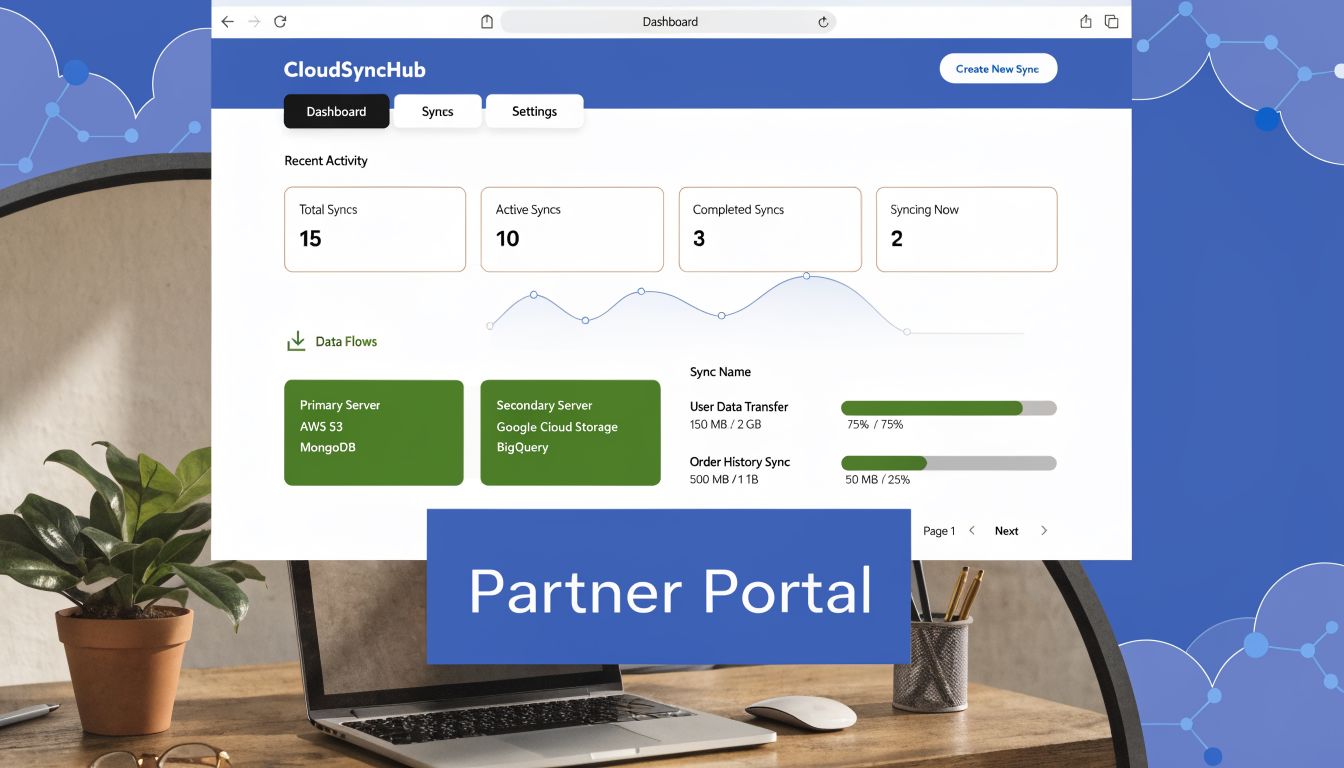
Used well, a portal is not just a partner login. It is the operating layer for indirect revenue inside your CRM. Partners register deals, request support, consume enablement, and track progress in one controlled environment. Internal teams get cleaner attribution, clearer approval paths, and reporting that stands up in forecast reviews.
From a RevOps perspective, timing matters less than readiness. I have seen teams launch too early, with weak opportunity rules and messy account ownership, then spend months fixing channel conflict inside the portal. I have also seen teams wait too long and let partner processes drift across inboxes, spreadsheets, and Slack threads until nobody agrees on source of truth. The better move is to launch when partner revenue is material enough to justify process discipline and your Salesforce model is stable enough to support it.
Practical rule: If partner-sourced pipeline affects hiring plans, territory design, or board reporting, partner operations need to live in a system with clear rules and auditable data.
Before any build starts, clients usually compare three paths. The right answer depends less on feature lists and more on how your revenue team functions.
| Criterion | Salesforce Experience Cloud | AppExchange PRM App | Custom Build |
|---|---|---|---|
| Speed to initial launch | Strong if your team already runs Sales Cloud well | Often fastest for standard PRM workflows | Usually slowest |
| CRM alignment | Native to Salesforce objects, permissions, and reporting | Varies by app and integration quality | Depends entirely on your architecture |
| Flexibility | High for Salesforce-centric teams | Moderate to high, depending on vendor design | Highest, but expensive to maintain |
| RevOps control | Strong for admins and ops teams | Often split between vendor limits and internal config | Strong only with real in-house technical depth |
| Maintenance burden | Predictable with good governance | Can rise fast when partner rules get complex | Highest long-term burden |
| Best fit | Teams that want portal, workflow, and reporting tightly tied to Salesforce | Teams that need prebuilt PRM patterns quickly | Teams with unusual partner models or external workflow demands |
In practice, the mistake is rarely choosing a tool that cannot work. The mistake is choosing a model that does not match the business. A fast launch sounds good until exceptions pile up. A highly flexible build sounds strategic until every workflow change needs a developer. The portal becomes part of your go-to-market infrastructure, so the decision has to balance speed, control, partner experience, and long-term operating cost.
Choosing Your Salesforce Partner Portal Foundation
The foundation decision affects almost every future trade-off. If you choose well, configuration stays manageable and reporting remains trustworthy. If you choose badly, every new partner rule becomes a workaround.
Option one uses Salesforce Experience Cloud
Experience Cloud is the default choice when Salesforce is already the centre of your revenue stack. It keeps the portal close to your objects, automation, security model, and reporting layer. For RevOps, that matters more than feature marketing.
It’s usually the cleanest fit when you need:
- Shared pipeline logic that maps partner deals into standard opportunity management
- Consistent access control using Salesforce roles, profiles, permission sets, and sharing rules
- Native reporting for channel managers, sales leadership, and finance
- Operational flexibility as your partner programme evolves
This route works especially well for organisations that already know where accounts, contacts, leads, and opportunities should live. If your Salesforce architecture is mature, Experience Cloud amplifies it. If your Salesforce architecture is messy, the portal exposes that mess quickly.
Option two uses an AppExchange PRM application
AppExchange PRM tools can reduce time to value when your processes are standard and your team needs more out-of-the-box programme features. That often includes prebuilt onboarding flows, content libraries, portal page templates, and programme administration features.
The trade-off is control. Some apps make common scenarios easy but become difficult when you need custom approval logic, non-standard attribution, complex partner hierarchies, or deeper reporting consistency across your GTM stack.
A third-party app can be the right choice when your biggest need is operational speed rather than architectural flexibility. It’s less ideal when your portal has to become an integrated extension of sales operations.
Buy prebuilt if your process is standard. Build natively if your process is strategic.
Option three is a custom build
A fully custom portal makes sense for unusual ecosystems. Manufacturing-style distribution models, highly specialised quoting workflows, or environments where the portal must connect to external systems in distinctive ways can justify it.
The cost isn’t just money. It’s decision load. You’ll need to define everything from authentication patterns to record access assumptions, exception handling, monitoring, support ownership, and release management. For most B2B firms, that’s too much platform to own unless the channel model demands it.
Use architecture criteria, not vendor demos
A portal demo can make every option look sufficient. The key decision should come from a smaller set of operational questions.
Ask these first:
-
Where will the source of truth live
If there’s any ambiguity between portal data and CRM data, expect reconciliation issues later. -
How much of your partner motion is standard
If your workflows are common, a packaged approach can work. If they’re tied to nuanced pricing, approvals, or territory rules, you’ll want more control. -
Who will maintain the system after launch
A solution that looks efficient during implementation may become brittle if your internal admins can’t safely manage it. -
How important is reporting consistency across direct and partner sales
Revenue teams usually care less about portal features than about whether channel data appears correctly in forecasting and performance reviews.
The data model comes before the portal
The biggest implementation mistake is choosing software before defining the partner data model. A RevOps leader should settle these points first:
- Partner account structure
- Contact and user relationships
- Deal registration object strategy
- Lead routing ownership
- MDF request handling
- Tier and programme status logic
- Attribution and reporting requirements
If those decisions aren’t documented, the build becomes a series of local fixes.
| Decision area | What good looks like | What causes chaos |
|---|---|---|
| Partner hierarchy | Clear parent-child logic and ownership | Multiple competing structures |
| Deal registration | One process, one source of truth | Email forms, manual re-entry, duplicate deals |
| Visibility rules | Deliberate access by role and account context | Broad access added as a shortcut |
| Reporting model | Shared definitions for partner KPIs | Different teams calculating channel performance differently |
A solid foundation doesn’t just support launch. It protects the operating model when the programme grows.
Architecting Your Portal for Scalable Channel Growth
A portal usually breaks at the point where channel volume starts to rise. The first 20 partners can live with manual approvals, broad access rules, and a few reporting workarounds. At 200 partners, those shortcuts turn into delayed registrations, channel conflict, and forecast noise.
That is why architecture deserves real attention before anyone starts building pages in Salesforce. Across 50 plus portal projects, I have seen the same pattern. Teams that treat portal architecture as GTM infrastructure get faster partner response times, cleaner pipeline data, and fewer internal disputes over ownership. Teams that treat it as a web project end up rebuilding the operating model after launch.

Start with the partner operating model
Your portal should mirror the way channel revenue moves through the business. If your programme has tier-based benefits, territory constraints, distributor layers, and shared ownership between partner managers and sales reps, the data model and access model need to reflect that from day one.
I usually pressure-test four design choices early:
- Who can create, submit, and edit a deal registration
- What triggers conversion from registration to opportunity
- Which partner roles can view pipeline, leads, claims, and performance data
- How exceptions get handled when channel policy and field reality do not match
Those decisions shape more than the user experience. They determine whether partner activity lands in the same revenue engine as direct sales, with clean attribution and reporting, or whether channel becomes a semi-detached process the RevOps team has to reconcile every quarter.
Deal registration needs a system design, not just a form
The move from classic Partner Portals to Experience Cloud PRM matters because Salesforce now supports a more integrated partner workflow. As summarised by ReviewNPrep on Salesforce partner portal use cases, modern Experience Cloud setups are built around operational workflows such as deal registration tied to opportunity management, rather than a basic portal layer.
That distinction matters in practice. A registration can be the front door to a governed sales process, or it can become a side queue that channel managers chase manually. I recommend choosing one of these models explicitly:
- Registration as intake object. Best when you need structured review, duplicate checks, channel conflict logic, or distributor approval before opportunity creation.
- Registration creates the opportunity immediately. Best when partner trust is high, turnaround time matters, and the internal sales process can absorb early-stage partner deals without manual triage.
Both models work. The wrong move is mixing them by region, team, or partner type without clear rules. That creates reporting gaps and partner confusion fast.
If a registered deal affects forecast, territory, or compensation, it should enter Salesforce in a controlled way the same day.
Sharing rules determine partner trust
Partners judge the portal less by branding and more by whether the information is accurate, timely, and relevant. If they see too little, they go back to email. If they see too much, internal teams lose confidence in the system and start restricting access in blunt ways.
Good sharing architecture usually relies on account relationships, partner role, record ownership, and status-based visibility. Profile-heavy designs tend to look simpler during implementation, but they become difficult to maintain once programmes expand across regions, business units, or indirect models.
In mature channel programmes, I also advise clients to design for conflict visibility, not just conflict prevention. A partner does not need access to every internal note on an opportunity, but they do need enough status detail to understand whether a registration is pending, approved, rejected, or blocked by an existing claim. That reduces escalations and keeps channel managers out of inbox triage.
Licence choice affects coverage, cost, and adoption
Licence selection is not a procurement footnote. It changes what partners can do, what data they can reach, and how expensive it becomes to scale the programme.
Use higher-access licences for partners who actively co-sell, manage pipeline, and need object-level interaction inside Salesforce. Simpler licence models are usually a better fit for referral partners, agencies, or resellers who only need content, lead handoff, or limited request workflows.
I have seen teams overspend by giving every partner full selling access, then discover half the user base logs in only to download assets. I have also seen the opposite problem, where a low-access model forces strategic partners into offline workarounds. The right choice depends on partner motion, expected portal usage, and the revenue value of each segment. RevOps should own that decision with Sales and Channel, because the cost sits in software but the consequences show up in pipeline coverage and partner engagement.
Configuring Your Core Partner Portal Functionality
Once the architecture is right, configuration becomes practical. At this point, the portal stops being a concept and starts behaving like part of the revenue engine. The key is to configure by business function, not by menu order in Salesforce.

Brand the experience, but don’t overdesign it
A partner portal should look credible and familiar. It doesn’t need a creative agency treatment unless partner experience is a major differentiator in your market. Most adoption issues come from friction, not lack of visual polish.
Focus the UX on the actions partners perform most:
- Register a deal
- Check approval status
- Access leads
- Find enablement content
- Submit requests
- View performance
If the homepage tries to do everything, partners won’t know where to start. Strong portals behave more like operating consoles than marketing microsites.
Build guided deal registration forms
For enterprise portals, the most important configuration principle is simple. The deal registration submission must move directly into the Salesforce opportunity pipeline. TruSummit Solutions’ guidance on Salesforce-based partner portals makes this explicit. A direct pipeline from portal registration to the opportunity process is essential if you want to eliminate manual entry, and guided forms with validation rules improve approval cycle times.
In practice, that means your form should enforce the data that your approval team needs. Don’t ask for fields just because Salesforce can store them. Ask for fields that decide whether the deal is valid, assignable, and forecastable.
A solid registration form usually includes:
- Account context so your team can identify overlap or conflict quickly
- Opportunity basics such as product interest, expected timing, and partner contacts
- Validation logic that blocks incomplete or structurally invalid submissions
- Approval status handling visible to both partner and internal teams
What doesn’t work is allowing vague submissions and expecting channel ops to clean them up later. That slows approvals and trains partners to distrust the system.
Field design matters: every missing required value becomes someone else’s manual work item.
Configure lead distribution with ownership in mind
Lead routing inside a partner portal is rarely just a technical rule. It’s a policy decision. You need to know whether leads are assigned by geography, product line, certification status, named account, or partner tier before you automate anything.
This is also where many Salesforce teams benefit from tightening their core lead rules before exposing them externally. A clean framework for Salesforce lead assignment rules helps prevent the common issue where partner-submitted and internally created leads follow different logic paths and create reporting confusion.
A few practical patterns work well:
- Round-robin only for true equivalent partners
- Named account protection for strategic territories
- Tier-aware routing when programme design supports it
- Exception queues for disputed or incomplete records
Give partners self-service reporting
Partners don’t need access to every dashboard your internal teams use. They need a controlled view of their pipeline, open leads, registration status, and programme progress. If they have to email for routine updates, the portal is underbuilt.
The most effective dashboards are narrow and operational. One page for active deals. One page for lead follow-up. One page for programme tasks or enablement completion. Keep them practical and role-specific.
Connect portal actions to the wider stack
A portal becomes more valuable when it’s tied to the rest of GTM execution. Deal registrations can trigger internal notifications. Approved deals can enrol contacts in MCAE or HubSpot journeys. Partner leads can be enriched before assignment. Activity can update scoring, segmentation, and forecasting views.
That’s where RevOps earns its keep. The portal shouldn’t just collect inputs. It should move work automatically to the right system and team.
Automating Partner Operations and GTM Integration
A partner portal creates the most value when it stops acting like a destination and starts acting like infrastructure. Partners log in, but the primary benefit comes from what happens after they submit a deal, accept a lead, request support, or complete onboarding.

Integration quality changes the business outcome
A portal that isn’t tightly integrated creates a fake sense of visibility. Records appear to move, but attribution, scoring, and reporting drift apart over time. That’s especially risky when the portal sits beside MCAE, Pardot-era processes, HubSpot, webinar tools, enrichment tools, and finance workflows.
Guidance summarised from a CA-focused source on portal integration challenges notes that unoptimised syncs with tools like Pardot can cause pipeline visibility loss, and that there’s growing need for custom solutions and enrichment tools such as Clay to support real-time data hygiene and CA-compliant forecasting dashboards, as referenced in this discussion of Canadian partner portal integration gaps.
That tracks with what strong RevOps teams already know. If the portal sends low-quality, delayed, or incomplete data into Salesforce, every downstream process gets weaker.
Automate the partner journey, not just the handoff
The strongest builds automate several motions at once:
- Partner onboarding with task progression, enablement access, and welcome communications
- Deal registration follow-up with approval routing and internal notifications
- Lead enrichment before assignment so reps and partners work from usable records
- Lifecycle updates that keep CRM stages, campaign responses, and dashboards aligned
When teams need more orchestration across tools, a strong primer on platform integration strategy helps frame where native Salesforce automation ends and where middleware, APIs, or external workflow tools should take over.
Use AI and enrichment carefully
There’s useful momentum around automation, but partner operations don’t benefit from adding AI everywhere. They benefit from using it in a few high-friction points. Data cleanup, routing suggestions, intake classification, and follow-up task generation are good examples.
For teams evaluating practical automation patterns outside Salesforce alone, this overview of AI workflow automation tools is useful because it focuses on where automation can support operations rather than replacing judgement.
A grounded pattern looks like this:
| Workflow area | Native portal role | Integrated tool role |
|---|---|---|
| Deal registration | Capture and validate structured input | Trigger approvals, notifications, and enrichment |
| Partner onboarding | Surface content and task visibility | Run nurture, reminders, and completion tracking |
| Lead processing | Expose accepted leads to partners | Enrich, score, deduplicate, and route records |
| Forecasting support | Display pipeline views | Feed BI, planning, and compliance workflows |
Measure the integrations that matter
A portal integration strategy should be judged by operational metrics, not by connector count. I care about whether data reaches the right object on time, whether records stay aligned across systems, whether routing exceptions are visible, and whether reporting survives edge cases.
That means your team should monitor:
- Approval turnaround
- Lead acceptance and follow-up quality
- Sync failures by workflow type
- Manual intervention points
- Forecast variance tied to partner-sourced pipeline
If those metrics improve, your integration design is working. If not, you probably have a process problem disguised as a systems problem.
Measuring Success and Driving Partner Performance
A partner portal is successful when it changes behaviour and improves decision quality. Login counts don’t tell you much. Neither do broad engagement metrics without pipeline context. Channel teams need a tighter scorecard.
Track the handful of KPIs that affect action
Start with operational measures that connect to revenue discussions:
- Partner-sourced revenue by partner, segment, and period
- Deal registration volume to understand participation and programme usage
- Deal velocity from submission to approval to progression
- Lead conversion quality for partner-assigned records
- Portal engagement signals tied to meaningful actions, not page views alone
Those metrics help separate active channel contribution from passive programme membership. A partner who downloads content but never advances opportunities is not performing the same role as a partner who submits clean registrations and follows through.
Build two dashboard layers
Most organisations need one internal dashboard and one partner-facing dashboard.
The internal version should help channel leaders answer questions like:
- Which partners generate pipeline versus noise?
- Where are approvals slowing down?
- Which regions or products show rising channel dependence?
- Which reps or managers create bottlenecks?
The partner-facing version should be narrower. Show what the partner can influence: open deals, lead status, required next steps, and programme benchmarks. Don’t mirror internal management reporting unless it helps the partner act.
Healthy partner reporting shows status, accountability, and next action. It doesn’t dump raw CRM complexity on external users.
Use scorecards to shape behaviour
Partner scorecards work when they reflect programme design, not wishful thinking. If certification matters, include it. If response speed matters, measure it. If strategic focus accounts matter, weight them appropriately.
The scorecard should support decisions such as who gets more leads, who qualifies for co-marketing support, and where channel managers should invest time. If the scorecard doesn’t affect programme decisions, partners will treat it as decoration.
Connect portal data to forecasting discipline
Indirect revenue becomes useful in forecasting only when the underlying portal data is consistent. That means approved registrations, ownership rules, progression stages, and pipeline hygiene all need standard definitions. Otherwise the forecast conversation drifts back into anecdote.
For teams refining that planning discipline, examples of real-world sales forecasting models can help compare how different forecast structures handle weighted pipeline and scenario-based planning.
A practical cadence works best. Review partner pipeline weekly at the operating level. Review performance monthly at the programme level. Review strategic allocation quarterly. That keeps the portal tied to decisions instead of turning it into a passive reporting layer.
Governance, Security, and Your Migration Checklist
Most portal failures aren’t caused by missing features. They come from weak governance, rushed migration, and unclear ownership after launch. Security and process discipline have to be part of the build from the start.

Migration deserves its own workstream
Many teams underestimate the project. Salesforce stopped new Partner Portal creation long ago, but many organisations still carry legacy structures, manual workarounds, and old field logic into modern Experience Cloud builds. A CA-focused item on Salesforce migration guidance notes that 62% of admins in a 2025 Trailblazer Community poll struggled with migration due to unaddressed field logic, contributing to higher deal registration failures and ROI delays, as summarised in Salesforce Help material on legacy partner portal context.
That’s believable because migration problems are rarely visible in demos. They show up in edge cases, approvals, reporting mismatches, and partner confusion after go-live.
Governance rules to set before launch
Create explicit owners for these areas:
- Security administration for user provisioning, deactivation, and access review
- Object and field governance so new fields don’t break portal logic
- Change management for releases, testing, and rollback planning
- Partner support ownership so issues don’t bounce between sales and IT
- Compliance review especially where PIPEDA and data handling expectations affect design
A practical migration checklist
A disciplined migration runbook should include:
-
Audit the current process
Document how deals, leads, approvals, and partner communications work today. -
Map fields and logic
Include validation rules, picklists, status dependencies, automation, and report definitions. If your team is planning a larger clean-up, these data migration best practices are a useful checkpoint. -
Define access by user type
Test what each partner role should see and do before creating users at scale. -
Run UAT with real scenarios
Include duplicate deal attempts, incomplete submissions, reassignment requests, and expired users. -
Prepare partner communications
Launch instructions should explain the new workflow, not just send a login link. -
Stage post-launch support
Expect questions in the first few weeks. Plan triage, ownership, and issue logging in advance.
The launch date is not the finish line. It’s the point where your governance model starts proving itself.
Conclusion
A good partner portal for Salesforce doesn’t succeed because it has the right feature list. It succeeds because the underlying revenue operations model is sound. The foundation has to fit your business. The data model has to be clean. Deal registration has to flow directly into CRM operations. Reporting has to support action. Governance has to continue after go-live.
The companies that get the most value from a portal treat it as part of GTM engineering. They connect partner experience to pipeline management, automation, forecasting, and data quality. They don’t leave channel sales running on email threads and exceptions.
If your team is evaluating a new portal, replacing a legacy setup, or trying to fix a launch that never gained adoption, the right next step isn’t more feature shopping. It’s a clear RevOps design decision about process, data, integration, and ownership.
If you want help planning or fixing a partner portal project, MarTech Do works with B2B teams to align Salesforce, HubSpot, integrations, and RevOps processes so partner operations support predictable growth.