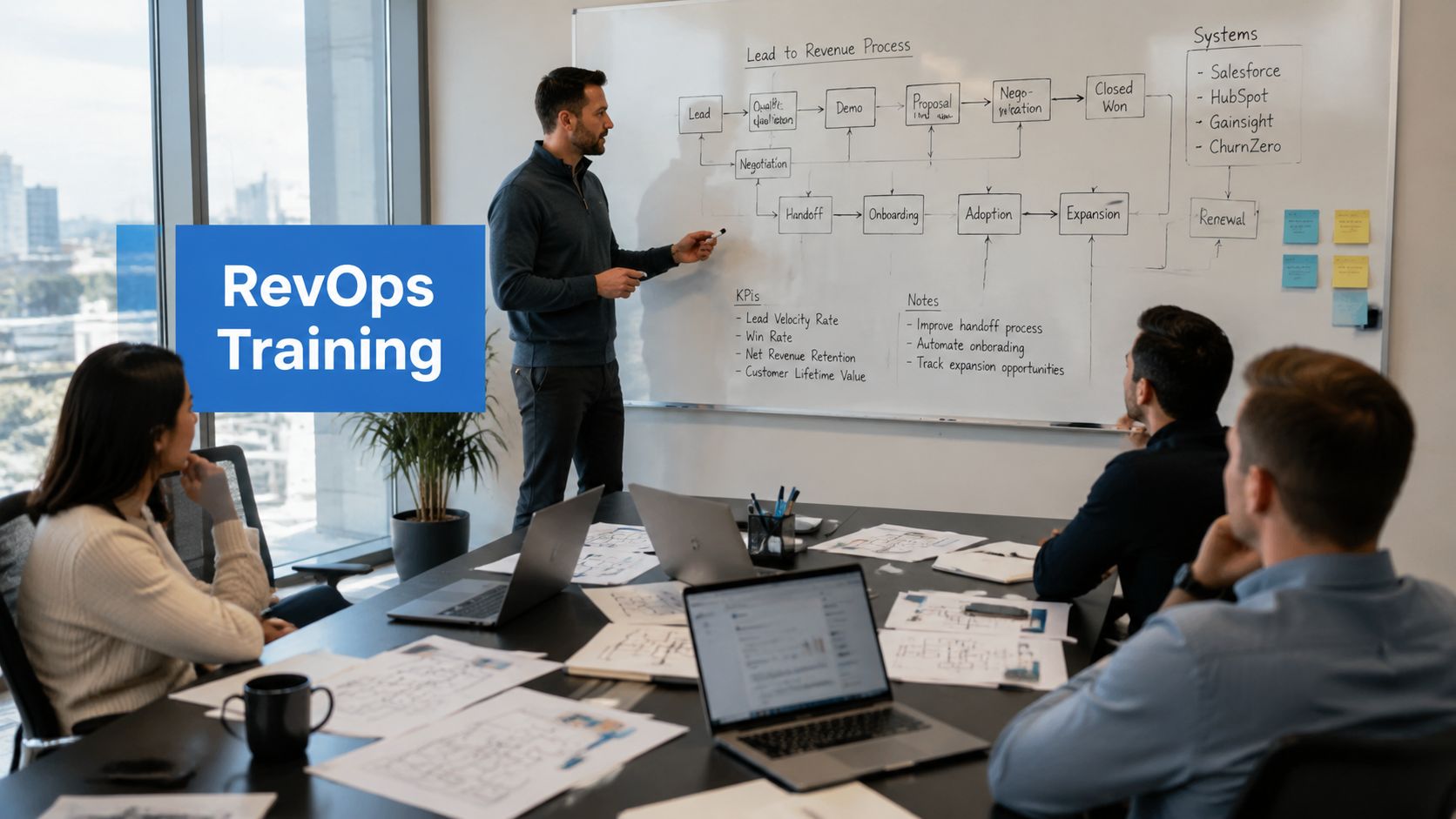
You’ve probably seen this movie before. A team buys Salesforce, HubSpot, or both, rolls out a new process, runs a few sessions, and then the actual work begins anyway, because reps keep using old fields, managers keep asking for spreadsheet updates, and the data never quite lines up with how the business says it should work.
That failure usually isn’t a content problem. It’s a training program design problem. Strong training starts by defining the job, the workflow, and the performance gap, then building instruction around measurable outcomes, which is the same systematic logic the DOE handbook uses for performance-based training design DOE Training Program Handbook. For GTM teams, that matters because onboarding, enablement, and process training only pay off when people change how they work.
Start with Why Needs Analysis for RevOps Training
A new CRM rollout can look successful from the outside and still fail inside the pipeline. The launch meeting gets good attendance, the slides look polished, and people nod through the walkthrough, but two weeks later the same lead routing issues, duplicate records, and missing fields are still showing up in dashboards. The problem is usually that the team trained for the solution it assumed it needed, not the one the business had.
Separate performance gaps from training wants
The first move is a proper needs analysis. The DOE Training Program Handbook uses a systematic approach that starts with job requirements and real training needs, then measures success by whether behaviour and on-the-job outcomes change. That logic fits RevOps work well, because “people need more training” often points to a process issue, a tooling issue, or a missing owner.
Start with stakeholder interviews across sales, marketing, customer success, and operations. Ask where the handoffs break, which fields get skipped, what data the team does not trust, and which tasks take too long because the system does not match the workflow. Then separate can’t do problems from won’t do problems. If a rep does not know how to update a lead status, that is a skills gap. If the process is unclear, slow, or never reinforced by managers, training alone will not fix it.
Practical rule: if the root cause does not show up in the workflow, the answer is probably not a course.
A good needs analysis also keeps the scope business-first. Tie the training goal to a departmental outcome, not to a generic topic. For example, a sales ops team might need cleaner opportunity hygiene, while a marketing ops team might need better lifecycle stage discipline. If you want a closer look at how to structure discovery, the needs assessment guide is a useful reference point, and there are also practical resources for content creators that can help you shape the intake and planning work.
Write the goal in business language
Once the gap is clear, define the outcome in plain English. The goal should not be “train HubSpot users.” It should be something like improving lifecycle-stage accuracy, reducing integration errors, or making pipeline reporting more reliable. That framing keeps training tied to the GTM engine instead of treating it as a side project.
A disciplined needs analysis also helps you decide what not to train. If the issue is bad routing logic, the fix may be process redesign first and training second. If the issue is role confusion, then the programme needs manager alignment, not just another LMS course. Training works best when it reinforces a process that has already been made coherent.
Building the Blueprint Curriculum and Content Mapping
Once the business problem is clear, curriculum design becomes much easier. Think of learning objectives as the blueprint and the modules as the rooms. If the blueprint is vague, the house leans. If the blueprint is tight, every piece of content has a job to do.
Turn outcomes into learning objectives
California-based instructional design guidance points to a simple sequence, identify what learners must be able to do, organise content into logical steps, build in demonstration and practice, then evaluate and revise based on feedback effective training guidance. That order matters because content should follow capability, not the other way around.
A practical way to write objectives is to use the Know, Feel, Do lens. People need to know the rule, feel why it matters, and do the action inside the system. In a Salesforce or HubSpot environment, that might mean understanding a lifecycle stage definition, believing it affects reporting accuracy, and then updating the field correctly every time. If one of those pieces is missing, adoption will be inconsistent.
From there, map content into a logical progression. Start with the minimum concepts people need, then move into application, then into exceptions and edge cases. For a lead routing module, that might mean definitions first, examples second, then hands-on routing scenarios in the actual workflow. That’s more durable than dumping every rule into a single session.
Build for the work people actually do, not for the slide deck you wish you could present.
Use the content mix that fits the audience
Busy GTM teams don’t need more theory. They need usable assets. A strong curriculum often combines scenario-based exercises, quick reference guides, and short workshops, especially when the audience includes AEs, SDRs, managers, and operations staff with different daily responsibilities.
For content planning inspiration, the resources for content creators collection from Flexwork Podcast Studios is a handy starting point when you’re shaping outlines, worksheets, and support materials. Internally, the sales enablement best practices page can also help anchor how learning should support field execution rather than exist as isolated training.
The test is whether a learner can leave the session and perform the task without guessing. If the answer is no, the content map is too abstract. If the answer is yes, the curriculum is doing its job.
Choosing the Right Delivery Model for Your Teams
The delivery model is a strategy choice, not a scheduling choice. Live, self-paced, and blended formats each solve a different problem, and the wrong one can create more resistance than the training was meant to remove. A field rep who needs a quick refresh on a simple process doesn’t need a two-hour workshop. A RevOps analyst learning new lead logic probably does.
Compare the formats against the work
| Factor | Live Instructor-Led | Self-Paced E-Learning | Blended Approach |
|---|---|---|---|
| Best fit | Discussion-heavy, complex, or change-sensitive topics | Repeatable basics and reference training | Mixed audiences and layered skills |
| Strength | Immediate clarification and live practice | Flexible access and consistent delivery | Balances scale with practice |
| Limitation | Harder to scale across time zones and schedules | Less effective for live problem-solving | Requires more coordination |
| Use case in GTM | New process rollout, role play, manager calibration | Field refreshers, policy updates, onboarding basics | Salesforce workflow plus follow-up practice |
Live training works best when people need to ask questions in real time, especially during a process change that affects multiple teams. Self-paced e-learning is better for baseline knowledge, recurring refreshers, and situations where the team is distributed. Blended delivery usually wins when the topic has both rules and practice, such as lead routing, lifecycle management, or sales process changes.
Design for access, not just convenience
Accessibility is too often treated as an optional enhancement. California workforce guidance makes the point plainly, training programmes need to account for device access, data stipends for mobile learning, and multilingual platforms so participants can complete the training California workforce accessibility guidance. That logic applies just as strongly to distributed GTM teams, especially when people are learning between calls, on the road, or outside a standard office setup.
If someone can’t reliably open the training, the training isn’t designed yet.
For RevOps leaders, the right question isn’t “Which format is trendy?” It’s “Which format reduces friction for this audience and this process?” A simple internal policy update can go self-paced. A new forecasting workflow with cross-functional dependencies should probably be live first, then reinforced asynchronously. The format should follow the complexity of the work, not the convenience of the creator.
From Plan to Launch Implementation and Assessment
A good programme can still fail at rollout if the logistics are loose. Managers don’t reinforce it, people don’t know when to attend, and the first live run exposes gaps that should’ve been caught earlier. The launch phase needs as much discipline as the design phase, because a training calendar is only useful if the team can use it.
Treat the timeline as a project risk
California’s Department of Technology recommends allocating at least six months for the full planning cycle and at least three months of lead time before a class session to secure the right vendors, subject-matter experts, and flow California Department of Technology training guide. That’s not bureaucracy. It’s schedule risk management. If the process touches multiple functions, the calendar becomes part of the design.
A clean implementation plan usually includes a communication plan, manager briefing, learner reminders, and a pilot group. The pilot matters because it surfaces confusing instructions, missing permissions, broken links, or process steps that make sense to the designer but not to the user. In Salesforce and HubSpot environments, those problems tend to appear fast once a real user touches the workflow.
A simple launch checklist helps:
- Confirm stakeholder ownership: Make sure sales, marketing, and ops know who approves content and who answers process questions.
- Brief managers early: Give managers the talk track so they can reinforce the “why” in team meetings.
- Pilot with a small user group: Catch confusion before the programme hits the full team.
- Prepare job aids: Short reference materials reduce dependency on memory.
- Set a support path: Users should know where to go when they hit a workflow problem.
Measure readiness, not trivia
Assessment should confirm job readiness. Multiple-choice quizzes can support recall, but they don’t prove someone can execute the process in the system. Better assessments ask people to complete a real task, explain a decision, or defend a workflow choice in context. A Salesforce Sandbox exercise is a strong fit when the process is technical, because it lets the learner practise without risking live data.
A peer-reviewed presentation can also work well for strategic tasks, such as a territory plan, a lead management proposal, or a process change recommendation. That kind of assessment tests not just knowledge, but whether the learner can use the knowledge in a way that other stakeholders would trust.
Measuring True Impact Beyond Completion Rates
Completion rates tell you who clicked through the module. They don’t tell you whether the team changed how it works. For a RevOps audience, that distinction matters, because the whole point of training is cleaner data, stronger process compliance, and better downstream execution. If those things don’t move, the programme may be active but not effective.

Use pre and post measurement to isolate change
UC Davis’s statistics and experimental design guidance emphasises comparing baseline and follow-up data so organisations can isolate what changed after instruction UC Davis experimental design materials. That same logic applies to training evaluation in GTM systems. If you don’t know where the team started, you can’t credibly claim the programme moved the needle.
Pre-training and post-training measures can be simple. Track whether the right fields are populated before rollout, then compare after the programme. Track integration errors before and after workflow training. Compare manager confidence, process adherence, and data quality once the team has had time to apply the new behaviour. The important thing is consistency. Measure the same thing the same way at both points.
The right metrics depend on the workflow, but the principle is stable, tie the training to an observable change in behaviour or system output. That could mean fewer missed fields, more consistent lifecycle updates, or better pipeline hygiene. In a RevOps setting, those are more useful than satisfaction scores because they connect directly to operational health.
Measure the work, not the applause.
Pick one business outcome and defend it
Not every metric belongs in the same dashboard. Choose the outcome that best reflects the change you care about, then add supporting indicators around it. If the training is about lead management, the core measure might be data accuracy. If it’s about handoff discipline, the key measure might be process compliance. If it’s about forecasting input quality, then field completeness and stage consistency may matter more.
The marketing ROI measurement guide can help frame how training outcomes should sit alongside broader revenue metrics. The key idea is simple, if a training programme isn’t tied to a business-relevant change, leadership will treat it as activity, not impact.
For executive reporting, avoid vanity summaries. Say what changed, what data you used, and how the behaviour links to revenue operations. That’s the story leaders can use.
Salesforce and HubSpot Training Best Practices
Salesforce and HubSpot training fails when people learn the buttons but not the logic. A rep can remember where to click and still break reporting by updating the wrong field, skipping a required step, or creating an automation conflict that no one notices until the dashboard is off. Good training makes the process visible, not just the interface.

Train the architecture, not just the screens
MarTech Do’s HubSpot architecture guidance stresses that a scalable CRM foundation needs clearly defined lifecycle stages, properties, automation logic, and reporting structure so the Marketing and Sales Hubs align to the lead-to-revenue process and avoid data silos HubSpot architecture guidance. That’s exactly what training should reflect. If users don’t understand the architecture, they’ll treat the platform like a collection of fields instead of a system.
In Salesforce and HubSpot environments, one of the fastest ways to lose trust is a broken integration workflow. A single required field left unmapped in Salesforce can stop a sync, and overlapping automations can cause the same record to bounce between states. Training needs to show users which fields matter, which updates are controlled by automation, and which changes should never be manual without review.
That’s also why role-specific paths matter. SDRs need different guidance from AEs. Managers need different reinforcement from admins. Marketing ops teams need different coverage from revenue ops teams. If you flatten those differences into one generic deck, the result is usually confusion, not consistency.
Use practice in the live system
Hands-on practice belongs in a safe environment, not in production. A Salesforce Sandbox is the obvious place to let users rehearse lead updates, field changes, and workflow steps without risking customer data. For HubSpot, the same principle applies. Users should see how lifecycle stage changes affect reporting, handoffs, and automation before they’re expected to do it live.
A few rules make the training stick:
- Teach the why first: Explain how each process supports forecasting, attribution, or handoff quality.
- Show the failure mode: Demonstrate what happens when the wrong field gets updated or a status is skipped.
- Split by role: Build separate paths for SDRs, AEs, managers, and operations.
- Use short refreshers: Micro-learnings are better than long reminders when a workflow only needs a small correction.
- Reinforce after launch: The first month after rollout is when habits either stick or collapse.
The best programmes don’t just show people how to use the system. They show them why the system exists, what breaks when it’s used poorly, and how their daily behaviour feeds revenue operations. That’s the difference between adoption and accidental compliance.
If your GTM stack still depends on tribal knowledge, scattered training decks, and managers who have to explain the process twice, it’s time to tighten the system. Reach out to MarTech Do to design training that makes Salesforce, HubSpot, and your RevOps process stick.