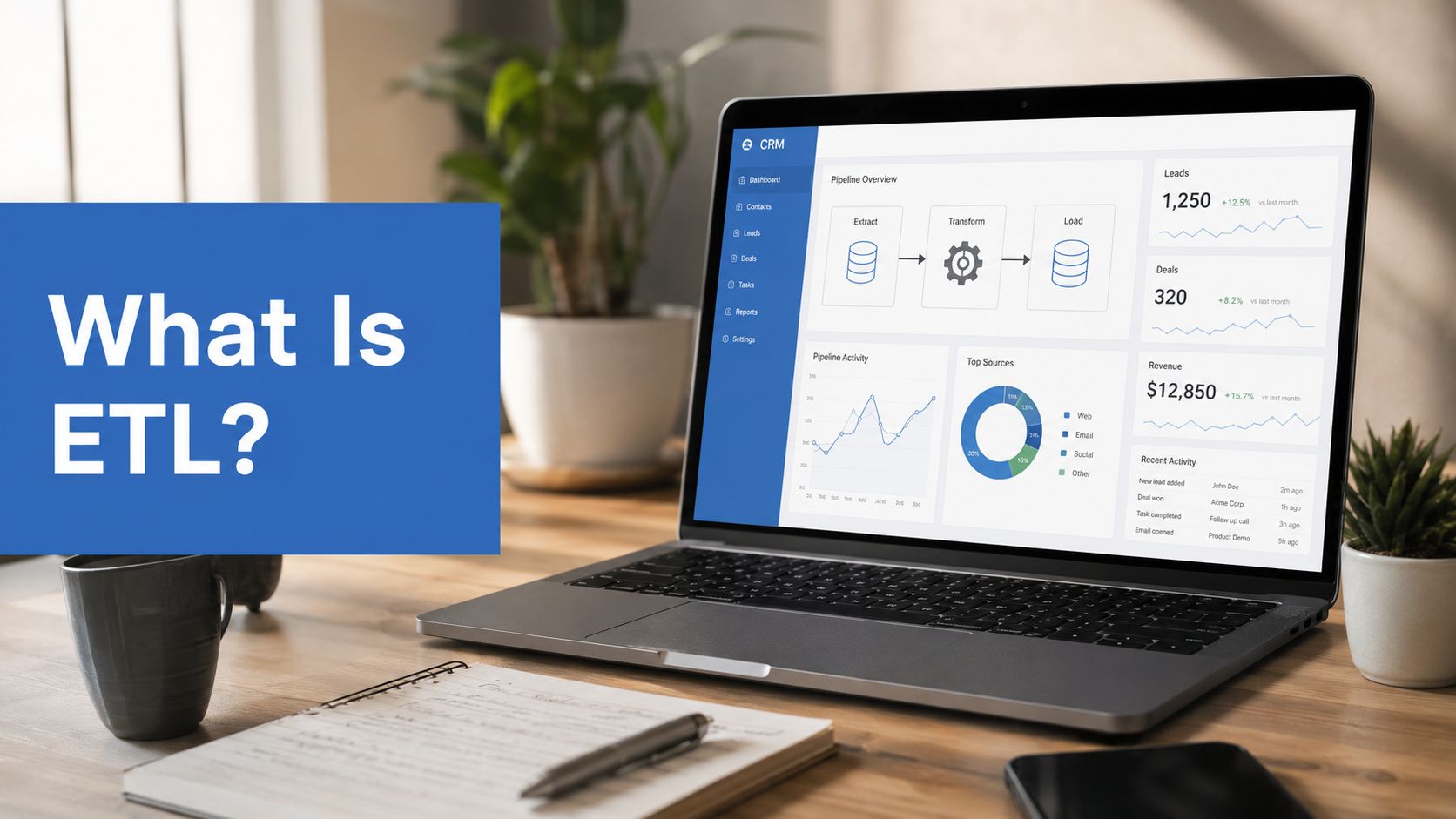
Your marketing dashboard says a campaign created demand. Salesforce says the same accounts entered pipeline weeks later. HubSpot shows engagement, Sales Cloud shows opportunity movement, and Service Cloud holds customer context that never makes it into reporting. The numbers don’t line up, leadership wants one answer, and your team spends too much time explaining the mismatch instead of fixing it.
That’s usually when someone asks a simple question with a complicated answer. What is ETL?
At a technical level, ETL means Extract, Transform, Load. In RevOps practice, it’s the discipline that takes scattered operational data, cleans it, applies business logic, and turns it into something your team can trust for attribution, forecasting, lead management, and reporting. If your stack includes Salesforce Sales Cloud, Account Engagement, Service Cloud, Revenue Cloud, HubSpot Sales Hub, or HubSpot Marketing Hub, ETL isn’t back-office plumbing. It’s the process that decides whether your revenue reporting is credible.
Why Your RevOps Team Needs to Understand ETL
A common scenario looks like this. Marketing pulls campaign influence from HubSpot. Sales leadership reviews opportunities in Salesforce. RevOps tries to reconcile lifecycle stages, lead sources, and handoff timing across both systems. Everyone is looking at valid data, but not the same version of reality.
That gap exists because connecting systems isn’t the same as preparing data for decision-making. A native sync may move records between platforms, but it usually won’t standardise naming, resolve conflicting field values, apply attribution rules, or control timing well enough for executive reporting.
The real problem isn’t connectivity
The problem is often not a total lack of integration. Rather, it stems from incomplete integration design. Data enters the stack from form fills, campaign tools, enrichment vendors, webinar platforms, ad channels, and sales activity. Each source uses different formats, different assumptions, and different update timing.
Practical rule: If two teams can answer the same revenue question with different reports, you don’t have a reporting problem. You have a data pipeline problem.
The historical roots of ETL matter here. The approach became formalised in the 1980s with enterprise data warehouses, which established Extract, Transform, Load as the standard way to move operational data into a central repository for analysis, as outlined in this historical overview of ETL and EDW. That structure is still the backbone of modern RevOps reporting.
Why timing changes everything in RevOps
Most generic explanations of what ETL is stop at the definition. They don’t address the operational reality of Salesforce and HubSpot environments, where timing affects attribution. A California RevOps Alliance survey found that 68% of marketing attribution discrepancies stem from batch-processed ETL lagging behind real-time campaign events, cited in this discussion of periodic ETL timing and its limits.
That’s why ETL sits close to another issue RevOps teams often face: data synchronization across systems. Synchronisation moves records. ETL decides whether those records become usable, governed, and aligned with how your business measures revenue.
A marketing manager doesn’t need to build pipelines personally. They do need to understand what ETL controls. Without that understanding, teams end up trusting reports that were never designed to answer the business question being asked.
The Three Core Components of ETL Explained
The easiest way to understand ETL is to follow the path of a record. A prospect clicks a paid ad, visits your site, fills out a form in HubSpot, gets enriched through Clay.com, syncs into Salesforce, and later becomes an opportunity. ETL is the process that turns those disconnected moments into one dependable story.

A practical marketing example from Coupler’s marketing ETL guide defines the process this way: Extract pulls raw records from GA4 session logs, Facebook Ads spend, and Klaviyo metrics. Transform cleans duplicates and standardises naming conventions such as merging “facebook” and “Facebook Ads”. Load organises the result into a single dataset.
Extract means pulling the right data, not all data
Extraction is where teams gather data from source systems. In a RevOps stack, that can include Salesforce objects, HubSpot campaign and contact activity, Google Ads spend, webinar platforms, support tickets, and product usage data.
Good extraction is selective. It focuses on the objects, fields, and event history needed for a business process.
- Salesforce data: Leads, contacts, accounts, opportunities, campaign members, tasks, and custom objects.
- HubSpot data: Contacts, companies, deals, email engagement, form fills, workflow enrolments, and lifecycle stages.
- Supporting sources: Ad spend, website behaviour, enrichment attributes, support interactions, and finance references.
Pull too little, and attribution breaks. Pull too much, and you create noise, cost, and maintenance burden.
Transform is where business value is created
Most ETL failures happen in transformation because teams underestimate how much judgement belongs here. Here, the raw inputs get cleaned, validated, mapped, and shaped into a model your business can use.
Transformation usually includes tasks like these:
- Standardisation: Converting inconsistent country names, source labels, or campaign naming conventions into approved values.
- Validation: Rejecting invalid dates, malformed email values, or incompatible field types before they damage reporting.
- Deduplication: Identifying whether multiple records represent one person, one account, or separate buying committee members.
- Business logic: Applying lead scoring, routing criteria, attribution weighting, or stage mapping rules.
ETL isn’t useful because it moves data. It’s useful because it applies rules before bad data reaches the reports your leadership team depends on.
For RevOps, this is also where marketing operations and sales operations finally meet. The transformation layer has to reflect how your GTM model functions, not how the default platform fields happen to be configured.
Load means putting trusted data where teams can act on it
The final step loads the transformed data into the target system. That may be a data warehouse, a reporting layer, Salesforce itself, or a downstream dashboard environment.
What matters is that the destination supports action. A loaded dataset should let your team:
- Build pipeline and attribution dashboards.
- Trigger workflow decisions using validated fields.
- Compare marketing touchpoints with opportunity progression.
- Audit why a number changed from one report to the next.
A clean load closes the loop. Without it, extracted and transformed data still sits outside daily operations, which means the business never gets the benefit.
ETL vs ELT The Key Difference for RevOps
The distinction between ETL and ELT is simple in theory and important in practice. ETL transforms data before it lands in the target system. ELT loads raw data first and transforms it afterwards, usually inside a cloud warehouse.
That sounds like a technical preference. For RevOps, it’s a design decision about control, speed, flexibility, and reporting trust.
The practical difference
If your team needs strict field validation before Salesforce or a governed reporting model receives data, ETL often makes more sense. If you want to ingest large volumes of raw data quickly into BigQuery, Snowflake, or Redshift and model it later with SQL, ELT may be the better fit.
A marketing operations team usually doesn’t need to be doctrinaire about this. Many mature stacks use both. They run ETL for sensitive operational workflows and ELT for broader analytics.
Comparison of ETL vs ELT for Revenue Operations
| Criterion | ETL (Extract, Transform, Load) | ELT (Extract, Load, Transform) |
|---|---|---|
| When data is cleaned | Before loading into the destination | After raw data is loaded |
| Best fit for | Operational reporting, governed syncs, controlled schemas | Warehouse-first analytics, flexible modelling, large-scale raw ingestion |
| Risk profile | Lower chance of bad data entering the target system | More raw data available, but more downstream discipline required |
| RevOps use case | Lead routing, attribution-ready CRM datasets, validated dashboards | Exploratory analytics, broad event capture, iterative warehouse modelling |
| Tooling style | Pipeline or transformation engine does heavy preparation upfront | Warehouse handles more of the transformation logic |
| Main trade-off | More upfront design and maintenance | More post-load modelling responsibility |
When ETL is usually the safer choice
ETL is often better when the destination system can’t tolerate sloppy data or when business rules are settled enough to encode upfront. California’s healthcare reporting infrastructure managed by HCAI requires ETL pipelines to maintain an Error Tolerance Level of no more than 2%, with errors corrected before ingestion, according to the HCAI ETL approval criteria. RevOps stacks aren’t healthcare reporting systems, but the lesson is relevant. Validation before load prevents expensive downstream clean-up.
This matters in CRM environments where one invalid field mapping can stop updates, break workflows, or misstate pipeline.
When ELT earns its place
ELT becomes attractive when your warehouse is the primary centre of gravity. If the team wants raw behavioural data available first and expects analysts to refine it later, ELT gives more flexibility. It’s also a practical fit when your transformation logic changes often and you don’t want to rebuild extraction pipelines every time the business updates its reporting model.
Choose ETL when data quality must be enforced before operational use. Choose ELT when access to raw data and modelling flexibility matter more than immediate readiness.
The wrong choice usually isn’t technical. It’s organisational. Teams pick ETL or ELT based on tool popularity instead of reporting requirements, system constraints, and who will own transformation logic over time.
How ETL Powers Your Go-to-Market Engine
ETL becomes easier to value when you look at what it enables inside a Salesforce and HubSpot stack. The point isn’t to create elegant pipelines. The point is to run a cleaner go-to-market system.

Unified customer profiles across teams
A marketing team sees engagement history. Sales sees account and opportunity activity. Support sees service interactions. ETL brings those views together so the business can work from one customer record instead of three incomplete ones.
In HubSpot-Salesforce integrations, ETL tools commonly synchronise five core object types: contacts, companies, deals, tickets, and custom objects, as described in this HubSpot ETL tools overview. That matters because field mappings often fail when HubSpot single-line text properties need to become Salesforce dropdown selects. Without transformation, the sync may run, but the records won’t be consistent enough for reporting or automation.
A unified profile helps with:
- Lifecycle management: Marketing knows when a lead became sales-accepted and sales knows what marketing interactions happened beforehand.
- Account-based visibility: Teams can roll contact activity up to the account and compare engagement against pipeline progression.
- Service-informed growth: Support history can inform expansion plays, renewal risk, and customer marketing.
Attribution that reflects how buyers actually move
Organizations frequently don’t struggle because they lack touchpoint data. They struggle because that data isn’t transformed into revenue logic. ETL is where campaign responses, webinar attendance, ad clicks, and SDR outreach get aligned to deal stages and buying journeys.
A HubSpot ETL workflow blueprint notes that users need a specific workflow in HubSpot to map event data and user behaviour so Salesforce can receive campaign attribution data for closed-loop reporting. In practice, that means attribution depends on process design, not just integration status.
If your organisation is trying to integrate marketing automation with CRM, this is the point to focus on. The value doesn’t come from moving records between platforms. It comes from making campaign and pipeline data compatible enough to support real revenue analysis.
Data migration without carrying old problems forward
ETL also matters during migrations. When a business moves from a legacy CRM into Salesforce, or from fragmented automation into HubSpot plus Salesforce, migration isn’t just export and import work. It’s a chance to repair years of inconsistent values, duplicate records, and improvised field usage.
A disciplined ETL process can:
- Filter out dead fields and obsolete statuses.
- Re-map historical values into the new operating model.
- Validate object relationships before load.
- Preserve reporting continuity where it matters.
Teams that skip this usually recreate the same issues in a more expensive platform.
Forecasting and pipeline integrity
Leadership doesn’t care whether the problem came from a source connector, a sync rule, or a field mismatch. They care whether pipeline reports are defensible. ETL supports that by making sure opportunity data, campaign influence, lifecycle stages, and ownership rules use consistent logic.
Clean forecasting starts upstream. If your contact, account, campaign, and opportunity records don’t follow the same rules, the dashboard is only presenting cleaner-looking confusion.
The strongest GTM engines treat ETL as part of operating design. It’s as important as lead routing, handoff rules, and dashboard definitions because it shapes the inputs every one of those functions depends on.
Implementing ETL A Framework for RevOps Leaders
Most ETL projects go sideways for a boring reason. The business starts with a tool decision instead of a reporting decision. That’s backwards.
A better approach starts with the commercial question. What must the system explain reliably? Pipeline source, campaign influence, speed to lead, stage conversion, handoff quality, or forecast confidence. Once that’s clear, ETL design gets sharper fast.

Start with the business logic, not the connector
A 2025 study of 120 CA-based MarTech teams found that 74% of ETL pipelines fail to encode complex attribution rules, which forces manual reconciliation and costs an average of $18,500 per month in wasted RevOps engineering time, according to Matillion’s ETL guide citing that study. That’s the clearest warning sign in ETL work. Teams often build data movement before they define transformation rules.
The transformation layer should answer questions like these:
- Which touchpoints count toward attribution?
- How should Salesforce campaign members map to HubSpot engagement history?
- Which lifecycle changes should overwrite prior values, and which should be preserved?
- What counts as a valid lead source at contact, account, and opportunity level?
Audit every system that touches revenue data
Before choosing a pipeline design, inventory your sources and failure points. A RevOps audit should cover CRM objects, marketing automation properties, enrichment sources, support systems, custom objects, workflow dependencies, and reporting consumers.
A practical checklist includes:
- Source review: Confirm where each critical field originates and which system should own it.
- Schema review: Document field types, required values, and known exceptions across Salesforce and HubSpot.
- Process review: Identify where handoffs, scoring, routing, and attribution rules currently break.
- Consumption review: List every dashboard, workflow, and operational process that depends on the dataset.
For teams comparing options, a review of data integration tools for RevOps stacks can help frame whether you need a managed connector, warehouse-first stack, or custom approach.
Match the implementation style to your team
Some organisations need a low-maintenance managed platform. Others need engineering control. If your team plans to build custom transformations or orchestration, a practical ETL with Python guide is useful background for understanding what custom pipeline ownership really involves.
What works best depends on who will maintain the logic after launch.
- Managed ETL tools: Better when speed and standard connector coverage matter most.
- Warehouse-first ELT plus modelling: Better when your analytics team owns transformation and reporting.
- Custom scripts and APIs: Better when your stack has edge cases that off-the-shelf tools can’t handle cleanly.
Build governance into the project from day one
ETL doesn’t stay healthy by accident. New fields get added, campaign naming drifts, owners change processes, and sync assumptions break. Governance is what keeps a clean design from degrading six months later.
The pipeline is never “done”. Revenue data changes every time the business changes how it sells, markets, supports, or reports.
That’s why implementation plans need ownership, testing, exception handling, documentation, and ongoing review. Without those controls, ETL becomes another invisible system everyone depends on and no one manages.
Moving Beyond Theory to Strategic Data Management
By the time a team asks what ETL is, they usually don’t need another textbook definition. They need a way to stop report disputes, reduce sync friction, and trust the link between marketing activity and revenue outcomes.
ETL matters because it turns operational noise into governed business data. In Salesforce and HubSpot environments, that means more than moving records from one app to another. It means standardising fields, enforcing rules, aligning object relationships, and making attribution and forecasting credible enough for leadership decisions.
The strategic shift
The teams that get value from ETL treat it as an ongoing RevOps capability. They don’t frame it as a one-time integration project. They revisit transformation rules when GTM motions change, when new tools enter the stack, and when reporting expectations mature.
That’s also why strong ETL work sits alongside data governance best practices for growing teams. Governance protects the meaning of the data after the pipeline delivers it.
If your reports are inconsistent, your lead lifecycle is hard to audit, or your Salesforce and HubSpot stack still relies on spreadsheet reconciliation, ETL is probably not the background issue. It’s the central one. Fixing it doesn’t just improve data hygiene. It improves how the business decides, forecasts, and grows.
If your team needs a clearer view of how Salesforce, HubSpot, and your wider MarTech stack function together, MarTech Do can help. A structured system audit is often the fastest way to uncover where your attribution logic, sync design, field governance, and reporting model are breaking down before those issues spread into pipeline and forecasting.