
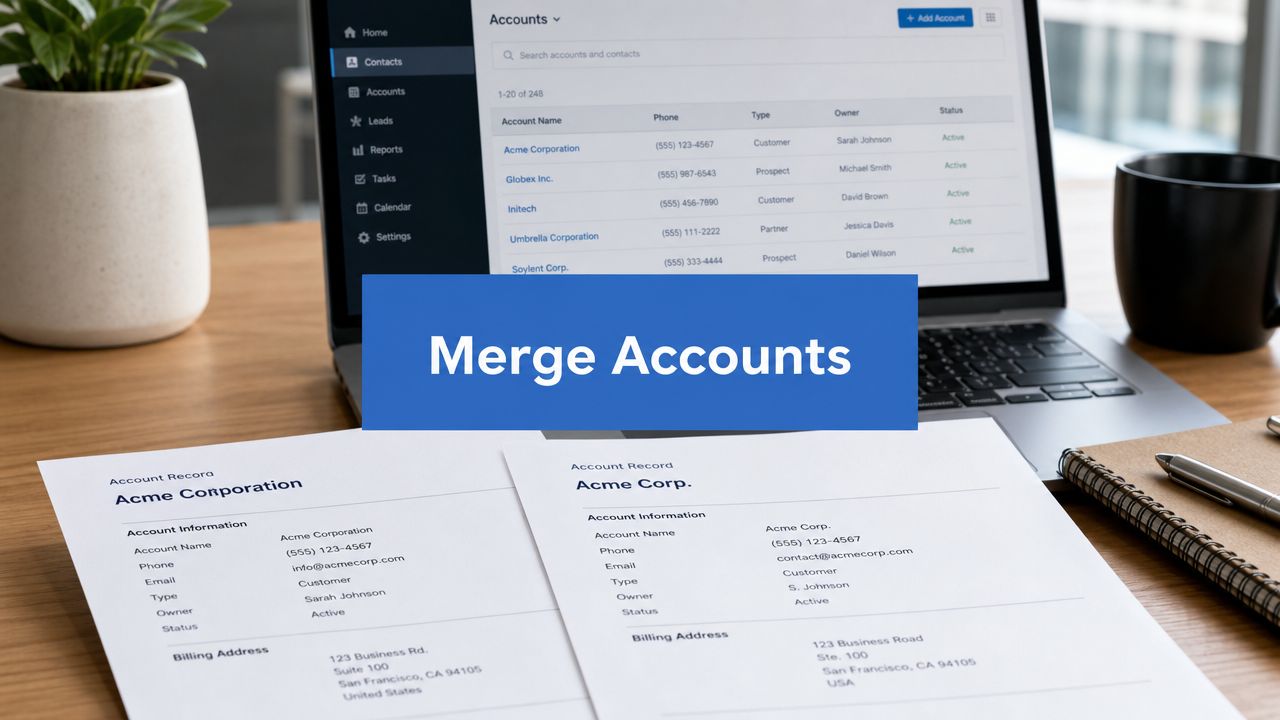
Duplicate accounts rarely announce themselves as a data quality problem. They show up as sales arguing over ownership, marketing syncing the wrong company into a nurture flow, service teams missing account history, and leadership staring at pipeline reports that don’t reconcile.
A typical pattern looks like this. One account was created by an SDR, another came in through an integration, a third was added during a migration, and now opportunities, contacts, and activities are split across records that all represent the same customer. At that point, merging accounts in Salesforce stops being an admin tidy-up. It becomes a revenue operations control point.
The Hidden Costs of Duplicate Accounts in Your CRM
A duplicate account problem usually starts small. Sales creates “Acme Canada”. Marketing syncs “Acme Inc”. A partner import adds “Acme Corporation”. Nobody notices until forecasting gets messy and customer-facing teams lose confidence in the CRM.

Then the operational damage spreads. Pipeline gets split across duplicate parents. Revenue attribution becomes unreliable. Account ownership disputes waste time because the team is debating records instead of progressing deals. If your org is already dealing with stale data, a structured approach to database clean-up in Salesforce and connected systems usually surfaces duplicate accounts as one of the first root causes to fix.
What duplicates break first
The first issue isn’t aesthetics. It’s decision-making.
- Forecasting gets distorted when opportunities sit under different versions of the same account.
- Sales activity loses context because calls, emails, and meeting history are fragmented.
- Service handoffs become risky when cases are attached to a different account than the one the AE is reviewing.
- Marketing attribution gets muddied when campaign engagement is tied to inconsistent company records.
A duplicate account rarely stays a duplicate-only problem. It turns into a reporting, routing, ownership, and customer experience problem.
Why leaders should care
RevOps leaders usually inherit this issue after the consequences are already visible. Reps stop trusting reports. Managers export to spreadsheets. Executives ask why a strategic account appears multiple times with different pipeline totals.
That’s why merging accounts in Salesforce needs to be handled as a business process with governance, not as a quick fix by whoever has admin access. A careless merge can be worse than leaving the duplicates alone. A disciplined merge restores reporting integrity, preserves history, and gives teams one account record they can trust.
Pre-Merge Governance How to Choose Your Master Record
The most important click in the entire merge process is choosing the master record. Salesforce has long treated the master as the surviving account, while related records such as contacts and opportunities are reassigned during the merge, and admins must choose which field values to keep from each record according to Salesforce account merge guidance discussed here. That makes the merge a data quality decision, not a clerical task.
If you choose the wrong master, you can preserve the wrong owner, the wrong hierarchy, the wrong territory assignment, or the wrong reporting lineage.
Define what counts as a true duplicate
Not every similar account should be merged. This matters most in organisations with subsidiaries, franchise structures, regional entities, or parent-child hierarchies across Canada and the US.
Use business logic before UI logic. Ask:
- Are these legally distinct entities that should remain separate for billing, tax, or contract reasons?
- Do they belong in an account hierarchy instead of a merged record?
- Are they duplicates created by imports, hand entry, or sync behaviour rather than real business entities?
Set master record rules before anyone merges
Don’t leave master selection to personal preference. Establish merge rules that admins and ops users can apply consistently.
Practical rule: the best master record is usually the one that preserves the cleanest ownership, hierarchy, and reporting context, not simply the oldest record.
A workable governance model often includes criteria like these:
Choose the master based on:
- the record with the correct parent account relationship
- the record tied to the active owner or territory structure
- the record holding the most reliable account-level history
- the record used by downstream integrations or core dashboards
- the record with the cleanest standardised firmographic fields
Review fields before the merge
Field selection is where many avoidable mistakes happen. Salesforce lets you choose which values survive from each source record, so don’t assume the master already contains the best value everywhere.
Create a quick pre-merge checklist:
- Ownership and hierarchy: confirm the account owner, parent account, and territory logic are correct.
- Lifecycle fields: inspect status, segment, account tier, and any operational fields used in routing.
- Integration fields: identify fields that external systems depend on.
- Unique custom fields: flag anything that might create a merge blocker or require remediation first.
Restrict who can merge
Merging accounts in Salesforce should never be open to every end user. The permission may exist, but broad access usually creates inconsistency. Keep merge authority with trained admins, RevOps, or a tightly controlled data stewardship group.
That control does two things. It reduces accidental data loss, and it ensures every merge follows the same logic. Consistency matters more than speed here.
A Walkthrough of the Salesforce Account Merge Tool
When the duplicate is straightforward and low volume, Salesforce’s native merge tool is usually enough. The key is to use it carefully and understand its limits before you start.

Salesforce documents that the native workflow supports up to three accounts per merge transaction, and larger clean-up efforts must be handled in multiple passes while carrying one master record forward. Salesforce also confirms that the process keeps one consolidated account and lets the user choose which field values to retain from each source record in the official Account Merge workflow documentation.
How the merge works in practice
In Lightning, users typically begin from the account record or a duplicate management flow, then select the records to compare. In Classic, the path is different in the interface, but the decision points are similar.
The comparison screen is the part that matters. Salesforce shows the records side by side and asks you to do two things:
- Select the account that will survive.
- Choose which field values should win across the merged record.
That second step deserves more attention than it typically receives. If one duplicate has the correct website, another has the right owner, and a third has the right billing information, you need to resolve those intentionally.
A safe sequence for manual merges
For a standard manual merge, use this sequence:
- Confirm the duplicates are real. Similar names alone aren’t enough.
- Pick the surviving account. Use the governance logic already defined.
- Compare field values line by line. Don’t rush the review screen.
- Complete the merge. Then validate the result before moving on.
Don’t treat the wizard as proof that the merge is safe. The wizard only completes the action. It doesn’t confirm your business logic was correct.
Where teams usually slip
The native tool works well for simple merges. It works badly when users treat it as a bulk clean-up shortcut.
Common failure points include:
- Choosing the wrong survivor because it “looks newer”
- Overwriting clean data with stale values from another duplicate
- Skipping post-merge checks
- Trying to use manual merging for a broad deduplication project
If you’re cleaning up only a handful of records, the native tool is practical. If you’re dealing with a recurring duplicate problem across multiple territories, imports, or integrations, this method becomes slow and risky very quickly.
Protecting Your Data Merging Related Records and Sharing Rules
Most how-to guides stop at the button click. That’s where the true risk begins.
When teams ask about merging accounts in Salesforce, they usually ask whether contacts and opportunities will follow the master. The better question is broader: what happens to related records, access, and downstream reporting after the merge is complete?

Salesforce notes that the merged account keeps related data and can retain hidden or read-only values such as sharing settings from the principal record, and it also retains team members from non-principal accounts. That’s why the decisive question is which account should be the principal if you care about access, ownership, and reporting behaviour, as outlined in Salesforce’s merge guidance for related records and sharing context.
What needs validation after the merge
You should assume the merge changed more than the account row itself. Review the full account footprint.
A practical post-merge check includes:
- Contacts: verify the right people now sit under the surviving account
- Opportunities: confirm open and historical deals are attached correctly
- Cases: review support history, especially if service teams use account-level visibility
- Activities: make sure task and meeting history still reflects the complete timeline
- Custom objects: inspect anything operationally important, such as renewals, subscriptions, onboarding objects, or partner records
Why the principal record matters
The principal record isn’t just the survivor. It influences what hidden or read-only values stay in place, including sharing-related context. In complex GTM environments, that can affect who sees the account, who appears on account teams, and how historical reporting behaves.
Here’s where teams get caught:
| Decision area | If chosen well | If chosen poorly |
|---|---|---|
| Account ownership | Preserves the right seller and routing logic | Triggers confusion and manual reassignment |
| Sharing context | Maintains expected visibility for sales and service | Removes access people assumed they had |
| Reporting lineage | Keeps dashboard logic stable | Breaks trend reporting and territory views |
| Team structure | Preserves collaboration context | Creates gaps in account coverage |
The technical merge may succeed while the operational outcome still fails.
How to reduce risk
Don’t run a merge and move on. Validate it like a reconciliation task.
Use a disciplined pattern:
- Take a before snapshot of key related records and ownership fields.
- Merge one cluster at a time when records are high value or operationally sensitive.
- Run post-merge reports or queries to confirm nothing important disappeared from view.
- Check sharing-dependent users if the account sits in a layered territory model.
That’s the difference between a clean database and a hidden production issue.
Scaling Up Merging Accounts with Data Loader and Automation
The native wizard is fine for isolated fixes. It’s not a serious answer for a large backlog of duplicates.
At scale, the problem isn’t just volume. It’s repeatability. You need a method for identifying duplicate groups, selecting masters consistently, reparenting dependent data safely, and keeping a record of what changed. For teams working with exports and controlled updates, a process built around Salesforce Data Loader workflows and safeguards becomes part of the toolkit.
Where native merging stops being practical
Salesforce’s native account merge function is constrained to up to three accounts at a time, and any additional duplicates have to be merged in multiple rounds into a chosen master record. Salesforce Help also notes that merging is blocked when non-principal account team members have values in unique custom fields, which means field design and governance can determine whether the merge is even allowed, as described in this operational review of Salesforce account merge constraints.
That changes the operating model. Large deduplication projects need planning, not heroics.
What a scaled approach usually looks like
For bigger clean-up efforts, teams generally work through a controlled sequence rather than relying on repeated manual UI actions.
- Identify duplicate groups first. Use matching logic that reflects your business rules, not just name similarity.
- Assign a master for each cluster. Document the rule set so every steward makes the same call.
- Reconcile dependencies. Review integrations, custom objects, and owner logic before changing anything.
- Execute in batches. Smaller controlled groups are easier to validate than one massive operation.
Data Loader versus purpose-built tools
Data Loader can support broader remediation work, but it doesn’t remove the need for careful merge design. It gives you control. It also gives you enough rope to create a bigger mess if you skip validation.
A simple comparison helps:
| Approach | Best for | Main trade-off |
|---|---|---|
| Native merge tool | Small, low-risk manual merges | Slow and limited for larger projects |
| Data Loader process | Admin-led clean-up with strong controls | More complexity and higher execution risk |
| Third-party dedupe apps | Repeatable governance and automation | Added tool cost and implementation effort |
If your duplicate problem is recurring, not occasional, invest in a repeatable process. Manual clean-up won’t stay ahead of the inflow.
The right choice depends on how often duplicates form, how complex your object model is, and how much auditability you need. For many B2B teams, a hybrid approach works best. Use native merging for clear edge cases. Use controlled batch operations or a dedicated app for sustained data stewardship.
From Cleanup to Prevention Building a Duplicate-Free Org
If your team is always merging, your process is still broken.
A clean CRM isn’t the result of heroic quarterly clean-ups. It comes from preventing bad records from entering the system in the first place, then validating changes when they do. That shift matters more than any single merge tactic.

For implementation work, the strongest operational benchmark is to treat each merge as a data reconciliation task, not a delete. Salesforce merge guidance recommends validating that related contacts, opportunities, cases, activities, and custom objects are correctly reparented to the master account, then using before-and-after snapshots plus post-merge reporting or SOQL checks to confirm nothing was orphaned, as summarised in this account merge validation workflow.
Prevention starts at record creation
Most duplicate accounts come from a short list of causes:
- Manual entry without standards
- Imports with inconsistent company naming
- Integration sync rules that don’t respect existing records
- Territory or subsidiary complexity that nobody modelled clearly
Salesforce duplicate rules and matching rules should be configured around your actual GTM motion. For accounts, that often means combining account name logic with website or domain logic, then deciding when to alert, when to block, and when to route exceptions for review.
If your team is serious about cleaner inputs, external enrichment and standardisation can help before records ever hit Salesforce. Tools such as Clay for GTM data enrichment and normalisation are often used upstream to standardise company names, websites, and firmographic context before those values create duplicates downstream.
Build a durable data quality operating model
Prevention works when it becomes routine, not aspirational. A few practices matter more than endless clean-up sessions:
- Define account creation standards. Reps, SDRs, and ops users should know exactly how new accounts must be entered.
- Audit duplicate patterns regularly. Look for source-specific issues such as forms, imports, or partner feeds.
- Review merge outcomes. Every merge should produce a validated result, not just a completed action.
- Document exception handling. Subsidiaries, parent-child structures, and regional entities need rules.
There’s also value in borrowing broader governance thinking. The practical data quality insights from NineArchs LLC are useful because they frame quality as an operating discipline, not a one-time project.
For many teams, this becomes part of a wider CRM data hygiene programme across Salesforce and marketing systems. That’s the right lens. Duplicate prevention isn’t a Salesforce-only issue. It sits across forms, enrichment, integrations, routing, and user behaviour.
The best account merge strategy is the one your team needs less often over time.
Frequently Asked Questions About Merging Salesforce Accounts
Can you unmerge accounts after the merge is done
Treat account merges as effectively irreversible from an operational standpoint. That’s why preparation matters so much. If the wrong records are merged, the clean-up afterwards is usually manual, time-consuming, and much harder than doing the review properly in the first place.
The safe habit is simple. Take a snapshot of the records, confirm the master, and validate dependencies before anyone clicks merge.
What permissions should be controlled
Not everyone who can edit an account should be able to merge one. Merging changes record structure, ownership context, and reporting lineage. In most orgs, that authority should sit with Salesforce admins, RevOps, or a designated data steward group that follows documented rules.
If account merges are happening ad hoc across sales teams, governance has already slipped.
How do merges affect connected systems like Account Engagement or HubSpot
Any connected platform that syncs with Salesforce can feel the effects of an account merge. The main risk isn’t that a sync tool “breaks”. The risk is that IDs, parent relationships, or ownership context change in ways your integrations weren’t designed to handle gracefully.
Before merging important accounts, review:
- Sync behaviour: understand whether the external app keys off Salesforce IDs or mapped account fields.
- Automation dependencies: check flows, lists, routing logic, and enrichment jobs.
- Reporting joins: verify whether downstream BI or attribution models rely on the losing account record.
This is especially important in environments using Salesforce Sales Cloud alongside Account Engagement, Service Cloud, Revenue Cloud, or HubSpot.
Should you merge accounts with open deals or active service work
Sometimes yes, but only with extra caution. Open opportunities, active cases, and ongoing customer success work raise the stakes because multiple teams depend on the same record at the same time.
A better operating model is to review those records manually, align the owner and service stakeholders first, then merge in a controlled window. High-value records deserve slower handling.
What’s the biggest mistake teams make during account merges
Choosing the wrong master.
That single decision affects ownership, related records, sharing behaviour, and reporting integrity. Most merge failures aren’t caused by Salesforce. They’re caused by weak governance before the merge and weak validation after it.
When should you stop using the native tool
Stop relying on the native tool when duplicates are frequent, multi-source, or structurally complex. If the problem keeps returning, manual merging won’t solve the underlying issue. You need duplicate rules, better account creation standards, stronger integration design, and a repeatable review process.
That’s what separates a CRM clean-up exercise from a RevOps system that stays organised.
If your Salesforce data is messy, your reports are unreliable, or your team keeps fighting duplicate records, MarTech Do can help you clean up the root cause. The team supports B2B organisations with Salesforce audits, RevOps implementation, data governance, integrations, and scalable CRM processes that keep sales, marketing, and service working from the same source of truth.










