For B2B organizations, aligning sales, marketing, and service operations is fundamental to sustainable growth. The journey toward a sophisticated Revenue Operations (RevOps) framework doesn’t always require an immediate, large-scale investment in platforms like enterprise-level Salesforce or HubSpot. Instead, implementing the best free CRM for small business can serve as a powerful first step. This isn’t merely a cost-saving tactic; it’s a strategic entry point for establishing disciplined data management, standardizing core processes, and creating the foundational single source of truth essential for future scalability.
This guide provides a RevOps-focused analysis of the top free CRM platforms available today. We move beyond surface-level feature lists to deliver a comprehensive resource tailored for operations leaders in B2B companies. You will find an in-depth evaluation of each tool’s ability to support a data-driven go-to-market strategy, its potential for integration within a broader MarTech stack, and its limitations as your organization scales.
Our goal is to help you select a platform that not only meets your immediate needs but also lays the groundwork for long-term operational excellence. Each review includes practical use-case scenarios, screenshots for clarity, and direct links to get started. We’ll dissect the capabilities of leading options like HubSpot, Zoho, Bitrix24, and others to help you find the free CRM that aligns with your specific business model, whether you need simple contact management or a more robust system for sales pipeline tracking and basic marketing automation.
1. HubSpot CRM
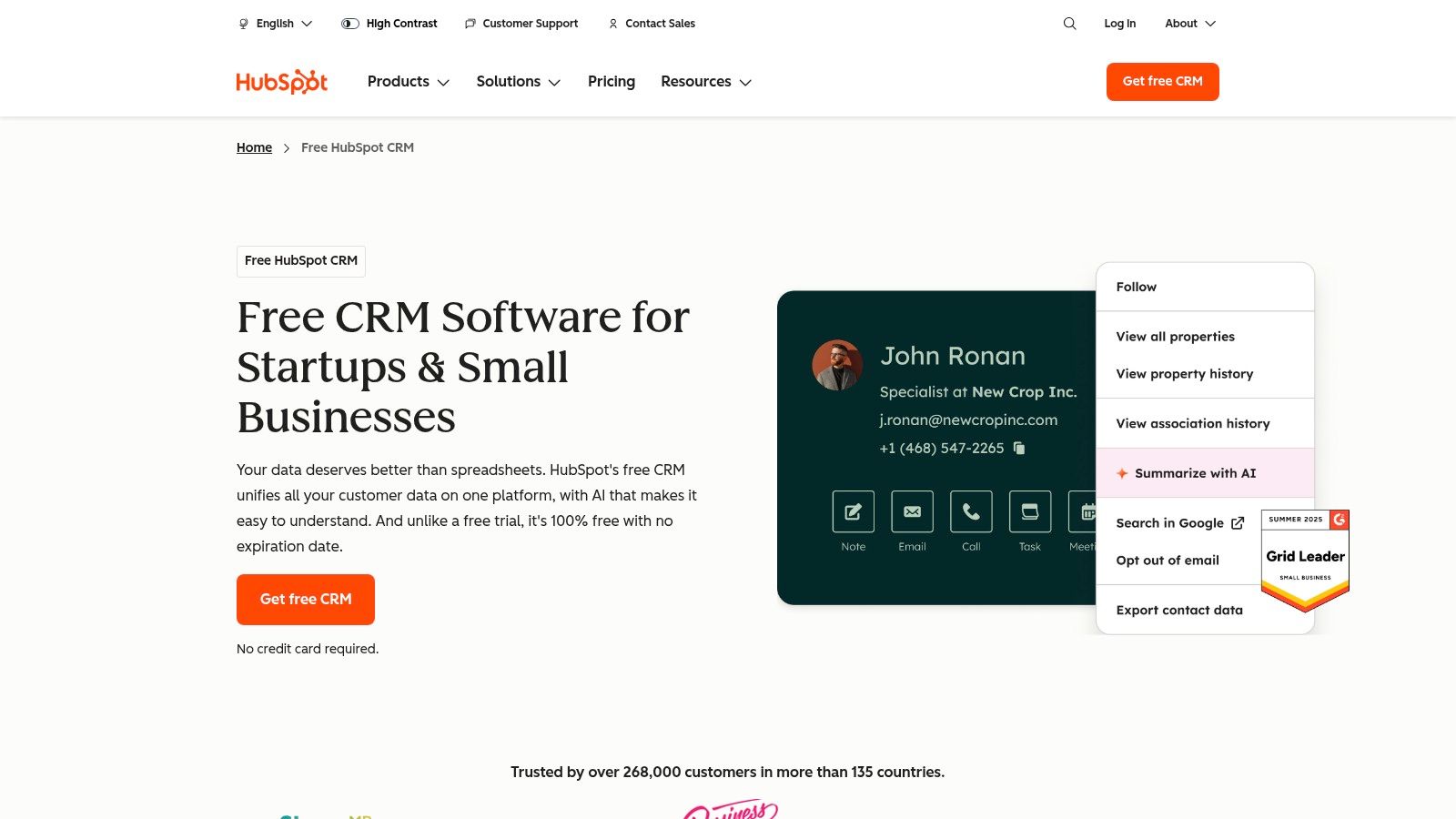
HubSpot CRM is a dominant player in the market, providing a comprehensive, cloud-based platform that combines sales, marketing, and service tools into a single, cohesive system. Its “forever-free” tier is arguably the most robust available, making it the best free CRM for small business owners looking for an all-in-one solution that can scale. It excels by offering real utility from day one without a financial commitment, a key differentiator from competitors whose free plans are often too restrictive for practical business use.
The platform’s user experience is a major asset; the interface is clean, intuitive, and supported by extensive documentation, community forums, and onboarding resources. This significantly shortens the implementation timeline for teams without dedicated IT or operations support. The free plan is not just a trial; it includes powerful tools like contact and deal management, a meeting scheduler, a shared team inbox, and even live chat functionality for your website.
Core Features & Limitations
The free toolkit provides a strong foundation for standardizing sales and marketing processes. However, a clear understanding of its limitations is crucial for long-term RevOps strategy. If your team is evaluating different systems, you can learn more about choosing the right CRM to align platform capabilities with your operational needs.
| Feature | Availability & Use Case |
|---|---|
| Contact/Deal Mgmt | Create and track unlimited contacts, companies, deals, and tasks. Ideal for centralizing sales data. |
| Sales Tools | Access email templates, tracking, a meeting scheduler, and quoting tools to accelerate sales cycles. |
| Marketing Tools | Includes form builders, email marketing, and ad management for lead generation activities. |
| Service Tools | Features ticketing, a shared inbox, and live chat to manage customer inquiries effectively. |
Pros:
- Generous Free Tier: Provides core CRM, marketing, sales, and service tools without cost.
- Ease of Use: Exceptional UI and onboarding resources enable rapid adoption for marketing and sales teams.
- Scalability: Offers a clear upgrade path to advanced features within the HubSpot ecosystem as your business grows.
- Massive App Marketplace: Integrates with over 1,700 third-party applications, crucial for a connected MarTech stack.
Cons:
- Paid Advanced Features: Key functions for RevOps, like advanced automation, custom reporting, and lead scoring, are behind a paywall.
- Free Plan Limits: The free plan has limitations on the number of users, pipelines, and marketing contacts that may force an upgrade sooner than expected.
Website: https://www.hubspot.com/products/crm
2. Zoho CRM
Zoho CRM is a well-established platform offering a comprehensive suite of business applications, with its CRM at the core. Its free edition is specifically designed for sole proprietors or very small teams, providing a structured entry point into sales force automation. This makes it a contender for the best free crm for small business for those just starting out who foresee needing a tightly integrated software ecosystem as they grow. The free plan supports up to three users, delivering core CRM functionalities without financial overhead.
The platform provides a solid foundation for centralizing customer data and managing sales activities. While its interface may feel more traditional compared to some modern alternatives, it is functional and offers a good degree of customization for a free product. The true power of Zoho’s free offering lies in its native connectivity with other Zoho applications, such as Zoho Desk and Zoho Campaigns, allowing small teams to build a connected business operating system on a budget. This seamless integration path is a significant advantage for businesses planning to scale within a single vendor ecosystem.
Core Features & Limitations
The free plan delivers essential tools to help standardize sales processes, but its most powerful features, particularly automation and in-depth analytics, are reserved for paid tiers. Understanding this is key for sales and marketing operations managers setting realistic expectations for their team’s capabilities.
| Feature | Availability & Use Case |
|---|---|
| Leads/Contacts/Deals | Manage leads, contacts, accounts, and deals. Ideal for organizing sales pipelines and customer data. |
| Tasks & Events | Create and track tasks, events, and call logs to manage daily sales activities and follow-ups. |
| Multichannel Tools | Includes basic email marketing, web forms, and social media integration for lead capture. |
| Zoho Integrations | Natively connects with other Zoho apps, providing a unified platform for sales, marketing, and support. |
Pros:
- Generous 3-User Plan: The free edition is purpose-built for teams of up to three, unlike many single-user free plans.
- Ecosystem Integration: Offers a clear and easy upgrade path to a fully integrated suite of Zoho business tools.
- Solid Core Functionality: Provides all the essential features needed to start managing a sales pipeline effectively.
Cons:
- Strict User Limit: The free plan is capped at three users, requiring an immediate upgrade for growing teams.
- Limited Automation: Most workflow automation, a critical component for scaling sales operations, is behind a paywall.
Website: https://www.zoho.com/crm/free-crm.html
3. Bigin by Zoho CRM
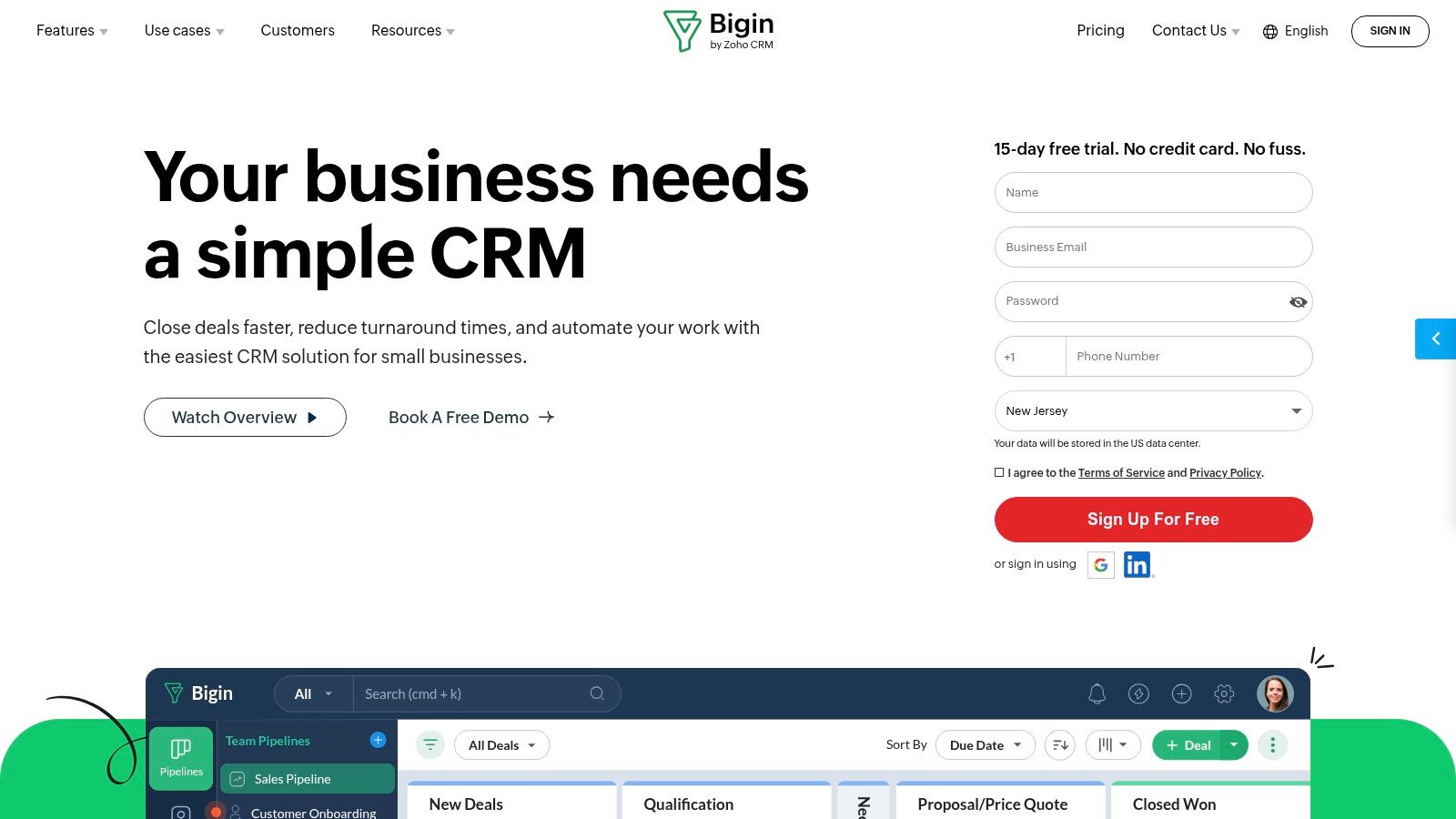
Bigin by Zoho CRM is a pipeline-centric platform specifically engineered for small businesses that find traditional CRMs overly complex. It strips away the clutter, focusing on the core sales activities needed to manage deals from initial contact to close. This streamlined approach makes it a top contender for the best free crm for small business teams needing a simple, visually-driven tool that can be deployed in minutes, not weeks. Its key advantage is its laser focus on the sales pipeline, providing just enough functionality to be powerful without overwhelming new users.
The platform is designed for immediate action, with a clean interface that centers on deal stages. Bigin’s free plan is not just a demo but a genuinely useful tool for one user, offering essential features like contact management, a single customizable pipeline, and integrations with key communication channels. This makes it ideal for solo entrepreneurs or micro-businesses looking to formalize their sales process without the steep learning curve or cost associated with more comprehensive systems.
Core Features & Limitations
Bigin’s free tier provides a solid starting point for sales process management, but understanding its boundaries is key for businesses planning to scale. Its simplicity is its strength but also defines its limitations compared to full-featured CRMs like HubSpot or Salesforce.
| Feature | Availability & Use Case |
|---|---|
| Pipeline Management | Includes one customizable pipeline to visually track deals. Perfect for standardizing a single sales process. |
| Contact Management | Store up to 500 contacts and manage all related notes, tasks, and activities in one place. |
| Built-in Telephony | Native integration with over 85 telephony providers allows for click-to-call and call logging. |
| Workflow Automation | Limited to 3 basic workflows to automate repetitive tasks like sending follow-up emails. |
Pros:
- Rapid Deployment: Exceptionally easy to set up and use, requiring minimal training for sales teams.
- Pipeline-Centric Design: The interface is built around the sales pipeline for intuitive deal tracking.
- Affordable Scalability: Offers a clear and budget-friendly upgrade path to more features.
- Native Zoho Integrations: Seamlessly connects with other Zoho apps like Zoho Forms and Zoho Campaigns.
Cons:
- Strict Record Limits: The free plan is limited to 500 records, which small businesses may outgrow quickly.
- Single-User Only: The free tier supports only one user, making it unsuitable for teams.
- Limited Customization: Lacks the advanced customization and reporting found in larger CRM platforms.
Website: https://www.zoho.com/bigin
4. Freshsales by Freshworks
Freshsales, part of the Freshworks ecosystem, offers a sleek and modern CRM designed for high-velocity sales teams. Its free plan provides a surprisingly functional entry point, making it a strong contender for the best free crm for small business category, particularly for those prioritizing built-in communication tools. Unlike many competitors that require third-party integrations for core calling or chat, Freshsales includes these features natively, even in its free tier.
The platform’s user experience is clean and activity-focused, centering around a central feed that consolidates all prospect interactions. This makes it exceptionally easy for small teams to stay aligned and track engagement without navigating complex menus. The free plan is not just a limited trial; it includes contact and deal management with visual Kanban pipelines, alongside built-in chat, email, and phone functionalities, providing immediate, tangible value for teams focused on direct outreach.
Core Features & Limitations
The free toolkit provides a solid foundation for centralizing customer data and communication. For businesses planning to scale, understanding how CRM and marketing automation can be integrated is key to long-term success, and Freshsales offers a clear path for this.
| Feature | Availability & Use Case |
|---|---|
| Contact/Deal Mgmt | Manage contacts, accounts, and deals with visual Kanban pipelines for tracking sales progress. |
| Built-in Comms | Includes native chat, email, and phone functionalities to engage with prospects directly from the CRM. |
| AI Insights | Provides basic AI-powered contact scoring to help prioritize leads (more advanced on paid plans). |
| Mobile App | Full-featured mobile app allows sales reps to manage their pipeline and contacts on the go. |
Pros:
- Integrated Communication: Built-in phone, chat, and email reduce the need for external tools in your MarTech stack.
- Generous User Limit: The free plan supports up to three users, ideal for small founding teams.
- Intuitive UI: Modern, user-friendly interface that simplifies onboarding and daily use.
- Clear Upgrade Path: Seamlessly scales to the Freshsales Suite for integrated sales and marketing operations.
Cons:
- Limited Automation: Workflow automation and advanced sequences are reserved for paid tiers.
- Basic Reporting: The free plan’s analytics and reporting capabilities are quite limited for RevOps analysis.
Website: https://www.freshworks.com/crm/pricing/
5. Bitrix24
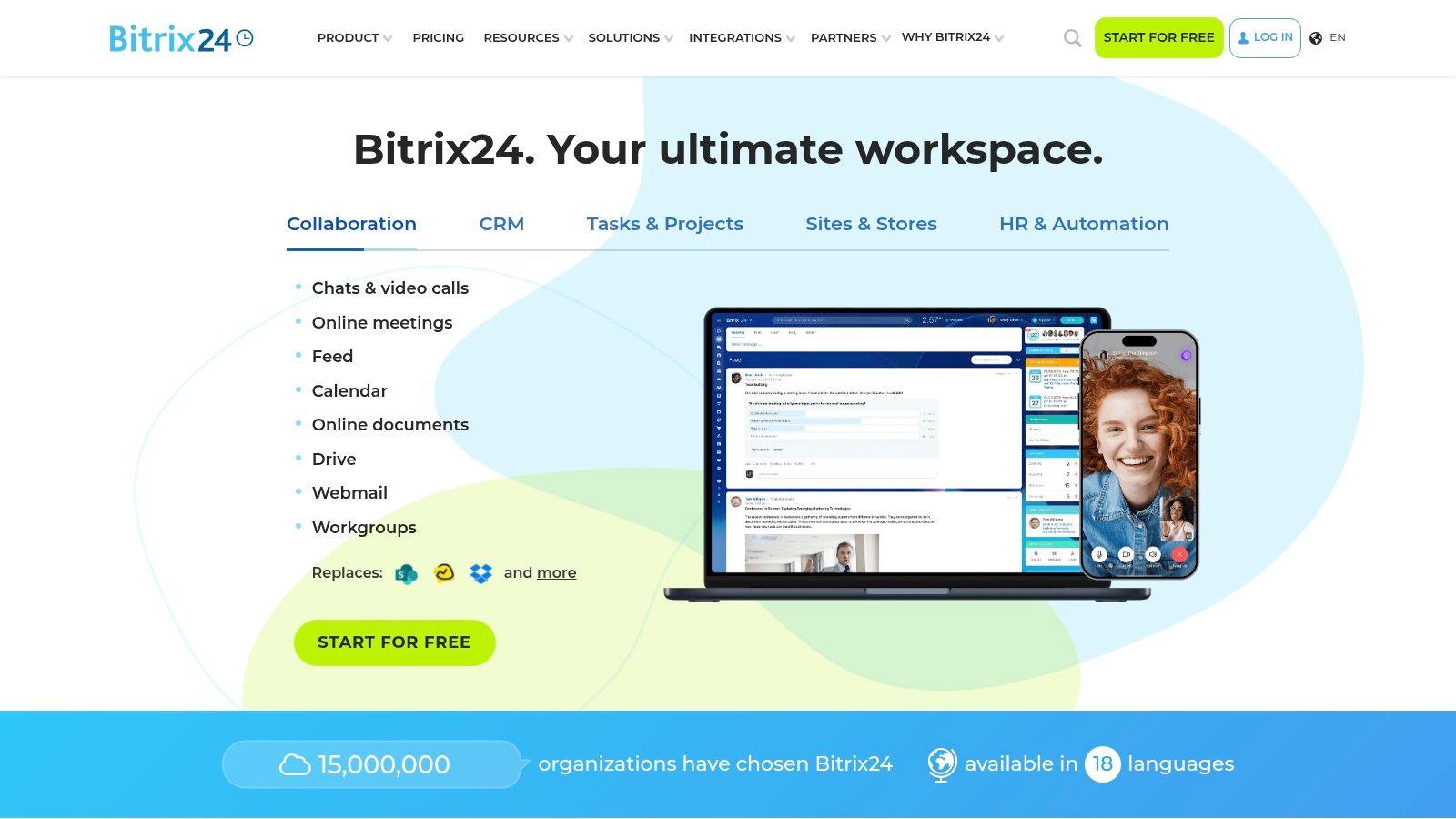
Bitrix24 stands out by offering an expansive, unified workspace that combines a CRM with project management, collaboration, and marketing tools. Its most significant differentiator is the “free forever” plan that allows for unlimited users, making it a compelling option for small businesses with larger teams, freelancers, or extensive contractor networks. This makes it a potential best free crm for small business when user count is a primary budget constraint, offering a collaborative environment that goes far beyond traditional sales tracking.
The platform centralizes communication and operations, aiming to be a single source of truth for all business activities. While this all-in-one approach provides immense value, the sheer breadth of features can present a steep learning curve for new users. The interface is highly functional but can feel less intuitive than more specialized CRM systems, requiring an initial time investment for team onboarding and configuration.
Core Features & Limitations
Bitrix24’s free tier provides a powerful suite of tools for managing not just customer relationships but also internal projects and team communication. Understanding its specific allowances and restrictions is key to determining if it fits your operational model without forcing a premature upgrade.
| Feature | Availability & Use Case |
|---|---|
| CRM & Sales Tools | Includes contact management, deal tracking, a product catalog, and basic automation rules for sales processes. |
| Task & Project Mgmt | Create and manage tasks, projects, and deadlines within the same system used for client communication. |
| Collaboration Suite | Features team chat, video calls, calendars, and activity streams to foster internal collaboration. |
| Contact Center | Provides tools for a website contact form, live chat, and connections to social media messengers. |
Pros:
- Unlimited Free Users: A rare and high-value feature, ideal for growing teams or businesses with many part-time staff.
- All-in-One Platform: Combines CRM with comprehensive project and collaboration tools, reducing the need for multiple subscriptions.
- Broad Functionality: Includes a website and landing page builder even on the free plan.
Cons:
- Overwhelming Interface: The vast number of features can make the platform feel complex and difficult to navigate initially.
- Storage and Feature Caps: The 5 GB storage limit on the free plan is restrictive, and access to telephony or the app marketplace requires a paid plan.
Website: https://www.bitrix24.com
6. EngageBay CRM
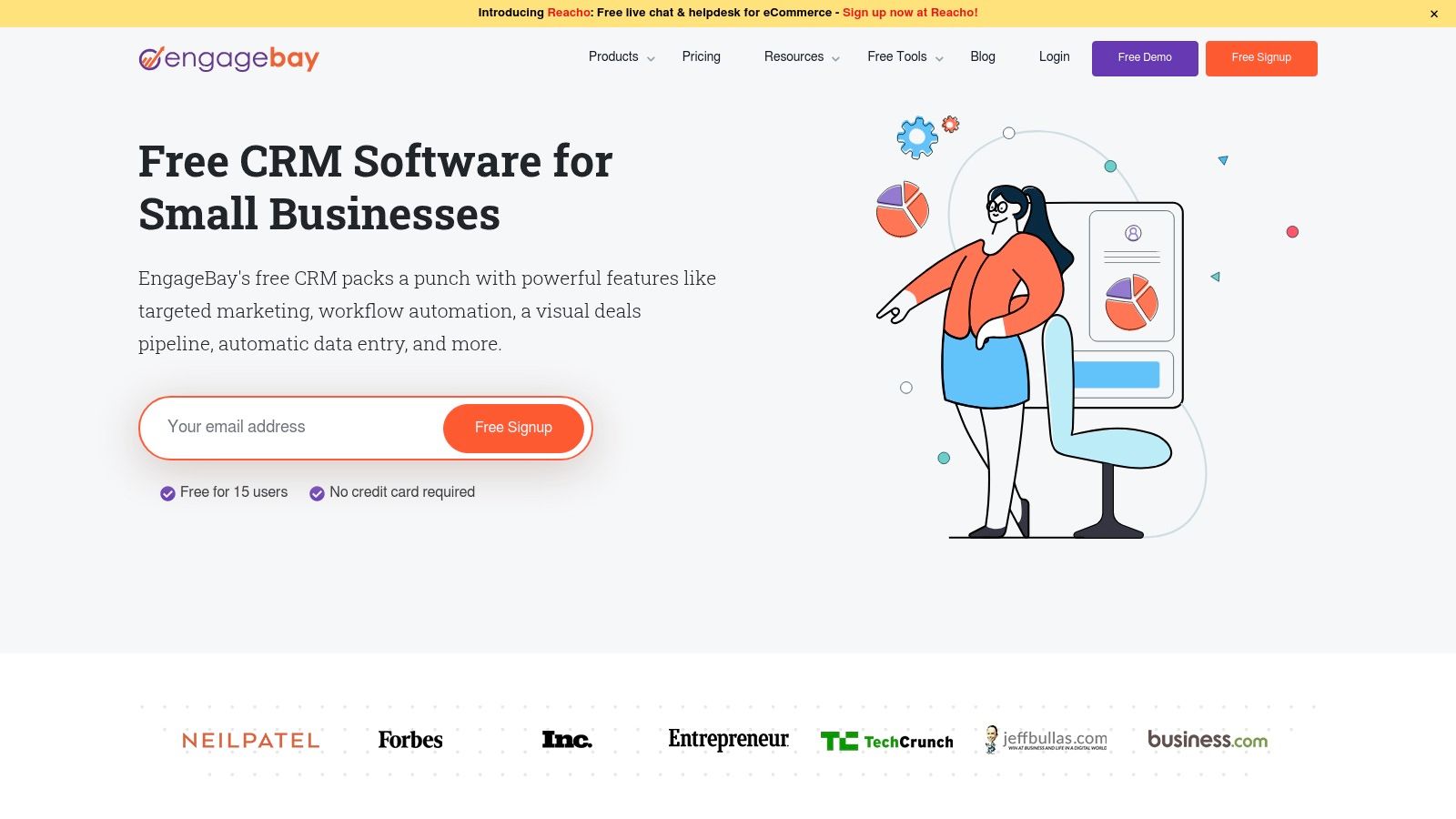
EngageBay positions itself as an affordable all-in-one platform for small businesses, combining CRM, marketing, and helpdesk functionalities into a unified system. Its free plan is designed to be a direct, more accessible alternative to larger platforms like HubSpot, making it a strong contender for the best free crm for small business teams who need core sales and marketing tools without the complexity or cost of enterprise-level software. It stands out by offering a comprehensive suite from the start, aimed at reducing the need for multiple, disconnected applications.
The platform provides a clean user interface that simplifies contact management, deal tracking, and appointment scheduling. While less extensive than some competitors, its free tier offers significant value, including a visual deal pipeline, live chat for websites, and basic email marketing automation. This integrated approach helps streamline lead nurturing and customer support processes, providing a solid foundation for growth-focused startups and small businesses.
Core Features & Limitations
EngageBay’s free CRM is built to consolidate essential business functions, helping teams manage relationships and automate initial touchpoints effectively. However, RevOps managers should be aware of the specific limitations on contacts and features that encourage upgrading to its notably affordable paid plans.
| Feature | Availability & Use Case |
|---|---|
| Contact/Deal Mgmt | Manage contacts, companies, and deals with a visual pipeline. Ideal for tracking sales progress. |
| Sales Tools | Includes email tracking, appointment scheduling, and predictive lead scoring to prioritize efforts. |
| Marketing Tools | Offers email marketing, sequences, a landing page builder, and live chat for lead engagement. |
| Service Tools | A free helpdesk module with ticket management helps centralize customer support inquiries. |
Pros:
- All-in-One Approach: Combines sales, marketing, and service tools to reduce software clutter in the MarTech stack.
- Affordable Scaling: Paid upgrades are very budget-friendly compared to major competitors.
- Free Migration: Offers free migration assistance, a rare perk for a free CRM provider.
Cons:
- Contact Limits: The free plan has a cap on the number of contacts, which may require an early upgrade.
- Gated Features: Advanced automation and reporting capabilities are reserved for paid tiers.
- Smaller App Ecosystem: Fewer third-party integrations are available compared to market leaders like Salesforce or HubSpot.
Website: https://www.engagebay.com/crm/free-crm
7. Capsule CRM
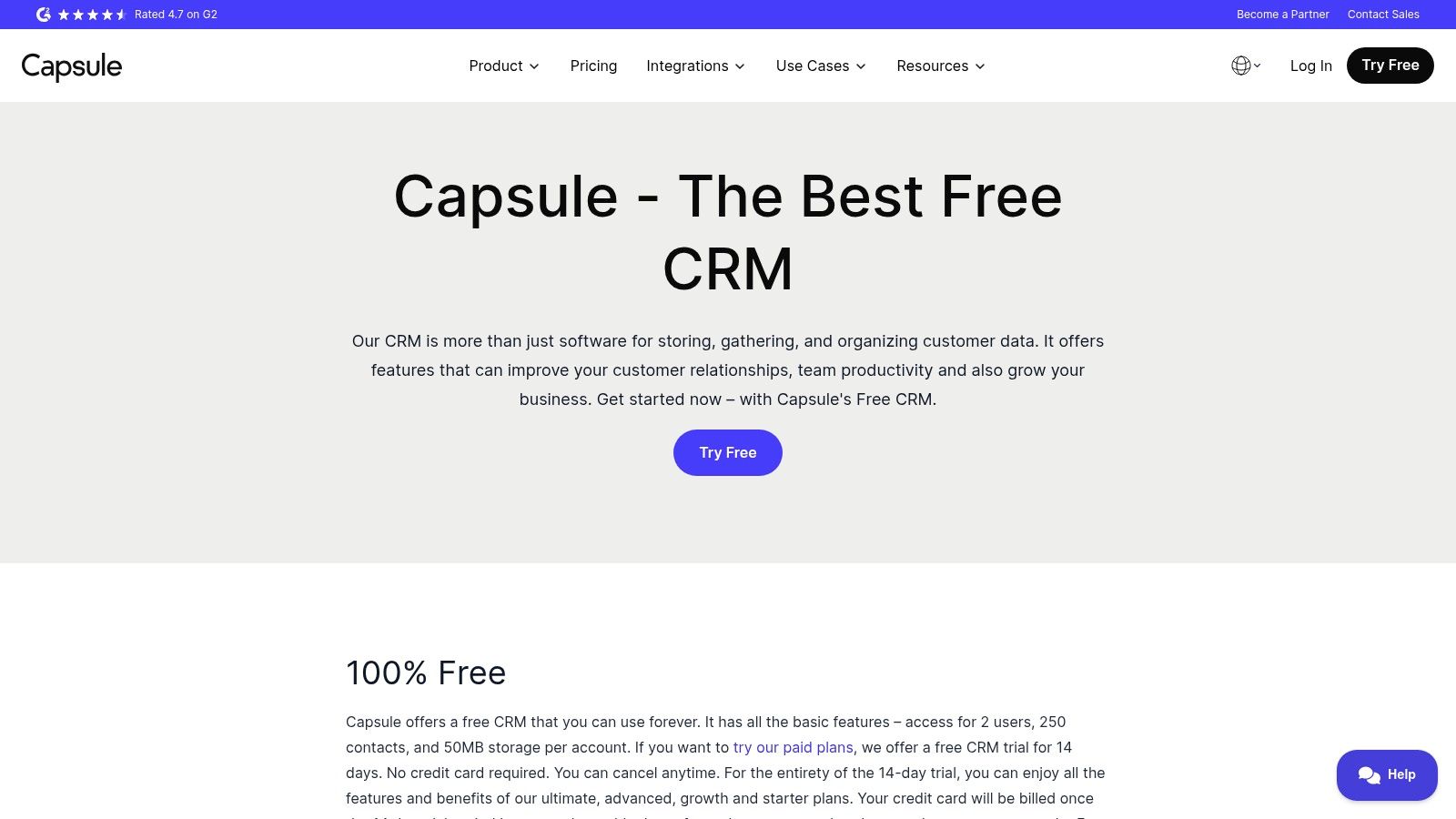
Capsule CRM offers a straightforward, user-friendly approach to customer relationship management, designed specifically for small businesses that need simplicity without sacrificing essential functionality. Its free plan is a strong contender for the best free CRM for small business teams of one or two, providing a clean interface that prioritizes clarity and quick adoption. This platform excels at centralizing contacts and managing a simple sales pipeline, making it an ideal starting point for businesses moving away from spreadsheets.
The user experience is built around ease of use, allowing new users to get up and running with minimal onboarding. Unlike more complex systems, Capsule focuses on core CRM tasks like contact management, activity tracking, and deal progression. The free tier is intentionally designed for micro-businesses and freelancers, offering just enough features to establish a standardized sales process without overwhelming users with unnecessary tools.
Core Features & Limitations
Capsule’s free plan provides a solid foundation for managing customer interactions and sales opportunities. While it lacks the advanced marketing and service automation found in larger platforms, it delivers the necessary tools for effective pipeline management. Understanding its constraints is key to ensuring it aligns with your operational needs.
| Feature | Availability & Use Case |
|---|---|
| Contact Management | Store up to 250 contacts, track communication history, and use tags for basic segmentation. |
| Sales Pipeline | A customizable Kanban-style sales pipeline to visually track deals from lead to close. |
| Task & Activity Tracking | Create and assign tasks for contacts, deals, and cases to manage follow-ups and deadlines. |
| Basic Reporting | Includes a standard dashboard and basic reports to monitor sales activity and pipeline health. |
Pros:
- Simplicity and Ease of Use: The clean, intuitive interface makes it extremely easy to learn and deploy quickly.
- Generous for Two Users: The free plan supports two users, which is perfect for partners or a founder-and-assistant duo.
- Effective Pipeline Visualization: The Kanban-style pipeline provides a clear, actionable view of your sales process.
Cons:
- Strict Free Plan Limits: Capped at 250 contacts and 50MB of storage, forcing an upgrade as the business grows.
- Limited Advanced Features: Key functions like automation, advanced reporting, and a shared inbox are reserved for paid tiers.
Website: https://capsulecrm.com/free-crm/
8. Streak for Gmail
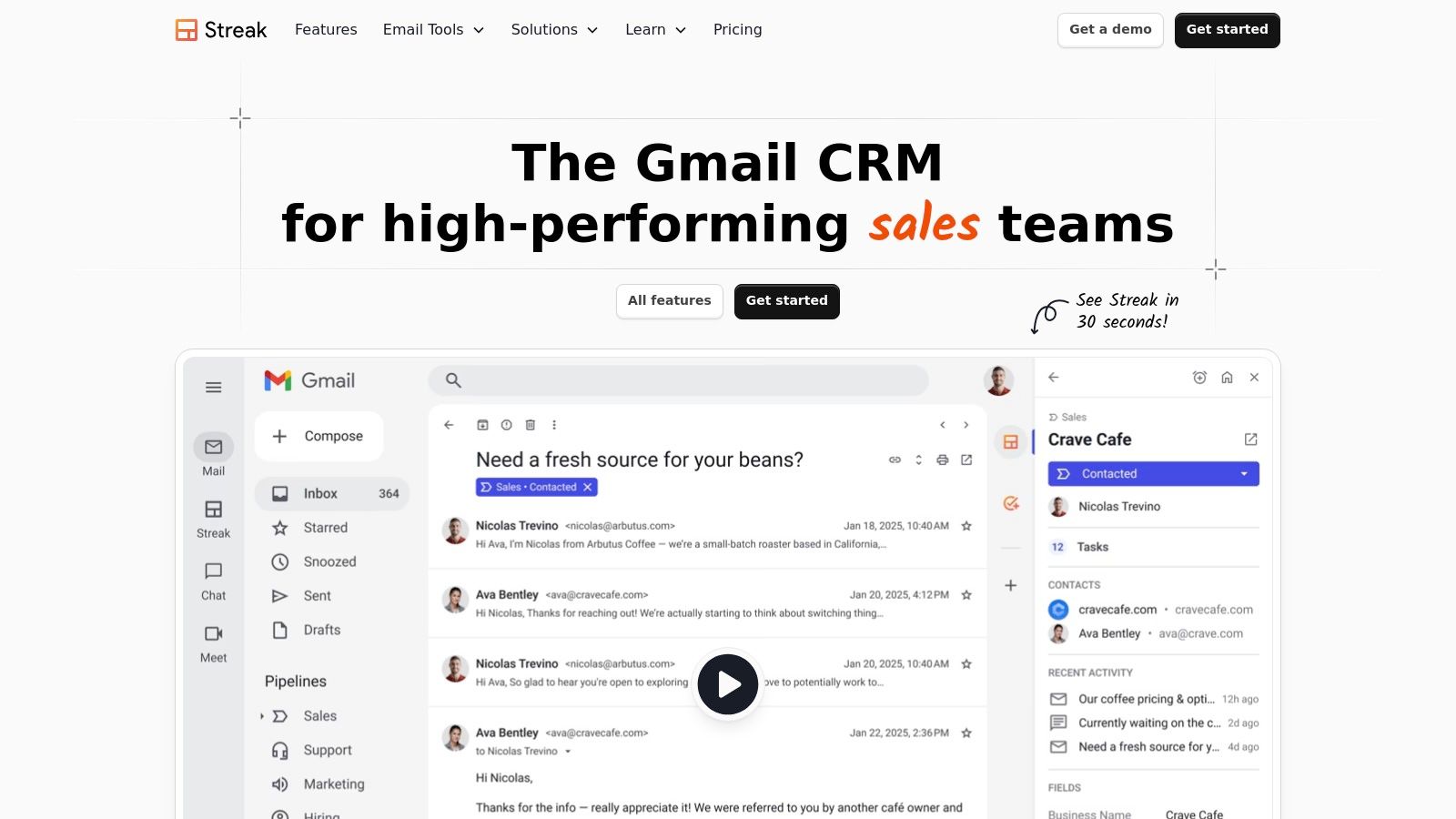
Streak for Gmail carves out a unique niche by transforming your existing inbox into a fully functional CRM. For small businesses and freelancers deeply embedded in the Google Workspace ecosystem, it eliminates the need to learn or switch between applications. This native integration makes it a strong contender as the best free crm for small business teams who prioritize workflow simplicity and want to manage pipelines directly from their email client. Its core value is convenience, turning familiar Gmail into a powerful sales and relationship management tool.
The platform excels by overlaying CRM functionalities onto the Gmail interface, which means virtually no learning curve for anyone already proficient with Google’s tools. You can track leads, manage deal flow, and collaborate with team members without ever leaving your inbox. The free plan provides basic CRM features along with valuable email productivity tools like tracking and snippets, offering immediate utility for solo users or small teams just starting to formalize their processes.
Core Features & Limitations
Streak’s free tier is designed to enhance email productivity with a light CRM layer. It’s perfect for individuals or small teams managing sales, hiring, or support pipelines directly from their inbox. However, its complete reliance on Gmail is also its primary limitation; it is not a viable option for organizations that do not use Google Workspace for their business operations.
| Feature | Availability & Use Case |
|---|---|
| Gmail-Native CRM | Create and manage up to 500 contacts and basic pipelines directly within your inbox. |
| Email Power Tools | Includes email tracking (200/month), mail merge (50/day), and snippets for process efficiency. |
| Basic Collaboration | Share pipelines and contacts with your team, although advanced permissions are on paid plans. |
| Mobile Access | Manage your pipelines and contacts on the go with dedicated iOS and Android applications. |
Pros:
- Seamless Gmail Integration: Operates entirely inside your inbox, eliminating context switching.
- No New UI to Learn: Leverages the familiar Gmail interface for rapid adoption.
- Useful Free Email Tools: The free email tracking and mail merge features add immediate value.
- Highly Customizable Pipelines: Easily adapt pipelines for sales, hiring, support, and more.
Cons:
- Limited Free CRM Functionality: The 500-contact limit and basic features can be restrictive.
- Gmail Dependent: Unsuitable for any business that does not use Gmail or Google Workspace.
- Reporting is Limited: Advanced reporting and analytics are reserved for paid tiers.
Website: https://www.streak.com
9. Vtiger CRM (Pilot Cloud and Open Source)
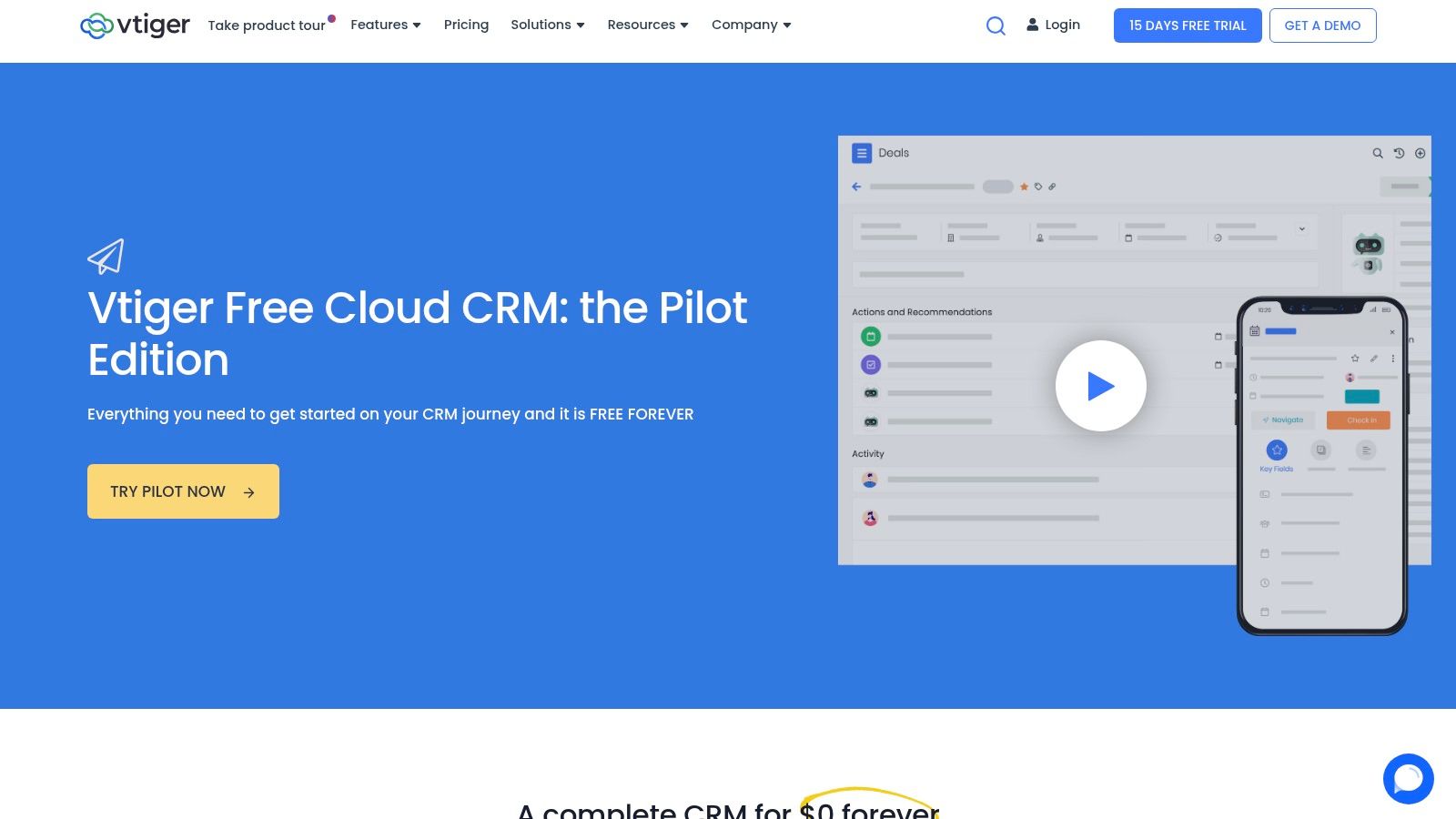
Vtiger CRM provides a unique dual-offering for small businesses, presenting two distinct free options: the cloud-hosted “Pilot” edition and a self-hosted open-source version. This flexibility makes it an excellent choice for teams that want to choose their deployment model. The Pilot edition offers a quick, maintenance-free start, while the open-source version grants complete control and customization for businesses with the technical resources to manage their own infrastructure.
This approach makes Vtiger a strong contender for the best free CRM for small business users who prioritize choice and long-term flexibility. Unlike competitors with a single free plan, Vtiger allows you to select a path that aligns with your immediate needs and technical capabilities, from a simple cloud-based tool to a fully self-managed system. The platform is designed to support core sales processes with a clean, functional interface.
Core Features & Limitations
Both free versions deliver essential CRM functionality, though their scalability and management differ significantly. The Pilot edition is ideal for a quick start, but the open-source version offers limitless potential for customization. For teams moving from a legacy system, it is crucial to follow a structured approach; you can learn more about data migration best practices to ensure a smooth transition.
| Feature | Availability & Use Case |
|---|---|
| Two Free Options | Choose the cloud-based Pilot for ease of use or the Open Source version for full control and customization. |
| Contact/Deal Mgmt | Track leads, contacts, and sales opportunities to centralize your customer data and sales pipeline. |
| Basic Automation | Automate simple, repetitive tasks to improve sales team productivity and standardize workflows. |
| Extensibility | The Pilot edition offers paid booster packs for added features; the open-source version is highly extensible. |
Pros:
- Deployment Flexibility: Offers both a free cloud-hosted and a free self-hosted open-source version.
- No-Cost Options: Provides two genuinely free pathways, not just limited trials.
- Scalability: Clear upgrade paths within the cloud version or unlimited customization with the open-source edition.
- Strong Community: The open-source version is supported by a large and active community.
Cons:
- Pilot Tier Limits: The free cloud plan has user and feature limitations that may require paid boosters.
- Self-Hosting Overhead: The open-source version requires dedicated IT resources for setup, maintenance, and security.
Website: https://www.vtiger.com/free-pilot-edition/
10. SuiteCRM
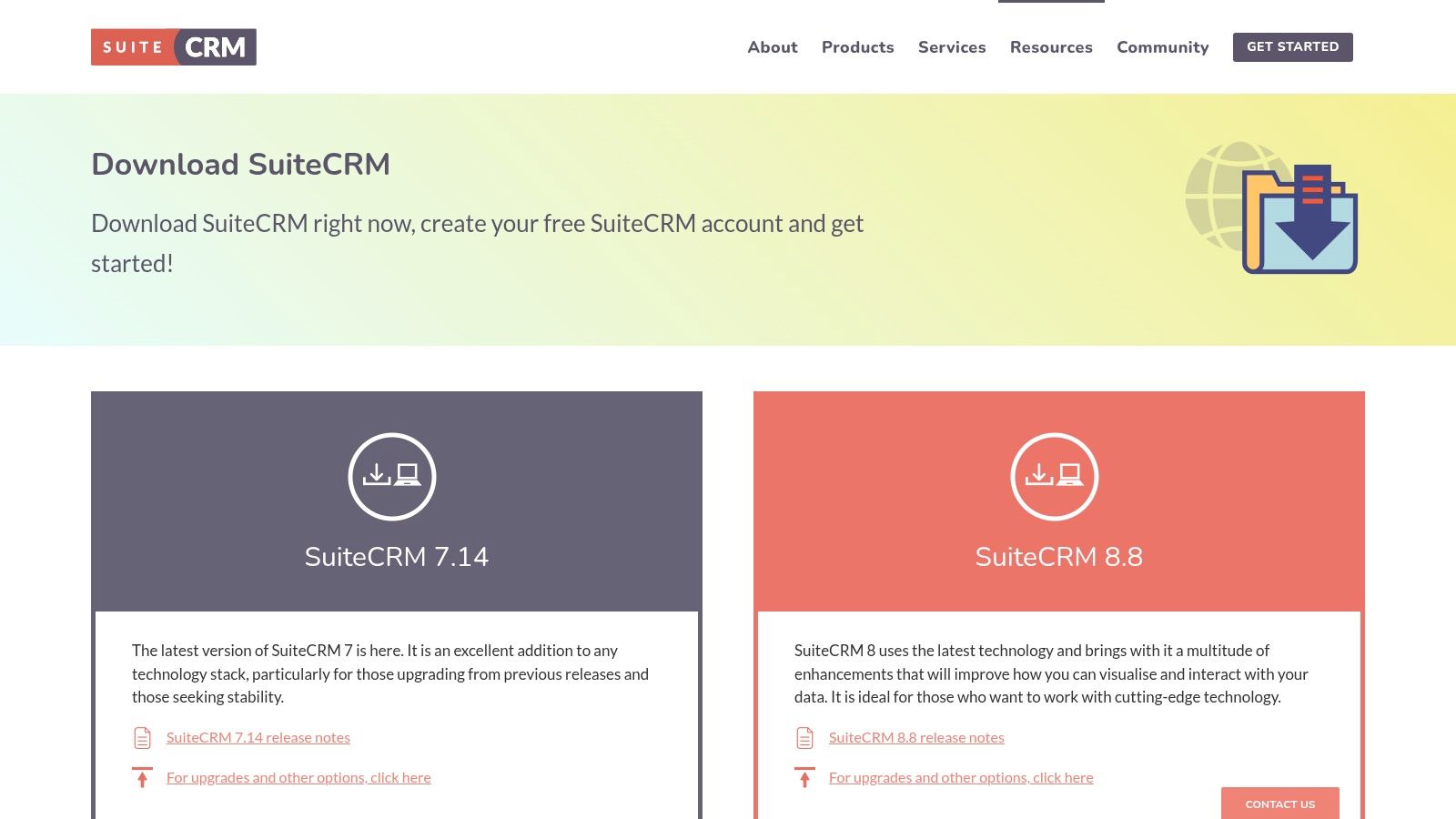
SuiteCRM stands apart as a powerful, fully open-source CRM, offering an enterprise-grade solution without any licensing fees. This makes it a compelling choice for small businesses with technical resources, as it provides complete control over data and a high degree of customization. Unlike cloud-based SaaS models, SuiteCRM is self-hosted, meaning you own your data and can modify the source code to fit your exact operational workflows. It is the best free crm for small business teams who prioritize data sovereignty and require a deeply tailored system without per-user costs.
The platform requires a dedicated server and in-house or outsourced IT expertise for initial setup, maintenance, and updates. While this presents a higher barrier to entry compared to turnkey cloud solutions, the trade-off is unparalleled flexibility. The user interface is functional and comprehensive, though it may feel less modern than some competitors. An active global community provides extensive documentation, forums, and a marketplace for third-party add-ons to extend functionality.
Core Features & Limitations
SuiteCRM delivers a complete set of features right out of the box, covering sales, marketing, and service functions without artificial restrictions. The primary limitation is not the software’s capability but the technical resources required to deploy and manage it effectively. The platform’s true power is unlocked through customization, allowing you to build proprietary modules and workflows that align perfectly with your go-to-market strategy.
| Feature | Availability & Use Case |
|---|---|
| Sales Automation | Manage leads, opportunities, accounts, and contacts. Create detailed quotes and sales forecasts. |
| Marketing Tools | Includes campaign management, email marketing, and lead tracking to support marketing operations. |
| Customer Service | Features a case management system and a knowledge base to streamline customer support processes. |
| Customization | Provides full access to the source code for deep modifications and module development. |
Pros:
- Completely Free: No license or per-user fees, ever. You only pay for hosting and implementation resources.
- Total Data Ownership: Self-hosting ensures you have full control and sovereignty over your customer data.
- Highly Customizable: The open-source nature allows for limitless customization to meet specific business needs.
- Active Community: A large developer community provides support, bug fixes, and a rich ecosystem of add-ons.
Cons:
- Requires Technical Expertise: Implementation, maintenance, and security require significant IT knowledge.
- Higher Upfront Effort: Setup is more complex and time-consuming than signing up for a cloud service.
- Fewer Native Integrations: Lacks the extensive app marketplaces of major SaaS CRM platforms like HubSpot or Salesforce.
Website: https://suitecrm.com/download/
11. Odoo CRM (Community & One App Free)
Odoo offers a unique proposition in the CRM space by functioning as an all-in-one business management suite. Its approach is modular, allowing small businesses to start with a powerful, free CRM and later integrate other business applications like accounting, inventory, or project management as they scale. This makes it the best free CRM for small business owners who envision a future where all their operational tools are unified on a single platform, avoiding the common pitfalls of data silos and complex third-party integrations.
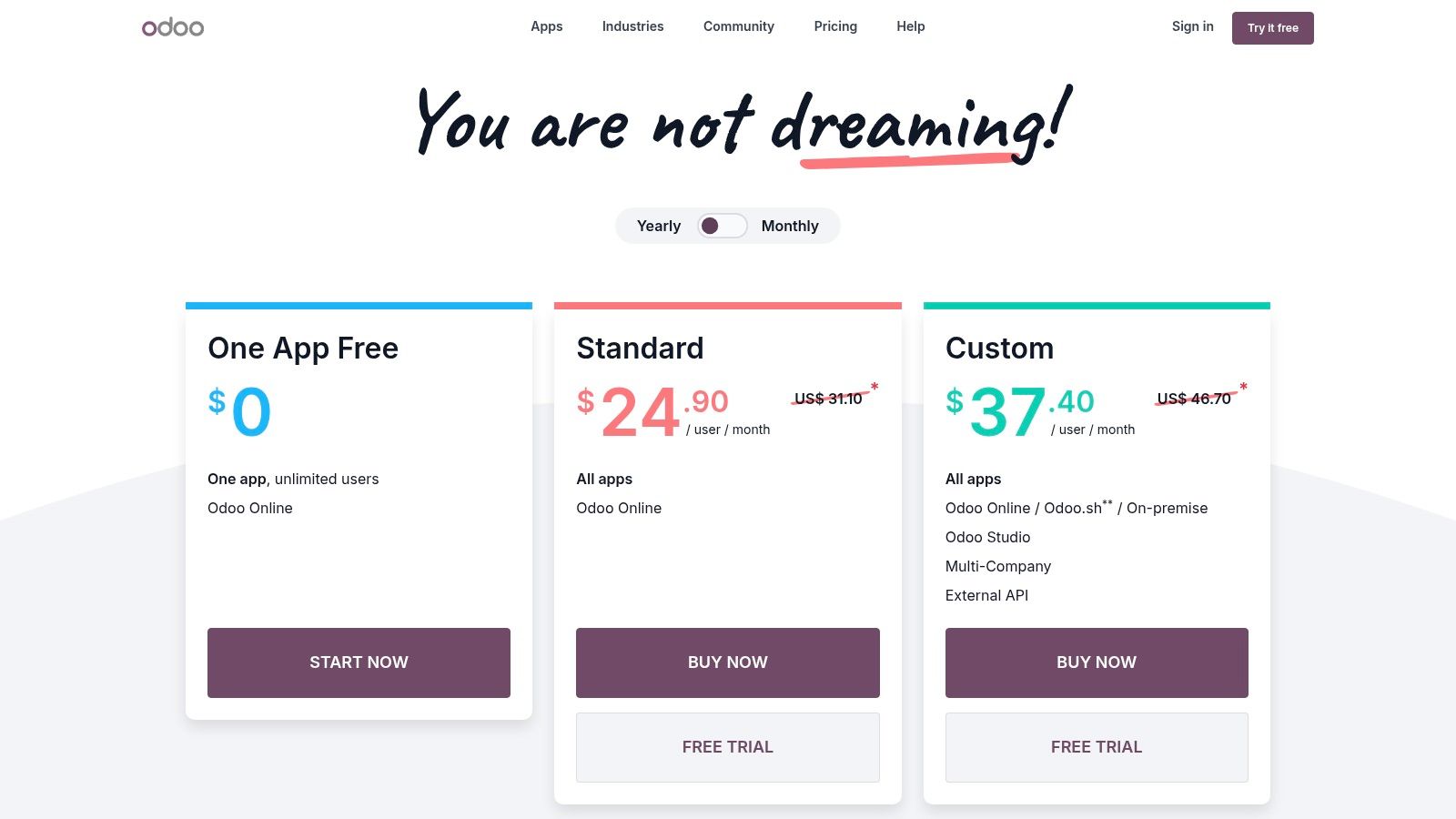
The platform is available in two main free versions: the “One App Free” plan, which is hosted by Odoo and provides the CRM app for unlimited users at no cost, and the “Community” edition, which is open-source and must be self-hosted. The ‘One App Free’ plan is ideal for teams without technical resources, offering a clean interface and a straightforward path to adding more paid apps later. For tech-savvy businesses, the self-hosted Community edition provides unparalleled flexibility and control over the software and data.
Core Features & Limitations
Odoo’s free CRM provides a robust framework for managing sales pipelines and activities. Its true power lies in its potential to grow into a full Enterprise Resource Planning (ERP) system. Understanding the distinction between its free offerings is key to a successful implementation.
| Feature | Availability & Use Case |
|---|---|
| CRM Pipelines | Create customizable sales pipelines to track leads and opportunities. Ideal for standardizing sales processes. |
| Activity Tracking | Schedule and log activities like calls, emails, and meetings directly on contact and deal records. |
| Basic Reporting | Access fundamental sales dashboards and reports to analyze pipeline performance and team activities. |
| Modularity | The system is built to seamlessly add other Odoo apps (accounting, HR, inventory) for a unified business suite. |
Pros:
- Truly Free for Unlimited Users: The ‘One App Free’ hosted plan has no user limits for the CRM app.
- All-in-One Growth Path: Offers a clear and integrated upgrade path to a full ERP system.
- Open-Source Flexibility: The Community edition allows for deep customization for those with technical expertise.
- Extensive App Ecosystem: A vast library of first-party and third-party apps can extend functionality.
Cons:
- Self-Hosting Complexity: The Community edition requires technical knowledge for setup, maintenance, and support.
- Limited Free Functionality: Advanced features, automation, and additional apps require paid plans.
Website: https://www.odoo.com/pricing
12. Capterra – Free CRM Software category
While not a CRM itself, Capterra’s dedicated category for free CRM software is an indispensable research tool for any small business owner navigating this crowded market. It serves as a curated, up-to-date directory that aggregates and compares various free CRM platforms, allowing for efficient side-by-side analysis. This makes it an essential first stop for shortlisting potential candidates before committing to in-depth evaluations, saving significant time and effort in the initial discovery phase.
The platform excels by providing powerful filtering capabilities, enabling users to narrow down the options based on specific features, pricing models, and platform support. You can quickly see which tools offer the “must-have” functionalities for your operations, all backed by verified user reviews that offer candid insights into real-world performance. This aggregated view makes Capterra a highly practical resource for finding the best free CRM for small business by comparing the most current offerings in one place.
Core Features & Limitations
Capterra’s value lies in its structured comparison framework, helping operations teams quickly identify front-runners. However, it is a starting point, not a final destination; always verify features and limitations on the official vendor websites, as directory listings may not capture every nuance or recent update.
| Feature | Availability & Use Case |
|---|---|
| Curated Directory | An updated list of top free CRM software, ideal for initial market research and discovery. |
| Feature Filters | Allows users to filter options by specific functionalities like lead management or marketing automation. |
| User Reviews | Provides access to verified user feedback, offering practical insights into usability and vendor support. |
| Side-by-Side View | Enables direct comparison of features and ratings for multiple CRM vendors simultaneously. |
Pros:
- Efficient Research: Quickly compare the market’s leading free CRM plans in a single interface.
- Verified Insights: User reviews provide an authentic look at platform strengths and weaknesses.
- Custom Filtering: Helps narrow down choices based on essential features and business needs.
- Time-Saving: Consolidates information, reducing the need to visit dozens of vendor sites initially.
Cons:
- Sponsored Placements: Be aware that some listings may be prioritized due to sponsorship.
- Data Lag: Information may not always be perfectly current; verification on vendor sites is crucial.
Website: https://www.capterra.com/customer-relationship-management-software/s/free/
Top 12 Free CRM Solutions Comparison
| CRM/Product | Core Features | User Experience | Value Proposition | Target Audience | Price Point |
|---|---|---|---|---|---|
| HubSpot CRM | Contact, deal management, meetings, 1700+ integrations | Fast setup, strong onboarding | Robust free tier, scalable upgrades | US SMBs, growing teams | Free tier, paid advanced plans |
| Zoho CRM | Leads, accounts, deals, basic marketing | Easy integration with Zoho apps | Free for 3 users, mature platform | Very small teams | Free up to 3 users, paid plans |
| Bigin by Zoho CRM | Single-pipeline, telephony, workflows | Quick deployment, intuitive | Lightweight CRM, affordable upgrades | Small business, startups | True free plan, paid upgrades |
| Freshsales (Freshworks) | Deals, built-in chat/email/phone, AI | Modern UI, integrated comms | Free 3 users, good upgrade path | Small teams starting CRM | Free 3 users, paid advanced |
| Bitrix24 | CRM, team chat, tasks, project mgmt | All-in-one but complex | Unlimited users free plan | SMBs with large teams | Free unlimited users, paid add-ons |
| EngageBay CRM | Pipeline, email tracking, live chat | All-in-one but smaller ecosystem | Reduces tool sprawl, migration help | Small businesses | Free tier with limits, paid plans |
| Capsule CRM | Sales pipeline, segmentation, reports | Clean UI, easy learning | Free 2 users, simple sales CRM | SMBs | Free 2 users, paid plans |
| Streak for Gmail | Gmail-native pipeline, email tracking | Seamless Gmail integration | No new UI, great for Gmail users | Google Workspace users | Free limited plan, paid tiers |
| Vtiger CRM | Deals, contacts, basic automation | Flexible deployment options | Free cloud or open-source self-hosted | IT-savvy teams | Free Pilot or OSS; paid boosters |
| SuiteCRM | Core CRM, extensible, community-driven | Fully customizable, self-hosted | No user fees, full data control | IT-supported teams | Free self-hosted |
| Odoo CRM | Pipelines, reporting, modular business apps | Hosted or self-hosted options | Free with unlimited users, ERP path | Growing businesses | Free hosted “One App”, paid add-ons |
| Capterra – Free CRM | Curated free CRM list, feature filters | User reviews and comparisons | Quick research tool for CRM selection | All CRM buyers | Free access |
Beyond ‘Free’: Planning Your CRM’s Future as a Revenue Engine
Choosing the best free CRM for your small business is a pivotal moment, representing the first step toward a more organized, data-driven revenue engine. Throughout this guide, we’ve dissected the top free platforms, from the robust, all-in-one ecosystem of HubSpot to the flexible, open-source power of SuiteCRM and the Gmail-native simplicity of Streak. Each tool offers a unique entry point into customer relationship management, providing a foundational layer for tracking leads, managing pipelines, and centralizing customer interactions without an initial financial investment.
The critical takeaway for RevOps leaders is that a “free” CRM is not just a cost-saving measure; it is a strategic starting point. The real value emerges when you view your chosen platform not as a static contact database, but as the future central nervous system for your entire go-to-market strategy. This mindset shifts the selection process from simply asking “What can this do for me now?” to “Where can this take my business tomorrow?”
From Free Tool to Strategic Asset: Your Implementation Roadmap
Successfully leveraging a free CRM requires a forward-thinking, operational approach. As your business scales, you will inevitably encounter the limitations of a free plan, whether it’s user caps, contact limits, or the absence of advanced automation. The key is to anticipate this evolution and select a platform with a logical and affordable upgrade path that aligns directly with your growth trajectory.
Consider these crucial factors as you move from selection to implementation:
- Scalability as a Non-Negotiable: Your initial choice dictates your future flexibility. A platform like Zoho CRM offers a gentle upgrade curve with its various editions, while an open-source solution like Odoo provides limitless customization, provided you have the technical resources. Evaluate the paid tiers of your top contenders now to avoid a painful migration later.
- Integration Potential is Paramount: A CRM’s true power is unlocked when it connects seamlessly with your other business tools. Does the platform integrate with your marketing automation platform (e.g., Pardot/MCAE), your accounting software, or your proposal generation tool? Prioritize CRMs with strong native integrations or robust API access to build a cohesive MarTech stack.
- Data Hygiene from Day One: Start with a clean, well-structured database. Establish clear guidelines for data entry, define your custom fields purposefully, and regularly audit your records. A free CRM filled with inaccurate or incomplete data is less useful than a well-maintained spreadsheet.
- Focus on Adoption and Process: The most feature-rich CRM is useless if your team doesn’t use it correctly. Begin by mapping out your core sales and marketing processes and then configure the CRM to support them. Provide training and champion user adoption to ensure the platform becomes an indispensable part of your team’s daily workflow.
Making the Final Decision
Ultimately, the best free CRM for your small business is the one that best fits your immediate needs while providing a clear runway for future growth. If you are a solopreneur heavily reliant on your inbox, Streak might be the perfect starting point. If you envision building a comprehensive business management ecosystem, a platform like Bitrix24 or Odoo could be the ideal foundation. For most B2B startups focused on scalable growth, HubSpot CRM’s powerful free features and seamless upgrade path to its Marketing and Sales Hubs present an incredibly compelling value proposition.
Your CRM is more than software; it’s a commitment to a more strategic, customer-centric way of doing business. By choosing wisely and planning for the future, you are not just adopting a free tool, you are laying the groundwork for sustainable, predictable revenue growth.
Navigating from a free CRM to a fully integrated RevOps machine can be complex. If you’re ready to scale your CRM strategy and align your marketing, sales, and service operations, the experts at MarTech Do can help. We specialize in optimizing HubSpot, Salesforce, and Pardot to build powerful, efficient revenue engines for B2B companies.