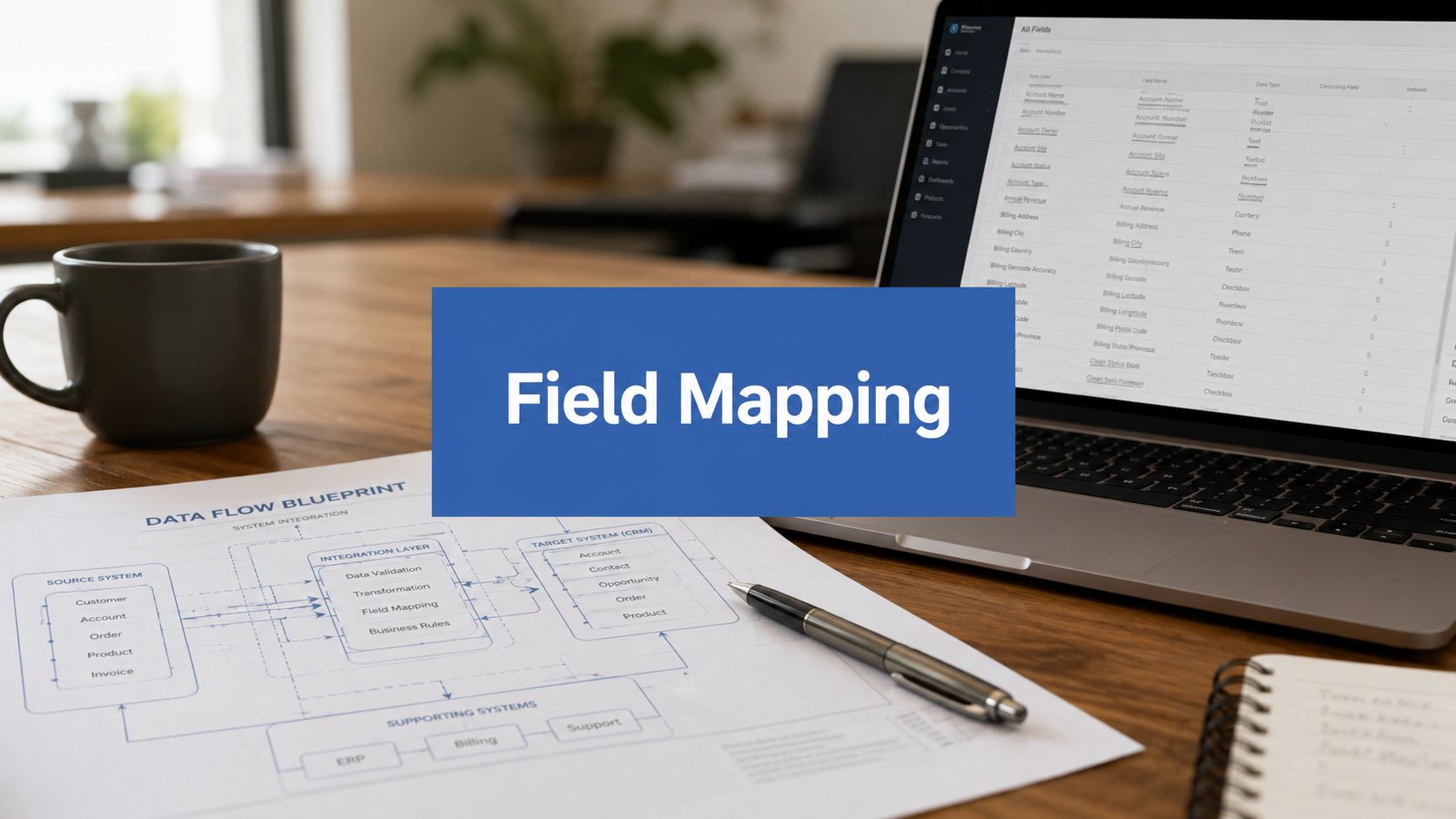
You’re probably in the middle of it right now. Marketing launched a campaign from HubSpot. Sales is working opportunities in Salesforce. Account Engagement is scoring prospects. Then the questions start: why is lead source blank, why did a lifecycle stage overwrite a rep-owned field, and why doesn’t the dashboard match what finance sees?
That usually isn’t a campaign problem. It’s a mapping problem.
In B2B RevOps, field mapping inside Salesforce and across the rest of the stack decides whether your systems behave like one revenue engine or a pile of disconnected apps. Clean routing, usable attribution, dependable forecasting, territory planning, segmentation, and automation all depend on one thing. The same business data has to mean the same thing everywhere it appears.
Why Strategic Field Mapping is Your RevOps Bedrock
Groups often first meet field mapping salesforce work during an integration or migration. They treat it like setup admin. Match First Name to First Name. Company to Company. Job done.
That mindset creates expensive downstream issues. A field map is really a business rules document expressed in system logic. It defines what data matters, where it lives, who owns it, and which platform wins when values conflict. If that logic is weak, your reporting and execution will be weak too.
The single source of truth is built, not declared
A single source of truth doesn’t appear because leadership says it should. Ops teams have to design it. In practice, that means deciding whether Salesforce owns opportunity data, whether HubSpot owns pre-MQL engagement data, and whether Account Engagement should write to lead or contact records in specific scenarios.
When those ownership rules aren’t explicit, three failures show up fast:
- Lead routing breaks: Reps receive records with partial or conflicting qualification data.
- Attribution turns noisy: Campaign and source fields don’t stay consistent through conversion.
- Segmentation degrades: Marketing builds lists from fields that sales doesn’t trust.
Field mapping isn’t about moving values between systems. It’s about preserving meaning across systems.
The broader organisational lesson is the same one that shows up in many insights on digital transformation. Technology only improves performance when the underlying process is designed clearly enough for systems and people to follow it consistently.
Revenue operations runs on trusted definitions
If “customer”, “qualified lead”, “active territory”, or “partner sourced” mean different things in Salesforce, HubSpot, and MCAE, your dashboards will keep arguing with each other. Teams often blame sync tools when the underlying problem is unresolved business logic.
Strategic mapping fixes that at the root. It forces decisions on naming, ownership, allowed values, sync direction, and exception handling before the systems go live. That’s why mature RevOps teams treat mapping as part of GTM architecture, not admin clean-up.
Building Your Pre-Mapping Blueprint
The fastest way to create data chaos is to start mapping before you audit the stack. Teams often open the connector, click auto-map, and assume they can tidy the exceptions later. Later usually becomes a backlog of broken automations, duplicate fields, and reporting disputes.
A proper blueprint starts before any sync rule is published.

Audit the systems before you touch the connector
Start with Salesforce, HubSpot, and Account Engagement as separate audits. Don’t ask only which fields exist. Ask which fields are still used by process, automation, reporting, and teams.
A useful pre-mapping audit checks for:
- Duplicate intent: Two or more fields trying to hold the same business concept, such as
Lead_Source__c,Original_Lead_Source__c, and a HubSpot source property. - Unused baggage: Legacy fields left behind from prior implementations, acquisitions, or abandoned campaigns.
- Type conflicts: Text in one platform, picklist in another, date in one place but string in another.
- Hidden dependencies: Validation rules, workflows, reports, territory logic, lead scoring, or integrations that rely on a field nobody wants to own.
A thorough pre-mapping audit that identifies duplicates and unused fields can reduce post-deployment reconciliation time by 40% according to MarCloud’s HubSpot Salesforce field mapping guidance. That matters because reconciliation work is where many integrations lose stakeholder trust.
Build a field mapping template that people can govern
Your mapping template is the operating document. If the team can’t read it and make decisions from it, it’s not good enough. Spreadsheets are still fine, provided they’re structured like a data dictionary and maintained like one.
Include these columns at a minimum:
| Column | What it should capture |
|---|---|
| Business meaning | Plain-language definition of the field |
| Source system | Salesforce, HubSpot, MCAE, Service Cloud, Revenue Cloud, or another app |
| Source field API name | The exact technical field identifier |
| Target system | Where the data needs to land |
| Target field API name | Exact destination identifier |
| Data type | Text, number, picklist, date, checkbox, currency, etc. |
| Allowed values | Especially important for picklists and status fields |
| Sync direction | One-way, two-way, or conditional |
| System of record | Which platform wins when values differ |
| Owner | Team or person responsible for changes |
| Notes | Conversion logic, exceptions, validation, dependencies |
Get agreement on ownership before build
Unresolved field ownership disputes determine whether projects become stable or fragile. Different teams will assume ownership over the same field unless someone resolves it. Marketing may want to update lifecycle stage. Sales may want to protect qualification fields. RevOps may need Salesforce to remain authoritative once a record reaches opportunity stage.
Use a short decision model:
- Which system creates the value first?
- Which team is accountable for quality?
- Which system should overwrite conflicts?
- Which automations depend on this field later?
Practical rule: If you can’t name the system of record and the business owner for a field, don’t map it yet.
Capture state and territory logic early
This matters more than teams expect. Salesforce Maps relies on accurate CRM record data flowing into the mapping layer, including geocoded address data and correctly populated state values. For California operations, records tied to the state need identifiers such as CA or California to display correctly on maps, and Salesforce Maps supports layering records against CBSA and metropolitan areas for more precise territory analysis, as described in this overview of Salesforce Maps.
That’s not just a field service concern. Sales operations, GTM engineering, and location-based marketing all depend on the same discipline. If address and region fields are loosely managed, downstream territory analytics won’t be reliable.
Executing Core Field Mapping and Data Transformations
Once the blueprint is approved, execution becomes a translation job. You’re taking business meaning from one system and making sure the destination system can store, interpret, and use it correctly. That sounds straightforward until labels look similar, data types disagree, and a migration tool auto-maps the wrong thing.

Use API names, not field labels
In Salesforce, labels are for humans. API names are for system reliability. During Data Loader work, CSV headers should use field API names rather than field labels because the tool matches based on the first row. If you rely on labels, especially in orgs with similar custom naming, you increase the chance of bad matches and hidden errors.
That’s one reason technical migration work should be documented alongside practical execution steps, especially if your team is using Salesforce Data Loader workflows for imports, updates, or backfills.
Validate type compatibility before migration
A mapping can look correct and still fail functionally. Text to number, string to date, or mismatched account models create issues that don’t always surface immediately. In Account Engagement and Salesforce, mismatched data types can fail undetected. In migration projects, they often produce partial records that users only notice later.
Use this quick review before any load:
- Match like to like: Text to text, number to number, checkbox to checkbox whenever possible.
- Check length limits: The destination field’s character limit should be equal to or greater than the source field.
- Normalise values before load: Don’t move free-form source data into a controlled destination without cleaning it.
- Validate account model fit: Person Account and Business Account mappings need explicit review.
Approximately 15% of unvalidated data migration projects experience data truncation or loss when target field character limits aren’t respected, and using an “X” prefix to exclude fields from mapping can reduce accidental sync errors by 22% in test environments, based on the Trailblazer Community reference on field mapping practice here.
If your migration plan doesn’t include character-limit checks, you’re accepting silent data loss as a project risk.
Treat transformation rules as part of mapping
A lot of field mapping salesforce work fails because teams think transformation belongs later. It doesn’t. If one source stores country names and another expects ISO-style codes, that transformation belongs inside the mapping design. Same if a revenue band needs to become a picklist, or a free-text state field needs to be standardised before Salesforce Maps can use it.
This is also where enrichment and external data handling matter. If GTM teams are pulling records from enrichment workflows, intent platforms, or a web scraping api, they need normalisation rules before that data touches Salesforce. Otherwise, the connector just moves inconsistency faster.
Mapping Advanced Salesforce Fields
Standard fields rarely kill a project. Advanced field types do. Picklists, record types, formula fields, and account-model edge cases all require deliberate mapping logic because they carry business process rules, not just stored values.
Picklists need exact value discipline
Picklists are unforgiving across systems. “VP Sales” and “Vice President of Sales” may mean the same thing to a human, but integrations don’t infer intent. They compare actual values.
Expert audits show that Salesforce-to-HubSpot field mapping success rates fall from 94% to 68% when picklist values don’t match exactly between the two platforms, according to the verified benchmark noted earlier. That gap is why experienced RevOps teams maintain a controlled value matrix for lifecycle stage, lead status, segment, region, source, and handoff fields.
A practical approach looks like this:
- Define the master value list in one system.
- Document every allowed equivalent in the other system.
- Remove near-duplicates before sync is enabled.
- Test updates in both directions before publishing to production.
Record types should shape mapping logic
Record types aren’t just page layout organisers. They often separate business motions such as SMB versus Enterprise, direct versus partner-led, or net new versus expansion. If your field mapping ignores record type context, data may sync technically but land in the wrong operational path.
For example, a lead field that maps cleanly for one record type may produce confusion for another if required values, page rules, and downstream automation differ. This is especially common when one team uses a generic field and another uses process-specific values tied to qualification or routing.
Advanced mapping starts with one question: does this field behave the same way across all record types? If the answer is no, don’t force a universal rule.
Formula fields are outputs, not destinations
Formula fields often confuse stakeholders because they look like ordinary fields on a layout or report. They aren’t. In Salesforce, formula fields are read-only calculations. You can’t map data into them as if they were writable targets.
The workaround is usually simple. Map the source fields that feed the formula, not the formula field itself. If a formula calculates customer tier from annual revenue and employee count, then those two source fields are the integration targets. The formula can continue doing its job inside Salesforce.
This is also where impact awareness matters. A small change to a source field may alter routing, dashboards, scoring, or approvals if formulas depend on it. Before changing advanced mappings, review every automation and report that uses the underlying value.
Integrating Your MarTech Stack
Most data issues don’t originate inside one platform. They appear at the hand-off points between Salesforce, HubSpot, and Account Engagement. Each tool has different sync assumptions, different object models, and different ideas about which value should win.
That’s why cross-platform field mapping needs architecture, not just configuration.
Salesforce and HubSpot need explicit sync direction
In the native HubSpot connector, the biggest strategic decision isn’t whether a field can sync. It’s how it should sync. One-way sync makes sense when a single platform is clearly authoritative. Two-way sync can work for selected shared fields, but only when the values and ownership model are tightly controlled.
A broad rule set helps:
- One-way from HubSpot to Salesforce: Early funnel enrichment, original campaign responses, marketing subscription metadata.
- One-way from Salesforce to HubSpot: Opportunity stage, account ownership, customer status, closed revenue context.
- Two-way with caution: Contact details that both teams maintain and that have clear conflict rules.
If your team is configuring or cleaning up this connector, a practical reference point is this guide to HubSpot Salesforce integration.
Account Engagement adds hierarchy and sync nuance
MCAE doesn’t behave exactly like HubSpot because it sits closer to Salesforce’s CRM structure. Prospect fields must be mapped with explicit source and destination rules, and data type mismatches create a harder operational problem because they often fail without clear indication rather than with explicit errors.
In B2B environments, mismatched data types between Account Engagement and Salesforce can cause silent sync failures that block 30–45% of lead conversions if automated validation rules aren’t in place, according to Salesforce’s marketing operations guidance on field and process discipline.
That changes how you design the hierarchy. If Salesforce should remain authoritative after a lead becomes sales-owned, choose sync behaviour that protects CRM-owned values. If marketing should keep managing pre-handoff profile completeness, keep those fields controlled upstream and stop the overwrite once a rep begins active qualification.
Example Salesforce to HubSpot field mapping
Below is a simple comparison model that reflects common B2B GTM patterns.
| Salesforce Field (API Name) | HubSpot Property | Data Type | Recommended Sync Direction |
|---|---|---|---|
FirstName |
First name | Text | Two-way |
LastName |
Last name | Text | Two-way |
Email |
Text | Two-way | |
LeadSource |
Original source detail | Picklist/Text | One-way to Salesforce or one-way to HubSpot, depending on system of record |
Lifecycle_Stage__c |
Lifecycle stage | Picklist | One-way from system of record |
OwnerId |
Contact owner | Reference/Text | One-way from Salesforce |
Company |
Company name | Text | Two-way with rules |
Job_Title__c |
Job title | Text | Two-way |
Country__c |
Country/region | Text or dropdown | One-way after normalisation |
Annual_Revenue__c |
Annual revenue | Number | One-way from Salesforce |
This table is intentionally conservative. It avoids assuming every field should be bi-directional. That’s where many teams get into trouble.
Common integration decisions that deserve pushback
Some mapping choices look efficient but create long-term instability.
Auto-mapping everything. Useful for initial discovery, dangerous as a production decision. It links fields by name, not by business intent.
Using duplicate lifecycle fields. If Salesforce and HubSpot each keep their own version without one declared owner, conversion reporting becomes a negotiation exercise.
Ignoring account object differences. HubSpot company properties don’t always map neatly to Salesforce account logic, especially in orgs that use Person Accounts or custom account processes.
Forgetting campaign attribution design. If your source and campaign fields aren’t mapped consistently from first touch through opportunity, reporting suffers later. Salesforce Campaign Influence defaults to a 90-day attribution window and can be configured to 365 days. The verified note provided for this topic states that California-region B2B companies using the default window underreport marketing-driven revenue by 22% compared with teams that extend the window to fit their sales cycles, according to Salesforce Ben’s marketing ops overview. Whether or not that exact scenario applies to your business, the operational lesson is the same. Attribution windows and mapped campaign fields must reflect actual buying cycles.
Bring GTM engineering data in carefully
As teams add enrichment and targeting tools, mapping complexity rises. Clay workflows, ZoomInfo exports, routing logic, and territory overlays can all improve coverage and prioritisation, but only if the destination schema is clean. If you’re extending list-building or enrichment with tools such as Clay, decide before launch which fields are enrichment-only, which become user-editable, and which values should never overwrite sales-owned data.
The connector can’t make that call for you. RevOps has to.
Validating and Governing Your Data Strategy
A field mapping project isn’t finished when records start syncing. That’s the point when significant risk begins. Once users trust the integration, bad logic spreads faster because nobody questions the output until revenue reporting, routing, or forecasting starts drifting.

Validate with records, reports, and edge cases
Start with controlled test records across all major paths. New lead, converted lead, contact update, account sync, opportunity creation, and closed-won update. Then check the result in every connected system, not just the source.
Validation should include:
- Record-level review: Confirm values landed in the correct fields with the expected formatting.
- Exception testing: Try blank values, unusual picklist inputs, long strings, and state or country variants.
- Reporting checks: Build simple Salesforce reports for null values, failed ownership assignments, and unexpected value combinations.
- Security checks: Confirm field-level security doesn’t block a required sync or expose a field to users who shouldn’t edit it.
Governance keeps today’s clean map from becoming next year’s clean-up
Most data debt starts with a well-meaning shortcut. A new field gets added without reviewing existing schema. A sync rule is changed to satisfy one campaign. A sales team requests an override that never gets documented.
That’s why you need a lightweight governance model. Not bureaucracy. Just controlled change.
A durable governance process usually includes:
- A request path for new fields and sync changes.
- An owner for each critical object and field family.
- Scheduled reviews of mappings, validation rules, and automations.
- Documentation updates whenever business logic changes.
High-performing RevOps teams also review territory performance monthly and rebalance quarterly using data such as opportunity value and account density, according to these Salesforce data mapping best practices. That only works when the underlying mapped fields remain accurate and governed over time.
Governance is what turns a successful implementation into a reliable operating system.
For teams formalising this process, these data governance best practices are a useful model for managing ownership, access, and change control without slowing the business down.
If your Salesforce, HubSpot, and MCAE stack is producing conflicting reports, brittle automations, or unreliable handoffs, MarTech Do can help you fix the root cause. The team audits your schema, clarifies system ownership, rebuilds field mapping logic, and implements integrations that support clean attribution, dependable routing, and scalable RevOps operations.