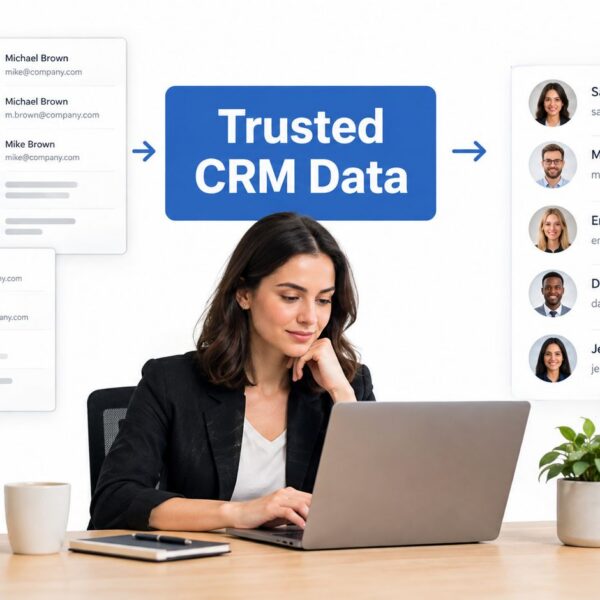
You’re probably in this situation already. Salesforce says pipeline is healthy, HubSpot says conversion is slipping, and the leadership slide deck still depends on someone stitching exports together in a spreadsheet the night before the meeting.
That’s usually the point where companies start looking for a RevOps provider to build a unified dashboard. The mistake is assuming the dashboard itself is the product. It isn’t. The true product is a governed reporting system that can survive custom Salesforce objects, HubSpot lifecycle drift, duplicate records, inconsistent campaign naming, and handoff gaps between marketing, sales, and customer success.
When clients ask me how to evaluate RevOps providers for unified dashboards, I push the conversation away from chart design and towards integration logic, data ownership, and operational fit. A dashboard only helps if your team trusts it enough to run pipeline reviews, attribution decisions, and forecast conversations from it.
Beyond Pretty Charts The Strategic Case for Unified Dashboards
A fragmented reporting setup usually looks fine until someone asks a basic question. Why does sourced pipeline in Account Engagement not match the opportunity numbers in Salesforce? Why does the sales team trust HubSpot activity reports but ignore the executive dashboard? Why are service handoffs tracked in one place and revenue goals in another?

A unified dashboard matters because it gives leadership one operating view across the revenue journey. In a Salesforce and HubSpot stack, that usually means connecting campaign engagement, lead status, lifecycle progression, pipeline movement, and customer handoffs without forcing teams to live in separate reporting environments.
What leadership actually needs
The strategic value isn’t “better charts”. It’s faster alignment.
If marketing is measuring MQL volume, sales is measuring stage progression, and customer success is measuring renewals in a separate reporting layer, each team can still look successful while the business misses its revenue goals. A unified dashboard forces a shared language around pipeline health, attribution, conversion trends, and accountability.
For teams thinking beyond basic reporting, resources on advanced analytics for marketing ROI can be useful because they show how reporting becomes more valuable when channel, pipeline, and revenue signals are analysed together rather than in isolation.
Practical rule: If a provider starts with chart mockups before asking how your Salesforce and HubSpot definitions differ, they’re solving the wrong problem.
Independent RevOps case material reports that stack consolidation, documented playbooks, and unified dashboards were associated with a 25% reduction in sales cycles and a 30% expansion in pipeline over 12 months in this RevOps as a service analysis. That matters, but only when the provider can connect reporting to operating changes such as cleaner stage definitions, stronger handoffs, and better visibility into stalled deals.
What good providers do differently
The right provider treats dashboards as an outcome of RevOps discipline, not a design exercise.
That means they’ll ask about:
- System boundaries. Which fields live in Salesforce, which belong in HubSpot, and where attribution logic is calculated.
- Operational usage. Who uses the dashboard weekly, monthly, and in forecast reviews.
- Metric trust. Which numbers your leadership team debates today.
- Data ownership. Who approves lifecycle changes, field updates, and reporting definitions.
If you want a deeper view of that operating model, MarTech Do has a useful perspective on how RevOps services standardise reporting in 2026.
Assess Core Technical and Integration Capabilities
The first hard test is simple. Can the provider work with your stack as it exists?
A lot of RevOps vendors say they support Salesforce and HubSpot. That statement is too vague to be useful. Support can mean anything from a shallow connector that pulls standard objects into a BI layer, to a well-architected integration model that can handle custom objects, custom properties, lead-to-contact conversion quirks, campaign influence rules, and sync dependencies across multiple systems.

Ask about the plumbing, not the presentation
A provider should be able to explain, in plain language, how data moves from source systems into the dashboard environment.
Ask these questions directly:
-
Which Salesforce objects do you support out of the box?
Don’t stop at leads, contacts, accounts, and opportunities. If you use Service Cloud or Revenue Cloud processes, ask how those records appear in the reporting layer. -
How do you handle HubSpot custom properties and lifecycle history?
Mature HubSpot instances usually carry years of field sprawl, archived properties, and workflow-driven updates. -
What’s your sync method?
You want to know whether the architecture is API-first, event-driven, warehouse-based, or dependent on fragile exports. -
How do you deal with custom fields and object relationships?
Many dashboard projects often fail due to these complexities. Standard demos rarely show the complexity of a real B2B stack.
Evaluate latency like an operator
Reporting delays create bad decisions. A dashboard that refreshes too slowly for your pipeline cadence will be ignored, even if the visuals are strong.
A key evaluation point is how providers handle real-time data latency. A provider can be excellent at CRM-to-dashboard reporting yet fail if they can’t define refresh SLAs, reconcile conflicting metrics, and explain tradeoffs between near-real-time reporting and governed data pipelines, as discussed in this RevOps best practices article.
The question isn’t whether the dashboard is “real time”. The question is whether it updates fast enough for the decisions your team actually makes.
For buyers comparing platforms more broadly, this guide to evaluating business analytics tools is worth reviewing because it sharpens the distinction between software capability and business usability.
What to listen for in vendor answers
Strong providers sound specific. Weak providers stay abstract.
Here’s a quick comparison:
| Area | Strong answer | Weak answer |
|---|---|---|
| Salesforce support | Explains object coverage, custom object handling, and relationship mapping | “We integrate with Salesforce” |
| HubSpot support | Describes property mapping, lifecycle logic, and workflow impact | “HubSpot is a native connector” |
| Sync design | Defines cadence, failure handling, and retry logic | “Data updates automatically” |
| API constraints | Acknowledges rate limits and scaling considerations | Avoids the topic |
| Error handling | Shows how records are flagged, logged, and reviewed | Says issues are “rare” |
If a provider can’t walk you through failed sync behaviour, duplicate prevention, or field-mapping governance, they’re not ready for a production reporting system.
Scrutinize the Data Model and Governance Framework
Most unified dashboards fail for one reason. The provider connected the systems, but never standardised the meaning of the data.
This is the part buyers underestimate. They assume the main risk sits in integrations. In practice, the larger problem is definitional chaos. Salesforce may define a qualified opportunity one way, HubSpot may assign lifecycle stages another way, and Account Engagement may still be writing legacy statuses into fields nobody has cleaned up.
Governance is the product
A 2024 Forrester Revenue Operations Survey found that 38% of leaders cite data accuracy and quality as a top challenge in this summary of RevOps platform comparisons. That should shape your buying criteria immediately. A provider isn’t credible if they can show a polished dashboard but can’t explain field mapping, sync conflict resolution, and validation rules.
A real unified dashboard needs one shared reporting schema. That includes:
- Lifecycle definitions that don’t change by team
- Stage logic that matches sales process reality
- Ownership rules for leads, contacts, accounts, and opportunities
- Attribution inputs that are consistent enough to support analysis
- Exception handling when records don’t map cleanly
If your team needs to tighten this foundation before a dashboard project, MarTech Do’s guide to data governance best practices is a useful reference point.
What to inspect in discovery
A mature provider should be comfortable auditing messy data. They shouldn’t pretend your source systems are cleaner than they are.
Industry guidance notes that data completeness often starts around 60-70% during discovery in this RevOps best practices article. That’s why governance work matters so much. Your evaluation should focus on whether the provider can improve completeness, standardisation, and trust without forcing a full stack rewrite.
Ask for concrete walkthroughs of these areas:
- Field mapping logic. Which source wins when Salesforce and HubSpot disagree?
- Validation controls. How do they stop bad values from flowing into reporting?
- Duplicate handling. How are records merged, suppressed, or flagged?
- Auditability. Can someone trace a dashboard number back to source fields?
- Definition management. Who approves changes to MQL, SAL, SQL, or opportunity stages?
A dashboard can look consistent while hiding inconsistent definitions underneath. That’s worse than having no dashboard at all, because leadership starts making decisions with false confidence.
What doesn’t work
Some providers rely on a thin transformation layer and hope the dashboard can smooth over source-system inconsistency. It can’t.
Others overload the dashboard with too many metrics. That usually lowers adoption because teams stop using it for decisions and start treating it as a reporting archive. Mature unified dashboards stay disciplined. They include decision-oriented measures such as pipeline health, conversion trends, SLA adherence, stage velocity, and stuck-deal analysis, all built on shared definitions rather than department-specific logic.
Validate Capabilities with a Structured Proof of Concept
You don’t learn much from a generic demo. You learn a lot from your own data.
If you want to know how to evaluate RevOps providers for unified dashboards, insist on a proof of concept that runs inside your environment, against your CRM structure, with read-only access at the start. That changes the conversation from promises to evidence.

A rigorous way to evaluate providers is to run a 30-day proof of concept against your own CRM data, starting with a baseline audit of field completeness. The benchmark is whether the provider can show end-to-end production readiness in your environment in under 30 days, as outlined in this RevOps platform evaluation guide.
A practical PoC structure
Use a time-boxed model with clear outputs.
Days 1 to 2
The provider connects in read-only mode and audits your baseline field completeness. This audit uncovers missing owner values, broken lifecycle paths, blank campaign source fields, and object mismatches between Salesforce and HubSpot.
Week 2
Test enrichment or transformation logic on a controlled sample. One vendor checklist recommends a sample of 500 accounts in the same evaluation guide linked above. That’s useful because it shows whether the provider can improve data quality without introducing noise.
Week 4
Review a working dashboard built on your actual reporting priorities. Don’t ask for ten tabs. Ask for a small operating set your team would really use in pipeline review, marketing-to-sales handoff review, or attribution review.
For teams that need internal alignment before launching a trial, this explainer on what a proof of concept means can help frame expectations with leadership.
Define pass and fail before the PoC starts
Most PoCs go soft because nobody agrees on success criteria.
Use a short checklist:
- Data quality improvement. Did completeness and consistency improve in the tested dataset?
- Integration stability. Were sync issues visible, documented, and recoverable?
- Usability. Could sales, marketing, and RevOps read the dashboard without extra interpretation?
- Production readiness. Did the provider show a realistic path from prototype to governed rollout?
- Operational fit. Did the provider adapt to your process, or try to force a generic template?
If the vendor resists a structured PoC, that’s a signal by itself. Providers who can really deliver usually welcome a controlled test.
Build Your Evaluation Scorecard and RFP
A good selection process needs structure. Without it, the most polished demo usually wins.
The cleanest approach is to combine an RFP with a weighted scorecard. The RFP surfaces technical and operational detail. The scorecard turns those answers into a decision your leadership team can defend.
RFP questions that expose the real differences
Use questions that force precision.
-
Integration scope
Which Salesforce clouds, standard objects, custom objects, HubSpot hubs, and custom properties can you support in production today? -
Data architecture
How is data ingested, transformed, stored, and refreshed? Describe failure handling and reconciliation processes. -
Governance model
How do you standardise lifecycle stages, ownership rules, handoff SLAs, and reporting definitions across systems? -
Dashboard design approach
How do you determine which metrics belong in an executive view versus an operational team view? -
Implementation method
What does discovery, design, validation, and rollout look like in practice? -
Operating support
Who maintains mappings, metric definitions, and dashboard changes after go-live? -
Security and access
How are permissions, read-only access, and environment separation handled? -
Commercial fit
Is pricing tied to data volume, seats, systems, services, or support tiers?
One option in this category is MarTech Do, which works on Salesforce, HubSpot, and MarTech integrations for unified RevOps reporting and system audits. Whether you choose an agency, consultancy, or software-led provider, the evaluation logic should stay the same.
Sample RevOps Provider Evaluation Scorecard
Build the scorecard around your actual risk areas. If your CRM data is messy, governance should carry more weight than UI polish. If you already have a strong data model, implementation speed may matter more.
| Evaluation Criterion | Weight (1-5) | Provider A Score (1-5) | Provider A Weighted Score | Provider B Score (1-5) | Provider B Weighted Score |
|---|---|---|---|---|---|
| Salesforce and HubSpot integration depth | 5 | ||||
| Custom object and field support | 5 | ||||
| Data governance framework | 5 | ||||
| Metric definition discipline | 4 | ||||
| Refresh SLA clarity | 4 | ||||
| Error handling and auditability | 5 | ||||
| PoC quality and realism | 4 | ||||
| Dashboard usability for leadership | 3 | ||||
| Change management and training | 3 | ||||
| Commercial fit and flexibility | 3 |
How to use the scorecard well
Keep the scoring process small and disciplined.
A practical approach is:
- Have separate reviewers from RevOps, sales operations, and marketing operations complete scores independently.
- Compare score gaps. If one team loves a vendor and another distrusts the governance model, that tension matters.
- Use written evidence. Every score should reference a demo answer, architecture note, PoC result, or RFP response.
- Treat vague answers as lower confidence. If a vendor can’t answer clearly, don’t score them generously because the pitch felt strong.
A scorecard won’t make the decision for you, but it will stop the process from drifting into opinion.
Common Red Flags and Making Your Final Decision
The last step is less about features and more about behaviour.
Providers reveal a lot during selection. The strongest ones don’t oversimplify your environment, and they don’t pretend Salesforce and HubSpot reporting problems disappear once data lands in a dashboard tool.
Red flags worth taking seriously
Watch for these patterns:
-
They lead with visuals and avoid data questions
If a demo spends most of its time on colours, filters, and executive screenshots, the team may not be equipped for source-system cleanup. -
They can’t explain metric conflicts
If sourced pipeline, influenced pipeline, and created opportunity numbers differ, the provider should explain why and how definitions are controlled. -
They resist using your own data
A vendor that won’t run a sandboxed or read-only proof of concept is asking you to buy on faith. -
They promise a single source of truth without naming owners
Truth in reporting comes from governance. Someone has to own definitions, approvals, and exceptions. -
They push a stack rewrite too early
Sometimes stack change is justified. But many providers recommend replacing tools when the underlying issue is poor process design or weak field governance.
What good final-stage conversations sound like
The right partner usually asks uncomfortable but useful questions.
They’ll want to know where lead status breaks, which Salesforce fields sales reps ignore, how HubSpot workflows overwrite ownership, what service data leadership wants to see, and which dashboard metrics people already distrust. That’s a better signal than a polished generic pitch.
Choose the provider who makes your reporting model clearer during the sales process, not the one who makes the demo look easiest.
Final decision checklist
Before you sign, confirm that the provider has done all of this:
- Mapped your real systems rather than a simplified version of them
- Defined governance responsibilities for metrics, fields, and handoffs
- Shown a credible implementation path from audit to production use
- Proved capability with your own data
- Matched the dashboard design to operating decisions, not just executive preferences
- Answered technical questions plainly, without hiding behind product marketing
The best unified dashboard provider isn’t the one with the nicest interface. It’s the one that helps your team trust the numbers enough to run the business from them.
If your team is weighing RevOps providers and needs a grounded view of what your Salesforce, HubSpot, and reporting stack can support, MarTech Do can help assess the architecture, governance gaps, and implementation path before you commit to a vendor.