A RevOps team usually reaches the same moment sooner or later. Someone wants to test a new lead-routing rule, connect Salesforce to a GTM tool, install an AppExchange package, or trial AI features. Everyone agrees the idea is promising. No one wants that experiment touching the live org.
That’s where Salesforce Developer Edition stops being a nice-to-have and becomes operationally necessary. If your team works in Sales Cloud, Service Cloud, Account Engagement, Revenue Cloud, HubSpot, or a mixed MarTech stack, you need a safe place to build, break, validate, and learn without putting production data, automation, or reporting at risk.
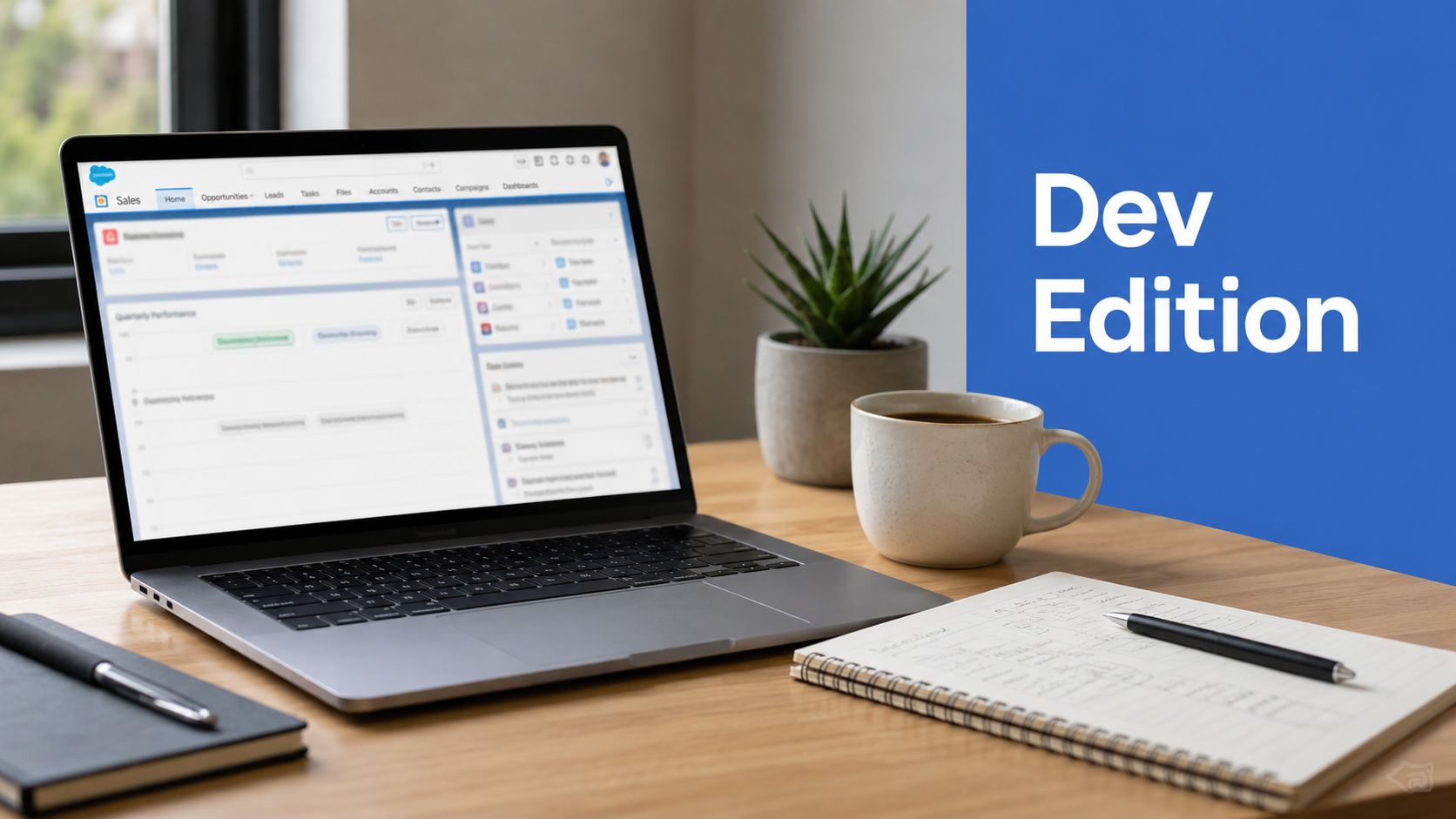
Your Free Salesforce Innovation Lab
A common scenario looks like this. Marketing wants to enrich inbound leads before assignment. Sales ops wants to test a new qualification path. RevOps wants to validate whether a GTM workflow should run in Flow, through an external integration, or somewhere in between. The work is urgent, but production is the worst place to “see what happens”.
A Salesforce Developer Edition org gives teams a separate place to try the build first. That matters because the Salesforce ecosystem is large, still growing, and increasingly tied to specialist workflows across ops, data, and AI. Industry figures referenced in Salesforce Trailhead note that Salesforce annual revenue reached $34.9 billion in 2023, up from $31.4 billion in 2022, and Salesforce-related jobs are projected to exceed 9 million by 2026 worldwide according to Trailhead’s cited ecosystem figures.
For RevOps leaders, the practical takeaway isn’t just ecosystem size. It’s that the platform now supports a broad enough range of CRM, data, and AI work that teams need an environment dedicated to experimentation.
A production org is for running revenue operations. A developer org is for finding out whether an idea deserves to become part of revenue operations.
That’s also why the mindset matters. Strong teams don’t overbuild first. They test the smallest useful version of the workflow, integration, or automation. If your team needs a useful framing for that discipline, this guide to understanding minimum viable product is worth applying to Salesforce work too. The same logic that shapes product development also improves CRM experimentation.
Used properly, Developer Edition becomes your free innovation lab. It’s where you validate an object model, confirm an API payload, pressure-test a routing concept, and teach a new hire how the platform behaves before anything goes near customer-facing systems.
What Is a Salesforce Developer Edition Org
A Salesforce Developer Edition org is a free, full-featured Salesforce environment built for development and testing. It’s a standalone org, not a copy of your production instance. That distinction shapes how you should use it.

Think workshop, not factory replica
The simplest analogy is this. A Developer Edition org is your personal workshop. It has the tools you need to build something from scratch, test ideas, and learn how parts fit together.
A sandbox serves a different purpose. That’s closer to a controlled copy of your existing factory floor, where you test changes that are meant to return to production. If your team confuses those two environments, you’ll make poor choices about where to prototype.
Salesforce’s March 2025 announcement says the new Developer Edition includes Agentforce and Data Cloud, and that the org can support up to 3,000 custom objects and up to 900 custom fields installed from AppExchange according to the Salesforce Developer blog announcement.
Why RevOps teams should care
For a RevOps or MarTech team, that feature set is more important than the “developer” label suggests. You don’t need to be writing complex code every day to benefit from it.
Developer Edition is useful when you need to:
- Model a new process such as lead qualification, handoff, or lifecycle progression.
- Test package behaviour before anyone installs it in a live environment.
- Prototype AI and data use cases using the newer Agentforce and Data Cloud capabilities.
- Train operators and admins in a space where mistakes don’t interrupt actual selling or service work.
It also helps create a stronger hiring and capability lens. Teams evaluating admin and developer talent often need clarity on what practical Salesforce work really involves, and this overview of Government Salesforce developer positions is a useful reference point because it shows the kinds of responsibilities organisations attach to Salesforce development in more structured environments.
Practical rule: If the work is exploratory, isolated, or educational, start in Developer Edition before you involve a production-connected environment.
Choosing Between Developer Edition and Sandboxes
The wrong environment creates avoidable rework. RevOps teams usually feel this when they either prototype in production-adjacent systems too early, or build in an isolated org and then realise they needed real metadata context from the main business org.
Here’s the clean way to think about it.
The decision table
| Environment | Primary Use Case | Data Source | Connection to Production | Cost |
|---|---|---|---|---|
| Developer Edition | Net-new prototyping, learning, package evaluation, isolated integration testing | Standalone org with its own setup and sample or mock data | No direct connection as a copy of production | Free |
| Developer Sandbox | Testing configuration and code against production-like metadata in a lightweight environment | Copied from production structure with limited data handling | Directly tied to a production org as a sandbox | Paid Salesforce environment |
| Developer Pro Sandbox | Similar to Developer Sandbox, with more room for extended build and test work | Production-derived sandbox environment | Directly tied to a production org | Paid Salesforce environment |
| Partial Copy Sandbox | Testing with a selected subset of production data and metadata | Partial production copy | Directly tied to a production org | Paid Salesforce environment |
| Full Sandbox | Broad end-to-end validation with production-like data and setup | Full production copy | Directly tied to a production org | Paid Salesforce environment |
What matters most in practice
Developer Edition wins when isolation is the point. If you want to test an API connection, evaluate a package, try a new data model, or let a team member learn Flow safely, a standalone org is often the cleanest option.
Sandboxes win when production context matters. If your team needs to test against existing page layouts, profiles, custom objects, record-triggered automations, or deployment pathways tied to your main Salesforce setup, a sandbox is usually the right place.
That distinction matters a lot in RevOps work because many failures aren’t functional failures. They are context failures. The logic may work perfectly in isolation and still fail once it meets production naming conventions, validation rules, permissions, managed packages, or inherited process complexity.
A simple decision filter
Use Developer Edition when the question is:
- Can this work at all
- What should the object model or flow look like
- Does this integration authenticate and move the right fields
- Can a new team member learn this process safely
Use a sandbox when the question is:
- Will this work with our real metadata and governance setup
- Does this change behave correctly beside existing automation
- Can we validate deployment and user acceptance
- Do we need production-like testing conditions
If your team needs a practical refresher on sandbox access and environment handling, this guide to Salesforce sandbox login is a useful companion.
Your Step-By-Step Setup Process
A RevOps team usually realizes they need a Developer Edition org at the worst possible moment. Someone wants to test a new enrichment tool, check an API payload, or prototype a routing flow before the next pipeline review. If the org is not already set up properly, the team loses a day to avoidable admin work.

Start with the signup flow
Create the org through Salesforce’s standard Developer Edition signup path, then activate it as soon as the email arrives. Delayed activation sounds minor, but it creates friction later when someone needs access quickly and no one remembers which inbox received the original message.
Keep the setup simple. The goal at this stage is to get a clean, working org online fast, then shape it for the specific experiment your team wants to run.
Do these four things first
-
Set a strong password and store it properly
Treat the org like a real system, not a throwaway trial. Store credentials in your team’s password manager, and turn on the access controls you would expect for any shared platform. -
Assign clear ownership
Every Developer Edition org needs a named owner. If the org supports team testing, document who controls admin access, where recovery emails go, and who is responsible for connected apps and package installs. -
Write a short setup brief
Record the purpose of the org before people start building. For RevOps and MarTech teams, that usually means defining the objects, fields, sample records, automations, and external tools involved. A one-page note prevents the common problem where an org starts as an integration test bed and turns into a random collection of half-finished experiments. -
Load only the data you need
Start with a small, intentional dataset that reflects the use case you are testing. If you are checking lead routing, campaign attribution, or contact enrichment, a focused sample is usually better than dumping in thousands of records. If your team needs a structured import method, this guide to Salesforce Data Loader for sample record imports is a practical reference.
Configure the org for the work, not for theory
A Developer Edition org is most useful when it mirrors the problem you are trying to solve. If the team is testing a Clay connection, create the fields and objects that the integration needs. If the goal is to prototype GTM automation, set up the minimum Flow logic, validation rules, and test records required to see how the process behaves.
That discipline matters. A clean org gives better answers than a cluttered one.
Name the org clearly, document what it is for, and decide what does not belong in it. Teams that do this early get a reliable test environment for API work, package evaluation, and automation design. Teams that skip it usually end up rebuilding the org once trust in the setup disappears.
Strategic Use Cases for RevOps and MarTech Teams
Developer Edition proves its worth. For RevOps and MarTech teams, its value isn’t theoretical. It solves everyday platform problems in a low-risk way.

Integration testing without production risk
A lot of GTM engineering work starts with one simple question. Can this tool connect cleanly to Salesforce and push the fields we expect?
Developer Edition is ideal for that first pass. If your team is evaluating enrichment, routing, or outbound workflow tooling, you can connect a platform like Clay, inspect field mapping, test authentication, and confirm object behaviour without exposing live records or interrupting users. The same approach works for other tools in the stack, including sales data providers and workflow middleware.
The first version of an integration usually reveals messy assumptions. Wrong field types. Unclear ownership logic. Picklist mismatches. Trigger side effects. You want to find all of that in an isolated org.
Prototyping GTM automation
Flow is powerful, but many ops teams still build directly in environments that are too close to revenue-critical activity. That’s risky.
Use Developer Edition to prototype:
- Lead routing logic for region, segment, partner source, or account ownership.
- Lifecycle automation across MQL, SAL, SQL, opportunity creation, and recycling states.
- Scoring and grading models before aligning them with MCAE or other automation platforms.
- Sales handoff rules that coordinate users, queues, and notifications.
A standalone org forces clarity. You have to define the logic on purpose instead of inheriting years of previous admin choices.
Training and enablement
It’s also one of the best training environments available to ops teams. New hires can learn object relationships, page layouts, validation behaviour, reports, and Flow mechanics without fear.
That includes marketing operations staff who need a better grasp of Salesforce to manage form capture, campaign influence, handoff logic, or sync behaviour with platforms such as Account Engagement. For teams working across that boundary, this guide to Pardot in Salesforce is useful when you need to think through how marketing automation and CRM behaviour connect.
Internal tooling and process design
Developer Edition is also where teams can shape internal utilities before they deserve a more formal build path. That might mean lightweight custom objects for campaign requests, SLA tracking for lead follow-up, intake workflows for enrichment requests, or interface experiments that help sales and marketing operate from the same definitions.
In some cases, teams also use a consulting partner to move from prototype to controlled implementation. MarTech Do, for example, provides Salesforce consulting, implementation, integration, migration, optimisation, and support for B2B RevOps environments. That’s relevant when a rough concept in a dev org needs to become governed delivery across the actual stack.
Where the line is
Salesforce documents that, for GTM engineering experiments, Developer Edition is capped at 500 custom fields per object and 900 custom fields for most object types according to the Salesforce limits documentation. That’s enough for many prototypes, but not every enterprise scenario.
If your experiment depends on heavy integration governance, broad field sprawl, or more realistic enterprise complexity, use Developer Edition for the concept and move the serious validation into a sandbox.
That’s the right rhythm for most mature teams. Prototype in isolation. Validate in context. Deploy with discipline.
Understanding Key Limits and Gotchas
Developer Edition is powerful, but it’s not a miniature production org. Teams get the most value from it when they understand exactly what it can validate and what it can’t.

The limits that change testing strategy
Salesforce documents these Developer Edition allocations: 5 MB data storage, 20 MB file storage, 5,000 API calls per 24 hours, and 150 LLM generation requests per hour for Agentforce and Data Cloud features in the Salesforce help documentation for Developer Edition with Agentforce and Data Cloud.
Those numbers matter because they define the boundary between a proof of concept and a realistic environment test.
Here’s the practical translation:
- 5 MB data storage means don’t try to model production-scale record volumes.
- 20 MB file storage means file-heavy process testing will hit limits quickly.
- 5,000 API calls per 24 hours is fine for validating request logic, auth, field mapping, and response handling. It is not enough for serious volume or load testing.
- 150 LLM generation requests per hour is enough to explore AI agent behaviour and prompt pathways, but not enough for sustained performance simulation.
What works well
Developer Edition is a strong fit for:
- Schema validation
- Flow logic testing
- API contract checks
- AppExchange package evaluation
- Early AI experimentation
- Training and process rehearsal
What doesn’t
It isn’t the place for:
- Load testing
- High-volume sync testing
- Production-like storage modelling
- Benchmarking real-world integration throughput
- Governance testing that depends on full production complexity
Don’t mistake functional success for readiness. A process that works on a handful of records in Developer Edition may still fail under real data, permissions, or transaction pressure elsewhere.
That’s why smart teams use the environment in stages. First, prove the build concept. Then move the validated design into a higher-capacity sandbox or another controlled environment for broader testing. The mistake isn’t using Developer Edition. The mistake is asking it to answer questions it was never designed to answer.
Best Practices for Managing Your Dev Org
A free org still needs operating discipline. Treating a Developer Edition org casually leads to muddled test results, poor documentation, and prototypes that are painful to recreate in a sandbox or production-ready build.
Keep security boring and strict
Never put real customer data in a Developer Edition org. Use mock records, sanitised samples, or a small purpose-built dataset that reflects your object model and field logic without exposing anything sensitive.
Control access the same way you would for any other business system. Assign an owner, remove stale users, and avoid shared credentials. If the org connects to tools like Clay.com or other enrichment, routing, or sync platforms, label every connected account clearly so test credentials stay separate from live systems.
Small mistakes here create expensive confusion later.
Build so someone else can reproduce the work
A prototype only has value if another admin, consultant, or systems owner can understand what was built and move it forward. Clean naming conventions, useful field descriptions, readable Flow labels, and a short record of what was tested save time every single time the work gets revisited.
Use a migration path that fits how your team works:
- Change Sets fit simple admin-led moves between related environments.
- Salesforce CLI and SFDX projects fit teams that want repeatability and version control.
- DevOps tooling fits shared release processes where several people are shipping changes and approvals matter.
In practice, I treat Developer Edition as the proving ground and a sandbox as the next checkpoint. RevOps teams can validate API mappings, GTM workflow logic, and automation behaviour here first, then move the approved version into a higher-capacity environment for broader testing.
Give the org a job
The quickest way to make a dev org unreliable is to let it become a graveyard of half-finished experiments. Assign a clear purpose for the current phase of work. For example, one quarter it might be your Clay field-mapping lab. Next, it might be a space for testing lead routing logic or campaign member automation.
While one org can support many learning cycles, it requires structure to prevent chaos.
A simple maintenance rhythm works well:
- Archive old tests so active work is easy to find.
- Remove abandoned integrations after the evaluation is done.
- Reset sample data intentionally when a new project starts.
- Log what passed, what failed, and what still needs validation before anyone reuses the org.
Use it to raise team judgement
Developer Edition should not sit with only the most technical Salesforce user. Admins, marketing ops managers, sales ops analysts, and GTM systems leads all make better decisions when they can test assumptions directly instead of debating them in Slack or risking production changes.
That is the value for RevOps and MarTech teams. The org gives you a safe place to trial integrations, prototype automation, check edge cases, and teach people how Salesforce behaves before the work touches live revenue processes.
If your team needs help turning Salesforce prototypes into governed RevOps systems, MarTech Do supports B2B companies with Salesforce implementation, integration, optimisation, audits, and ongoing operational support across CRM and marketing automation.