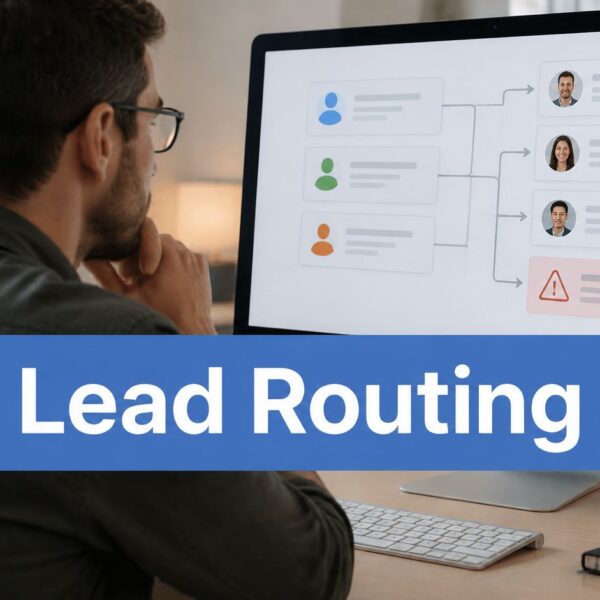
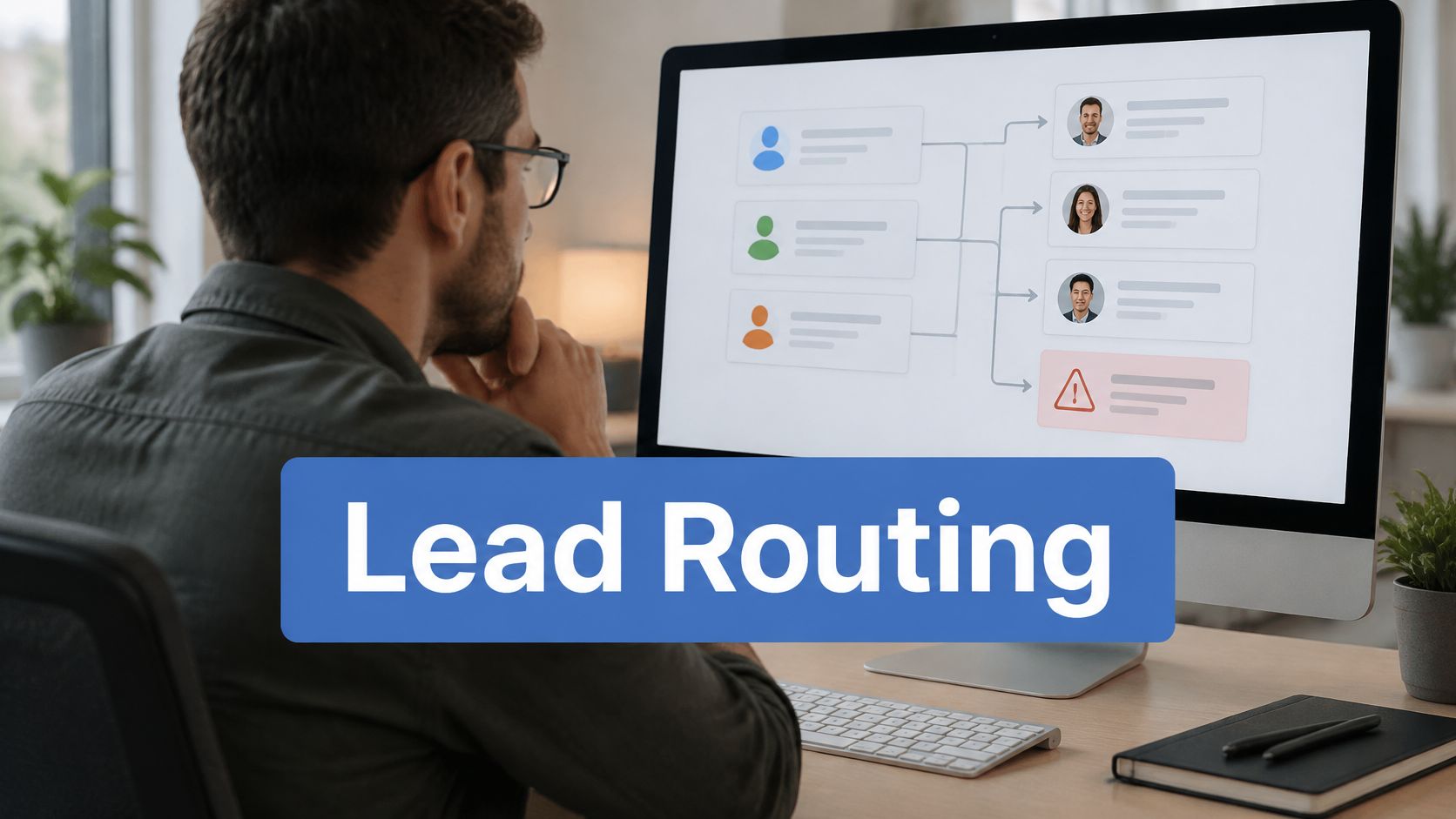
At 9:40 on a Tuesday morning, a buyer submits the demo form. HubSpot creates the contact, fires a notification to a shared sales address and moves on. Three reps see the email, each assumes someone else has it, and by early afternoon the buyer has booked with a vendor that replied in four minutes.
Nothing in that sequence is a HubSpot failure. The portal did exactly what it was configured to do, which was notify a human and hope. Routing broke because nobody had decided, in advance and in writing, which rep owns which kind of lead, what happens when a rule can't decide, and how fast a human has to respond.
Lead routing in HubSpot is a governance system assembled from owner properties, ordered workflow branches, audit fields and an exception queue. Five things determine whether it holds up: the ownership model, the data underneath it, the SLA attached to it, the conflict order when an account already has an owner, and the path for records that match nothing.
The tell: if you can't name the rule that assigned your last 20 leads, you don't have routing. You have a notification.
Choose the Ownership Model Before You Build
HubSpot doesn't ship a lead router you switch on. It gives you owner properties, workflows, tasks and reports, and leaves the question of who owns what to you. That decision, not the workflow builder, sets whether a demo request lands with a rep in four minutes or waits in a shared inbox until Thursday.
Statistics Canada's survey of digital technology use shows how recently Canadian businesses formalised customer management at all: 12% of enterprises used CRM software in 2012, large enterprises reached 41%, and 31% of enterprises with 10 or more employees used customer or supplier relationship-management software by 2013. Adoption that recent explains why so many inquiries still travel through a shared inbox or a spreadsheet, and why this conversation has to begin with ownership rules rather than automation features.
The five models and what each asks of your data
| Ownership model | Best for | How to build it in HubSpot | Main failure mode |
|---|---|---|---|
| Named account | Account-based B2B with long sales cycles | Company owner property copied to the contact owner by workflow | Leads stranded when the owner is on leave or the company has no owner yet |
| Territory | Multi-province or bilingual sales teams | Workflow branch on country and province, then assign a territory owner | Blank or free-text province values skip every branch |
| Round robin | Inbound-heavy teams with similar reps | Rotate record owner among specified users | Ignores language, seniority and current workload |
| Segment or product interest | Multi-product portfolios | Branch on product interest or industry, assign a specialist | Interest data decays and rules quietly go stale |
| Capacity-based | Teams with uneven pipelines | Custom open-lead number property plus a recalculation workflow | Count drifts without a refresh and healthy leads get reassigned |
| Hybrid territory plus round robin | Most B2B HubSpot teams | Territory branch first, rotation inside each branch, named-account override | Rule order conflicts when the decision path isn't documented |
Read the last column first. Each failure mode is a data or governance gap, and each one has a specific owner property or workflow defect behind it. Named-account routing strands a lead the moment the owner is on leave or the company record has no owner. Territory routing looks disciplined until a province field arrives blank or typed as free text, at which point every branch fails. Round robin balances volume and ignores language, seniority and who is already drowning. Capacity routing depends on a recalculation workflow; without one the open-lead count drifts and a lead gets pulled away from the rep who was mid-call with it.
I would put nearly every B2B team on the hybrid, and I would treat it as an auditable system rather than a workflow. Territory branch first, round robin inside each territory, named-account override on top. Then write the rule order down before anyone opens the builder, stamp each workflow version with a date property on assignment, and give every model a fallback owner and an exception queue for records that match nothing. Those two additions are what separate routing you can audit from routing you hope is working. When a rep disputes an assignment three weeks later, the version stamp tells you which rule fired and the exception queue tells you which leads no rule ever touched.
Every model rests on the same three inputs: a routable territory, a qualification state and a fallback owner. The qualification state is where lead scoring in HubSpot does its work, setting the tier a lead enters before any territory rule sees it. No model survives a territory field that nobody filled in.
Fix the Data Behind Every Routing Decision
Routing inherits every problem upstream of it. A contact whose province reads "PQ" or "Quebec" in a free-text field matches no branch and lands nowhere, and a duplicate created by a LinkedIn Lead Gen Forms sync gets assigned a second owner on top of the first. Nothing in the workflow builder will catch either case. The rules execute perfectly against broken inputs.
The scale of that risk is measurable even if your own rate isn't. A CRM data-quality analysis estimates that typical databases carry 25% to 30% duplicate records. Treat that as a reason to run your own duplicate audit before you build a single branch, because every duplicate in the portal is a lead that can be routed twice, worked twice and reported twice.
The cleanup order that avoids rework
- Take a controlled export first. Full contacts and companies, with associations, so a bad merge is recoverable.
- Define your matching keys. Normalised email domain, company domain and E.164 phone numbers decide what counts as the same person.
- Standardise country and province. ISO country codes and a controlled picklist of the 13 provinces and territories, with English and French labels, replace free text everywhere. Free text is where "QC", "Que." and "Québec" become three different territories.
- Find duplicates, then merge carefully. Check company, deal, subscription and consent associations before merging. A merge that keeps the wrong owner or wipes a consent record creates a compliance problem you'll discover months later, usually when the lead complains.
- Quarantine what can't be routed. A record with no routable territory goes into an exception queue with a named owner, not into the silent unassigned pile.
That last step is the one most builds skip. The exception queue is not a failure state; it is the audit trail proving every lead landed somewhere a human can see.
The fields every rule reads
| Property | Field type | Why routing needs it | Example value |
|---|---|---|---|
| Country | Dropdown with ISO values | First territory split | Canada |
| Province or territory | Dropdown, 13 controlled values with EN and FR labels | Assigns the Canadian territory | QC |
| Language preference | Radio, EN / FR | Chooses rep and email sequence | FR |
| Company size | Dropdown band | Segment or specialist branch | 51 to 200 employees |
| Industry | Dropdown | Segment branch | Manufacturing |
| Product interest | Multi-checkbox | Product-based routing | Sales Hub |
| Lifecycle stage | HubSpot default property | Workflow enrolment criteria | MQL |
| Lead score | Number | Priority tier | 85 |
| Consent status | Dropdown: express, implied, unknown, withdrawn | Suppression gate before automated outreach | Express |
| Fallback owner | HubSpot owner property | Last-resort assignment | Inbound queue owner |
Two fields on this list do work the others don't. Consent status decides whether you're allowed to contact the lead at all, and fallback owner decides who catches everything the rules miss. Assignment and permission to contact are separate questions, and the workflow should answer them in that order.
Then keep it clean with governance controls that run weekly rather than once: required routing fields on forms, dropdowns instead of text boxes, idempotency behaviour for integration-created records, duplicate monitoring by source, and an exception review owned by one named person. Write the review cadence and the reviewer's name into the same document that records the rule order, or both will drift together.
Lead-source provenance belongs in the same audit. The Office of the Privacy Commissioner states that businesses must ensure appropriate consent was obtained for an address, clearly explain the purposes for collecting it, and generally obtain consent at or before collection, which turns source, consent timestamp and stated purpose into fields your routing can read (OPC CASL compliance guide). A lead with no consent timestamp can still be assigned to an owner, but it should never enter automated outreach until the gate clears. Check provenance for the reports you can see, and improve data quality at the point of capture rather than after a lead has gone missing.
Set Response SLAs Reps Can Actually Meet
A demo request lands at 4:55pm on a Friday. By Monday morning the SLA timer shows a breach, the rep dismisses the alert, and the prospect has already booked with a competitor. That sequence is why SLA design starts with honesty about working hours and request types rather than an aggressive number copied from a benchmark report. An SLA nobody monitors is worse than no SLA, because it teaches the sales floor that targets are decorative.
Set targets by request type, and treat the figures below as starting ranges you tighten or loosen after a few weeks of attainment data.
Targets by request type
| Request type | Target time to owner | Target first human touch | Escalation if missed |
|---|---|---|---|
| Demo or pricing request | Under 5 minutes | 15 minutes | Notify owner at 5 minutes, manager at 10, reassign at 30 |
| General contact form | Under 30 minutes | 1 hour | Notify owner at 30 minutes, manager at 1 hour |
| Content download or low intent | Same business day | Within 2 business days | Enrol in nurture, review at day 2 |
| Existing customer or upsell enquiry | 2 hours | 4 hours | Escalate to the account manager |
| After-hours enquiry | Next business hour | 1 hour after opening | Queue to an on-call owner with a morning task |
High-intent requests deserve the tightest targets in the table because the cost of delay is highest there. Low-intent downloads rarely justify interrupting a rep mid-call, so routing them to nurture with a slower review window is the honest choice.
Business hours decide whether the clock is honest
Set portal business hours per time zone, Pacific through Atlantic, and remember Newfoundland sits on a half-hour offset that breaks a naive 9-to-5 rule. Exclude weekends and statutory holidays, and decide whether rotation skips reps marked unavailable or queues for them. Without those settings, a 6pm Friday submission generates an SLA breach by Saturday morning and reps learn to ignore the alert.
Practical rule: an alert that fires outside working hours trains people to dismiss alerts. Fix the calendar before you tighten the target.
What counts as a human touch
A logged call or a personal email from the rep's own address counts. An automated sequence send does not, and neither does a task created and never touched. Define this once and report against it consistently.
The most common reporting distortion I see in SLA reviews is a dashboard showing perfect attainment built entirely from automated sends. Reps hit the letter of the target while the prospect never hears from a person. If your attainment numbers look too clean, audit what is being counted before you celebrate them.
Inside HubSpot the mechanics are a delay branch measured in minutes, a notification to the owner at the first breach, a notification to the sales manager at the second, and automatic reassignment at the third. Measure median and 90th-percentile time-to-owner, time-to-first-human-touch, SLA attainment by tier, reassignment rate and conversion by rule. The median tells you the typical experience; the 90th percentile tells you where the exceptions live, and exceptions are what routing governance exists to catch.
The reassignment step deserves one extra decision: whether the lead returns to the general pool or moves to a named backup owner. Pool reassignment is simpler but risks a second miss, while a named backup concentrates the exception in one pair of hands. A documented follow-up on a lead process is where those numbers either turn into pipeline or expose the handoff as fiction.
Build the Routing Workflow Step by Step
Cloud infrastructure isn't the constraint any more. Statistics Canada data cited in RenuB's North America CRM research shows 48.5% of Canadian businesses used cloud computing in 2023, up from 45.3% in 2021, while earlier federal research found CRM use at 11% of small firms, 15% of medium firms and 35% of large firms in the private sector, with small versus medium-large adoption ranging from 6% versus 16% in logistics and transportation to 16% versus 22% in finance and insurance. Owning a cloud app and running a routing process are two different achievements, and many companies need the simpler model that a smaller firm can maintain.
The build itself is deliberately boring. The sequencing is what makes it auditable, and the order below is the order I'd defend in a review.
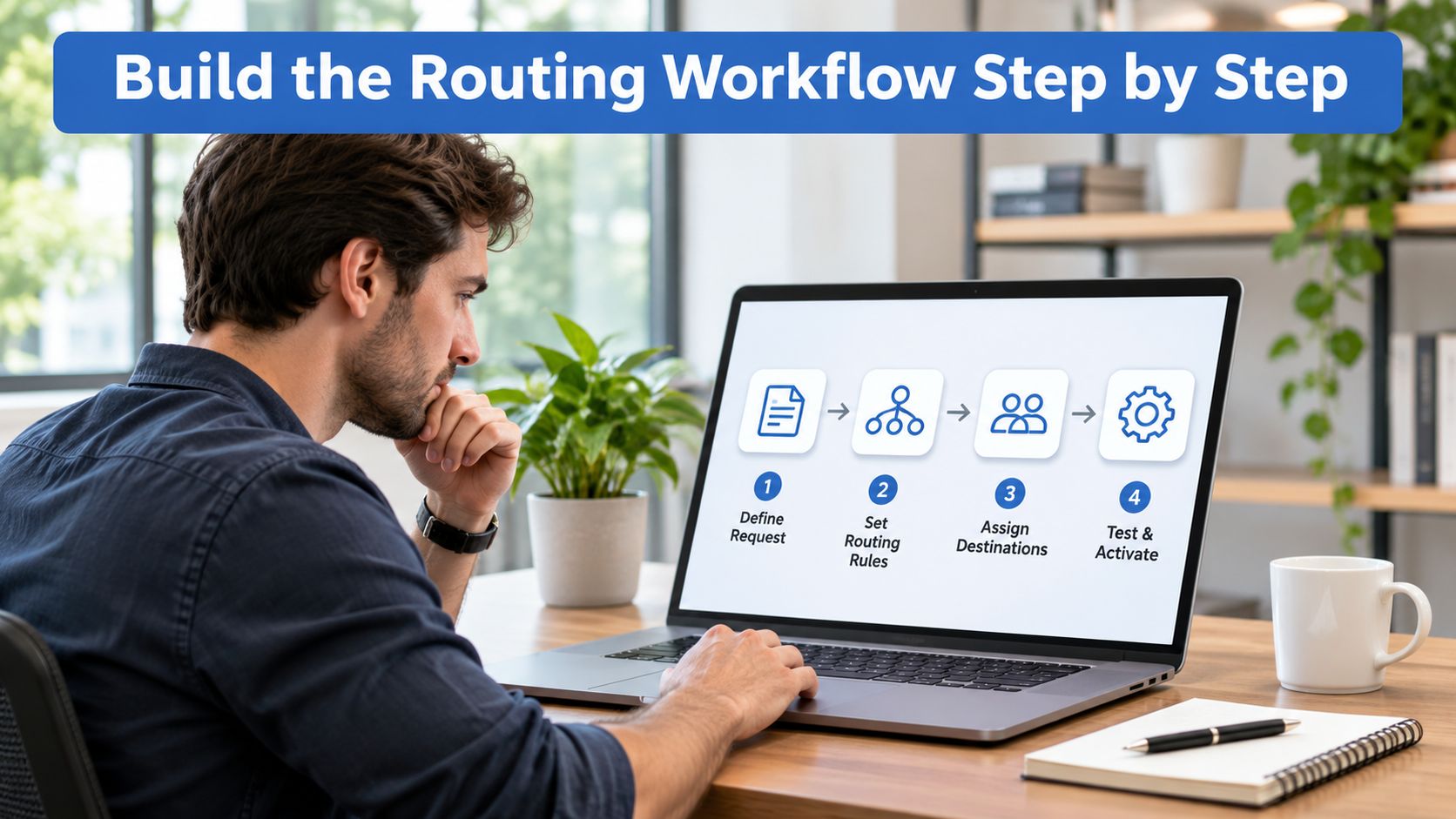
- Draw the path on one page. Order branches from most specific to least specific and mark the fallback at the bottom. Overlapping rules and orphan paths are much cheaper to find on paper than in production.
- Confirm the properties are populated and controlled. Nothing below works if country, province, language or consent status is a text box.
- Create a contact-based workflow with real enrolment criteria. Lifecycle stage is lead or MQL, or routing status is unassigned. Broad enrolment such as "any contact created" re-processes the whole database.
- Branch in this order: consent gate, known company owner, country and province, segment or product interest, then rotation among the territory team. Each branch removes ambiguity from the ones below it, so the decision path reads as a sequence rather than a tangle.
- Assign the owner. Use the rotate-record-owner action for round robin and a set-property action for named owners, so the mechanism is visible in the workflow history.
- Stamp the audit properties. Routing timestamp, rule version, assigned-by and exception reason. When a lead goes to the wrong rep next quarter, these four fields answer the question in a minute.
- Create a follow-up task with a due date tied to the SLA tier. The task is the handoff; without it, assignment is just a name in a field.
- Kill re-enrolment loops. A routing-locked checkbox plus explicit re-enrolment triggers stops the owner flipping every time a score changes.
Treat consent as a routing input, not a legal footnote
CASL obligations don't soften because the recipient is a business. A commercial electronic message needs consent before it's sent, must identify the sender and must carry a working unsubscribe mechanism, which makes consent status, sender identity and unsubscribe handling operational CRM fields (ISED CASL guidance).
The two consent types expire differently, and the routing has to model that. The CRTC explains that the onus to prove consent sits with the organisation, that implied consent generally lasts two years after a relationship-starting event such as a purchase, and that express consent isn't time-limited unless it's withdrawn (CRTC CASL explainer). Record consent type, source, date and channel, route implied-consent records towards a re-permission task before they lapse, and honour withdrawals across every connected system the same day.
Unknown or withdrawn consent blocks automated commercial email and sequences while leaving assignment and a human task intact. Skipping that gate to protect speed-to-lead trades revenue efficiency for compliance exposure, which is why consent-aware routing rules for Canadian B2B teams need to live inside the workflow rather than in a legal PDF. Quebec-facing records add a privacy layer on top, so test a French-language contact with unknown consent first.
Four pitfalls account for most failed launches: routing before deduplication, assigning with no fallback owner, branching on a mutable field like lead score without re-enrolment logic, and counting an automated email as a human touch.
Match Contacts to Companies Without Owner Conflicts
Routing conflicts are predictable, and each one has a rule that resolves it before a rep ever notices.
- A new contact arrives from a domain an owned company already uses. The company owner wins over the territory rotation. Two reps calling the same account in one week is a worse outcome than a slightly uneven territory.
- The company exists but has no owner. Route the contact by territory, then stamp the company with that same owner so the next three leads from the account follow the first.
- Three contacts from one account land on the same day. All three go to one rep. Splitting them across the rotation guarantees an internal thread where two people quote different next steps.
- An integration creates a duplicate contact. Domain-level deduplication runs before the rules, not after, or the same buyer gets two owners and two sequences.
- A rep leaves. Bulk reassign the book, then re-enrol open leads whose owner is now deactivated. Traffic to a deactivated owner is the quietest failure in the system.
When routing cannot decide
Some records can't be routed with confidence: a missing province, an unrecognised domain, a contact whose country and phone prefix disagree, or a lead whose account already has an owner in another region. Standard guidance explains how to assign a lead but rarely explains what to do with the ones that match nothing, which is where HubSpot's lead routing automation guidance stops short of measurable fallback controls.
The design that holds up is a deterministic exception queue. Preserve the original source and timestamp, assign a temporary queue owner, create an SLA task, and escalate daily until someone resolves it. Then report the exception rate by province, source, language and reason. Those four cuts tell you whether to fix the form, buy enrichment, or change the rule, instead of letting a rep work around the same gap every week.
A dashboard tracking exception rate, time to assignment, reassignment frequency and SLA breaches is the only honest evidence that automation is improving coverage rather than hiding it.
Test Every Rule and Monitor What Breaks
Testing routing means testing coverage, not happy paths. One record per scenario, checked against four outputs.
- Records: each of the 13 provinces and territories, one English and one French contact, one record per consent state (express, implied, unknown, withdrawn), one after-hours submission, one duplicate domain, one contact with no company, and one whose account already has an owner.
- Owner: the correct rep or queue, never blank.
- Audit: routing timestamp, rule version and exception reason stamped on the record.
- Task: created with a due date that matches the request tier.
- Suppression: no automated commercial email when consent is unknown or withdrawn.
Switch the workflow on inside a controlled window and watch the first day of real records before you trust it.
What to watch weekly
I would hold the unroutable rate under 3%, keep SLA attainment above 95% for high-intent requests, and report reassignment rate, duplicate rate by source and conversion by rule alongside them. A high reassignment rate usually means territory fields are wrong; a high unroutable rate means the form is asking a question people won't answer.
Automation is spreading quickly enough that sloppy rules now scale. Statistics Canada reported that 23.1% of Canadian businesses used AI-based marketing automation in the second quarter of 2025, up from 15.2% a year earlier (Statistics Canada), and an agent that inherits messy records misroutes with more confidence, not more accuracy.
Symptoms, causes and fixes
| Symptom | Likely cause | Fix |
|---|---|---|
| New leads stay unassigned | Workflow switched off, enrolment criteria too narrow, or no fallback branch | Add a fallback branch to a queue owner and re-enrol unassigned records |
| Owner flips back after assignment | A second workflow or sync integration overwrites the owner | Set a routing-locked checkbox and exclude locked records from later workflows |
| Same lead assigned twice | Re-enrolment on mutable properties such as lead score | Restrict re-enrolment to new records or cleared owners |
| Round robin skips a rep | Rep missing from the rotation list or marked unavailable | Review team membership and availability weekly |
| SLA escalation never fires | Delay branch set in days, or portal business hours not configured | Use minute-based delays and confirm business hours and holidays |
| Wrong territory for Canadian leads | Free-text province values or a null country field | Standardise the picklist and backfill from enrichment |
| French contacts get English follow-up | Language property empty and defaulting to English | Capture language at form level and branch the sequence on it |
Keep a rule-change log beside the workflow: what changed, who approved it, which records were affected, and the version number stamped on future assignments. It turns "the routing is acting strange" into a five-minute answer the next time something shifts.
Ship a Three-Rule Version First
Twelve branches, four owner lists and a rotation nobody has touched since March isn't a routing system. Start with three rules: territory by province, a named-account override and one fallback queue, each carrying the SLA task. That version can be explained to a rep in a sentence and audited in ten minutes.
- Week one. Clean the routing properties and run a duplicate audit. Nothing else.
- Week two. Build the three rules and run the full test matrix before anything touches a live record.
- Week three. Go live with a daily exception review, ten minutes a morning.
- Week four. Report time-to-first-human-touch and decide whether segment or capacity routing earns a fourth rule.
Hold rule changes for the whole measurement window, log every version, and review the exception queue with sales leadership rather than inside marketing alone. A routing model the sales manager doesn't defend will be worked around within a month.
Our sales operations work covers CRM workflows, lead routing, account ownership, pipeline stages and sales reporting, which is why most engagements here begin with an audit of the routing, ownership and lifecycle definitions already in place, followed by a rebuild scoped to the rules that matter and enablement so reps trust the assignments they receive. 50+ B2B companies have used that review to replace a fragile tangle with something auditable.
MarTech Do offers a free expert consultation where we review your current routing, ownership model and lifecycle definitions, then hand you a practical roadmap for what to fix first. Bring the workflow you have now, including the exception cases nobody planned for, and we'll show you which branches overlap, which records can never be routed and what a smaller, auditable build would look like. Start at MarTech Do and bring the portal with you.