
A well-architected sales process in Salesforce is far more than a list of stages in a dropdown menu. It is the operational framework that aligns your entire Go-to-Market team, transforming your CRM from a simple data repository into a predictable engine for revenue generation.
Building Your Foundation for High-Performing Sales
For many B2B RevOps leaders, Salesforce can feel like a high-performance engine stuck in first gear. The primary challenge is evolving it from a passive system for storing customer information into an active tool that accelerates sales cycles and enables data-driven decisions. A clearly defined sales process provides the structure required to scale growth effectively.
This process serves as the blueprint for your revenue engine. Every component, from lead handling protocols to opportunity stage definitions, must work in concert to build momentum. Without this blueprint, teams operate on instinct rather than data, which inevitably leads to inconsistent data, stalled deals, and unreliable forecasts.
This misalignment is a classic challenge for sales and revenue operations. A structured approach ensures every representative operates from the same playbook, delivering a single source of truth for pipeline health and team performance.
Why a Defined Process Is Non-Negotiable
A standardized sales process does more than organize your pipeline; it establishes a reliable, repeatable path to achieving revenue targets. The benefits impact every level of the organization, from front-line sales representatives to the executive team guiding strategy.
Here’s where you’ll see the most significant impact:
- Improved Forecasting Accuracy: When probabilities are assigned to each stage, you can transition from speculative forecasts to revenue projections backed by empirical data.
- Increased Sales Velocity: Clear criteria for advancing a deal from one stage to the next maintain momentum and prevent opportunities from stagnating.
- Accelerated Team Onboarding: New hires can achieve productivity faster when they are equipped with a documented, easy-to-follow process from day one.
- Actionable Performance Insights: Consistent data allows you to identify process bottlenecks, coach representatives on specific skills, and refine your GTM strategy based on real-world outcomes.
The data underscores the value of this approach. According to Salesforce performance statistics, companies that properly implement the platform see a 27% increase in win rates and a 34% increase in sales revenue.
A well-architected sales process in Salesforce is not about constraining your sales team; it is about empowering them. It eliminates ambiguity, automates administrative tasks, and allows them to focus on high-value activities: building relationships and closing deals.
This foundational work is critical for any B2B company aiming to maximize its investment in Salesforce and related MarTech. By establishing clear, repeatable sales processes in Salesforce, you build the operational foundation necessary for sustainable growth and a significant competitive advantage.
Designing a Scalable Pipeline in Sales Cloud
Your sales pipeline is the central nervous system of your sales operation. It is not merely a series of stages; it is the operational framework that must map directly to your customer’s buying journey. A well-designed pipeline enforces data discipline and produces forecasts you can trust.
A poorly configured pipeline quickly devolves into an unreliable collection of deals, leaving you with no accurate measure of business health. The key is to build a pipeline that is both scalable for future growth and specific to your current go-to-market motion. This requires clear stage definitions, firm entry and exit criteria, and the use of Salesforce’s native tools to ensure compliance.
Defining Your B2B Sales Stages
The first step is to map your sales stages collaboratively. Convene sales leadership, the RevOps team, and front-line representatives to define stages based on key milestones from the buyer’s perspective, not your team’s internal checklist.
For a typical B2B technology or professional services firm, a sales cycle often includes the following stages:
- Qualification: A lead is converted, and your team confirms Budget, Authority, Need, and Timeline (BANT) or a similar qualification framework.
- Discovery: The sales representative conducts in-depth conversations to uncover key business pain points, strategic objectives, and technical requirements.
- Solutioning / Demo: Your team presents a tailored demonstration or proposal that directly addresses the needs identified during discovery.
- Validation / POC: The prospect validates that your solution is the right fit. This may involve a proof of concept (POC), a trial, or technical and security reviews.
- Negotiation: Contracts, commercial terms, and legal details are reviewed and finalized.
- Closed Won / Closed Lost: The deal is officially won or lost, and the outcome is recorded.

Visualizing this journey within Salesforce allows you to identify bottlenecks, replicate successful patterns, and coach your team more effectively.
Enforcing Data Integrity with Entry and Exit Criteria
With your stages defined, the next critical step is to establish clear rules for advancing a deal. This is where many sales processes fail.
Without firm criteria, representatives may delay advancing deals (“sandbagging”) or push them forward prematurely to inflate their pipeline, rendering your forecast inaccurate. For a deeper look at pipeline dynamics, it is helpful to review the fundamentals of understanding sales funnels and conversion.
To maintain a clean and predictable pipeline, every stage must have explicit entry and exit criteria. These act as quality gates, ensuring an opportunity is genuinely ready to advance.
For example, to move an opportunity from “Discovery” to “Solutioning,” you can mandate that a representative completes specific fields in Salesforce:
- Entry Criteria for Solutioning:
- The
Primary Pain Pointfield must be populated. Key Stakeholdersmust be identified and added as Contact Roles.- The
Budget Confirmedcheckbox must be selected.
- The
You can enforce these rules using Salesforce Validation Rules. This feature prevents a user from saving a record until the specified conditions are met, providing a simple yet powerful method for building a trustworthy, scalable process. By embedding these guardrails directly into your system, your pipeline transforms from a passive tracker into an active guide for your entire sales team.
Automating Lead Management and Qualification
An optimized sales pipeline is ineffective if the leads flowing into it are unqualified or neglected. The handoff from marketing to sales is a critical juncture where revenue potential is often lost due to slow follow-up, incorrect lead routing, or a lack of prioritization. For any RevOps team focused on growth, automating the top of the funnel is not a luxury; it is a necessity.
By integrating marketing automation platforms like Marketing Cloud Account Engagement (formerly Pardot) or HubSpot with Salesforce, you create an intelligent, seamless system. This integration enables you to qualify, score, and route leads with precision, ensuring your sales representatives engage with prospects who are most likely to convert.
Building a Robust Lead Scoring Model
Not all leads are created equal. A robust lead scoring model is the engine that differentiates high-intent prospects from low-interest contacts. The model assigns points based on explicit demographic data and implicit behavioral data.
A prospect from a target industry (e.g., B2B SaaS) who downloads a pricing guide and views case studies demonstrates strong buying signals. Their score should reflect this increased intent.
An effective scoring model typically includes:
- Demographic Scoring: Points are assigned based on profile attributes like job title, company size, industry, and geography. A “VP of Operations” at a target account receives a higher score than an “Intern” from outside your ideal customer profile.
- Engagement Scoring: Points are awarded for actions such as email opens, link clicks, webinar attendance, or demo requests.
- Score Degradation: A lead’s score should decrease over time if they become inactive. This mechanism keeps the pipeline current and prevents sales from pursuing disengaged contacts.
This screenshot from Salesforce’s Account Engagement illustrates how automated rules can be configured to nurture leads and advance them through the buyer’s journey.
By mapping the buyer’s journey, you can create automated triggers that deliver the right content at the right time, keeping your brand top-of-mind without manual intervention.
Implementing Smart Lead Assignment Rules
Once a lead reaches a predefined score threshold and becomes a Marketing Qualified Lead (MQL), speed is critical. Research consistently shows that the probability of connecting with a lead decreases dramatically after the first five minutes. This is where Salesforce Lead Assignment Rules become indispensable.
These rules automatically route incoming leads to the appropriate representative or queue based on predefined criteria:
- Territory: Route leads based on geographic location.
- Company Size: Assign enterprise-level inquiries to senior account executives.
- Product Interest: Direct leads interested in a specific product to a specialized team.
- Round Robin: Distribute leads evenly across a team to ensure balanced workloads.
A well-configured set of assignment rules eliminates manual triage, prevents leads from being overlooked, and ensures near-instantaneous follow-up, which directly improves conversion rates.
Properly configuring these rules is a foundational element of an efficient sales operation. For a detailed guide, you can learn more about mastering Salesforce lead assignment rules.
Nurturing Leads Not Yet Sales-Ready
A significant portion of inbound leads will not be ready for a sales conversation. These leads should not be discarded; instead, they represent a valuable opportunity for automated nurturing.
You can create targeted nurture campaigns in Account Engagement or HubSpot that deliver relevant content based on a prospect’s demonstrated interests. For instance, a prospect who downloads an introductory e-book can be entered into a sequence that provides related blog posts, a customer case study, and an invitation to a relevant webinar.
This automated nurturing keeps your company on their radar, so when they are ready to purchase, your brand is the first one they consider. It effectively bridges the gap between marketing and sales, converting lukewarm interest into a pipeline of qualified, sales-ready opportunities.
Reclaiming Selling Time with Automation and AI
The most common challenge for sales representatives is the burden of non-selling activities. Administrative work, manual data entry, and activity logging consume a significant portion of their time, leaving less for what they do best: building relationships and closing deals. A strategically configured sales process in Salesforce, powered by automation and AI, can return your team’s most valuable asset: time.

The data is clear. Research from Salesforce reveals that representatives spend only 28% of their week on core selling activities. A staggering 72% is consumed by tasks that do not directly generate revenue. High-performing teams address this inefficiency head-on; by leveraging Sales Cloud effectively, they achieve 39% better visibility into rep activities. You can explore the complete research on modern sales trends for a deeper analysis. This is not merely an inconvenience; it is a direct impact on your revenue potential.
Eliminating Manual Work with Salesforce Flow
Salesforce Flow is the automation engine that eliminates repetitive clicks and manual updates that frustrate representatives and introduce human error. Instead of relying on reps to follow a manual checklist, you can build workflows that execute these tasks automatically.
Consider these practical applications of Flow in a B2B sales process:
- Automated Task Creation: When an opportunity stage is updated to “Proposal Sent,” a Flow can automatically create a follow-up task for the representative, due in three days, with a subject like “Follow up on Proposal for [Account Name].” This ensures no opportunity is neglected.
- Automatic Activity Logging: When a representative completes a demo and updates the opportunity status, a Flow can log the activity in the background, capturing key details without requiring additional manual entry.
- Intelligent Notifications: If a high-value opportunity has been idle for a week, a Flow can trigger an automated alert to both the representative and their manager, prompting re-engagement before the deal goes cold.
These automations create a more disciplined and efficient process.
By automating routine administrative duties, you don’t just save time—you embed best practices directly into your CRM. This ensures consistency and allows your sales team to focus their energy on strategy and execution, not data entry.
Supercharging Your Process with Salesforce Einstein
While Flow is the automation workhorse, Salesforce Einstein provides the intelligence layer that makes your processes predictive. Einstein AI analyzes your historical data to uncover insights and deliver recommendations, enabling your team to work smarter.
Einstein can directly enhance your sales process in several powerful ways:
- Predictive Lead Scoring: Einstein analyzes the attributes of your past converted leads to identify commonalities. It then scores new leads in real-time, allowing your team to prioritize the most promising prospects.
- Opportunity Insights: The AI monitors your pipeline for risk factors, such as a key contact leaving the company or a sudden drop in email engagement, and flags at-risk deals. This gives representatives a chance to intervene proactively.
- Enhanced Forecasting Accuracy: By analyzing past deal cycles and representative behaviors, Einstein provides a more objective, data-driven forecast, reducing guesswork and giving leadership a more reliable view of quarterly performance.
Integrating these AI-driven features transforms your sales process from a static set of steps into an intelligent system that actively guides your team toward closing more deals.
Building Dashboards for True Pipeline Visibility
A well-defined sales process is incomplete without a mechanism to measure its performance. Data residing in individual records is only valuable when it is aggregated and visualized to support strategic decision-making. Salesforce dashboards serve as the command center for your entire revenue operation.
For RevOps and sales leaders, the objective is to create visualizations that answer critical business questions at a glance, eliminating the need to sift through reports. A well-designed dashboard should provide an immediate assessment of pipeline health, identify bottlenecks, and validate the accuracy of your forecast.
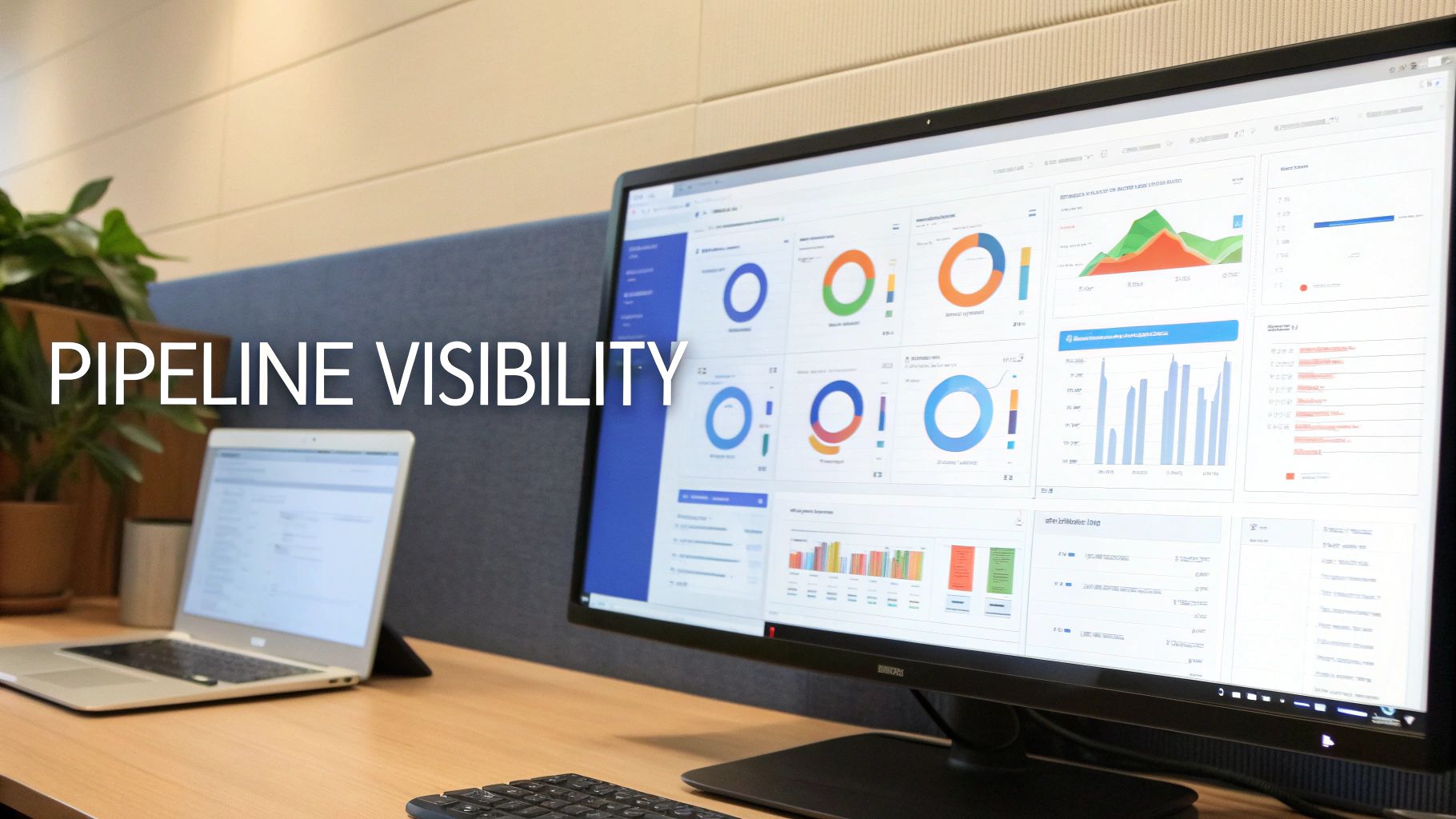
This kind of dashboard delivers an instant health check, visualizing key metrics like pipeline by stage, quarterly performance, and lead conversion rates.
From Reactive Reporting to Proactive Strategy
Effective dashboards enable a shift from reactive analysis to proactive management. Instead of waiting until the end of a quarter to diagnose what went wrong, you can identify negative trends as they emerge and intervene before they impact revenue goals.
This proactive approach is contingent on clean data. Poor data integrity is a significant obstacle for many organizations; the latest State of Sales report indicates that only 35% of sales professionals fully trust their CRM data. However, the benefits of achieving data integrity are substantial. The report also shows that 74% of sales professionals use Salesforce Analytics Cloud, and those leveraging AI see a 41% advantage in lead prioritization and achieve 39-41% greater accuracy in forecasting.
A dashboard built on unreliable data is worse than no dashboard at all—it provides a false sense of confidence to make poor decisions. System-enforced processes, such as validation rules and required fields, are not administrative burdens; they are the foundation of trustworthy analytics.
Essential Reports for Your Sales Dashboard
To build a dashboard that drives decisions, you must start with the right underlying reports. Each report should be designed to answer a specific, critical question about your sales processes in Salesforce. For a detailed walkthrough, our complete guide on how to create dashboards in Salesforce is an excellent resource.
Here are three essential reports that every sales leader’s dashboard should include:
- Pipeline Generation vs. Target: This report tracks new pipeline created over a specific period (e.g., weekly, monthly) against your goal. It is the earliest leading indicator of future revenue performance. A shortfall provides an early warning to increase marketing spend or launch a sales initiative.
- Sales Cycle Length by Stage: This analysis reveals how long opportunities spend in each stage. If deals consistently stall in the “Negotiation” stage, it may indicate issues with pricing, contracts, or qualification earlier in the process.
- Win-Loss Analysis: This report goes beyond a simple win rate. By analyzing the reasons for lost deals—be it price, competition, or missing product features—you gain actionable feedback to inform product, marketing, and sales training strategies.
The following table outlines key reports for process optimization.
Essential Salesforce Reports for Sales Process Optimization
This table breaks down the key reports every B2B sales and RevOps leader should build to monitor and improve their sales process.
| Report Name | Key Question It Answers | Primary User |
|---|---|---|
| Pipeline Coverage Ratio | Do we have enough pipeline to hit our quarterly target? | Sales Leaders, RevOps |
| Lead Conversion Rate | Are our marketing efforts generating high-quality leads? | Marketing & Sales Leadership |
| Sales Activity Tracking | Are my reps hitting their activity benchmarks (calls, emails)? | Sales Managers, Sales Reps |
| Opportunity Stage History | Where are deals stalling or falling out of the funnel? | RevOps, Sales Managers |
| Forecast Accuracy | How reliable are our sales forecasts over time? | Sales Leaders, Finance |
By featuring these reports on a central dashboard, leaders can move from simply tracking revenue to strategically managing the entire sales engine, enabling confident, data-backed decisions that guide the GTM team toward predictable growth.
Frequently Asked Questions
Implementing and refining sales processes in Salesforce raises numerous practical questions. For leaders in RevOps, sales operations, and marketing, addressing these details correctly is the difference between a CRM that accelerates growth and one that creates friction. This section provides clear, actionable answers to common challenges faced by B2B companies.
What Is the First Step to Fixing Our Messy Sales Process in Salesforce?
The critical first step is to conduct a comprehensive audit of your current state. Before implementing any changes, you must understand precisely what is broken, where friction exists, and why representatives may be circumventing the current system. A thorough audit provides a data-backed roadmap for meaningful improvements.
A proper audit extends beyond reviewing opportunity stages and includes:
- Process Mapping: Document every step of your current process, from lead ingestion to deal closure. This exercise often reveals surprising redundancies and inconsistencies.
- Stakeholder Interviews: Engage directly with sales representatives, managers, and marketing team members. Ask about their primary challenges, bottlenecks, and perceived gaps in the process. Their front-line insights are invaluable.
- Data Analysis: Analyze your Salesforce reports to identify stages with high stall rates or significant drop-off. These data points are clear indicators of process flaws or poorly defined stages.
An audit establishes a baseline for improvement. It ensures you are addressing the root cause of a problem—such as a vague qualification stage—rather than merely treating its symptom, like an inaccurate forecast. Without this diagnostic work, any changes are speculative.
How Many Sales Stages Should We Have in Our Salesforce Pipeline?
While there is no universal number, the guiding principle should be clarity over complexity. For most B2B sales cycles, a pipeline with 5 to 7 distinct stages provides a good balance. This structure offers enough granularity for accurate forecasting without overburdening the sales team with administrative tasks.
The key is to ensure each stage represents a verifiable milestone in the buyer’s journey, not just an internal task. For example, “Proposal Sent” is a clear, buyer-facing action. A stage like “Following Up” is ambiguous and provides no insight into the prospect’s level of commitment.
Strive for the right balance. Too few stages will obscure visibility into deal progression, while too many will create a cumbersome process that representatives ignore, leading to poor data quality.
How Do We Ensure Sales Reps Actually Follow the Process?
Adoption hinges on a simple value proposition: the process must provide more value to the representative than the effort required to follow it. If the process is perceived as an obstacle, they will find workarounds. To achieve genuine adoption, focus on making their jobs easier.
Success depends on three key factors:
- Involve Them in the Design: Co-create the process with your sales team, not for them. When representatives contribute to defining stages and rules, they develop a sense of ownership, which is a powerful driver of adoption.
- Automate Administrative Tasks: Leverage tools like Salesforce Flow to handle repetitive tasks that reps dislike—logging activities, creating follow-up reminders, and updating fields. When the CRM works for them, it becomes a valuable assistant rather than a taskmaster.
- Demonstrate the “What’s In It For Me”: Build dashboards that clearly link process adherence to achieving sales targets. When a representative can see how a clean pipeline helps them identify their best opportunities and close deals faster, the value becomes self-evident. Adoption naturally follows when they see a direct positive impact on their success.
Can We Connect HubSpot Activities to Our Salesforce Sales Process?
Yes, and a well-configured integration between HubSpot and Salesforce is a cornerstone of a modern RevOps tech stack. It bridges the gap between marketing engagement and sales execution, providing representatives with the context needed for more intelligent and timely conversations.
This integration allows you to sync critical marketing data—such as email opens, form submissions, and website activity—directly to lead and contact records in Salesforce. This data fuels several key components of your sales processes in Salesforce:
- Informed Outreach: Representatives can see exactly what content a prospect has engaged with, enabling them to tailor their outreach instead of using a generic pitch.
- Smarter Lead Scoring: HubSpot engagement data can be used to build a more accurate lead scoring model, alerting sales the moment a prospect demonstrates strong buying intent.
- Closed-Loop Reporting: By connecting marketing activities through to sales outcomes, you can build attribution models that definitively prove marketing’s impact on pipeline and revenue.
Optimizing your sales processes in Salesforce is not a one-time project but a continuous cycle of refinement. At MarTech Do, we partner with B2B companies to audit, design, and implement scalable RevOps frameworks that align teams and drive predictable growth. If you are ready to transform your CRM into a true revenue engine, explore our approach to go-to-market strategy.